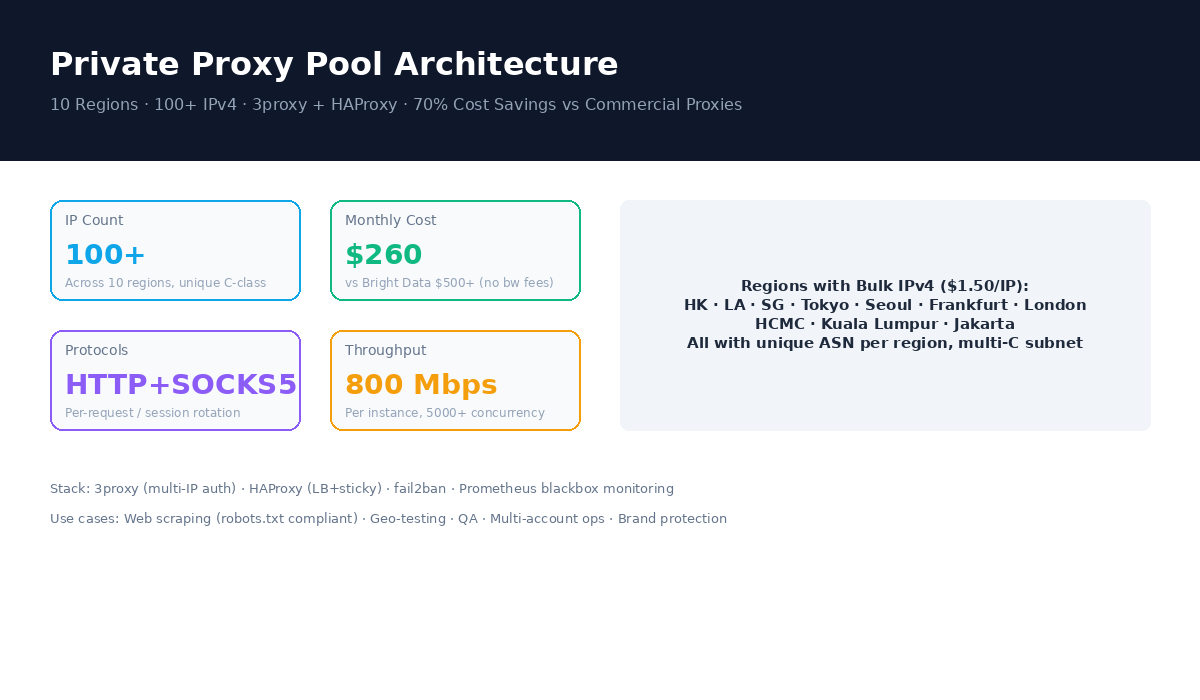
TL;DR
- Build a 100-IP private datacenter proxy pool for ~$260/mo across 10 regions, vs $500+/mo for Bright Data (with bandwidth fees on top)
- Use 3proxy (lightweight, HTTP+SOCKS5, native multi-IP rotation) behind HAProxy (load balancing, per-domain sticky sessions)
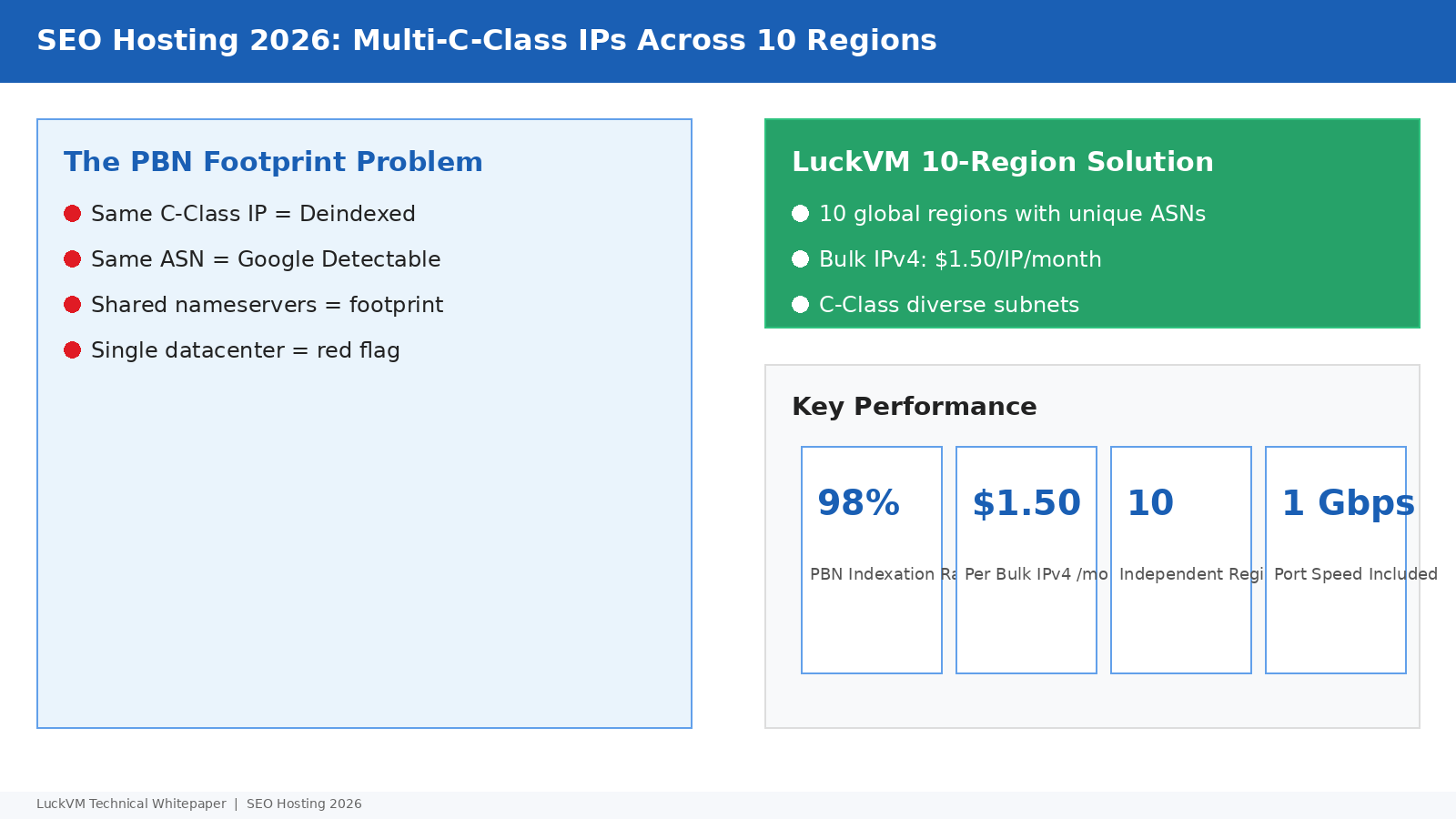
- Bulk IPv4 costs $1.50/IP/mo on LuckVM; 1 Gbps unlimited bandwidth included, no per-GB charges
- Production configs in this article: 3proxy.cfg, HAProxy frontend/backend, health checks, auth, systemd service
- Compliance: This guide covers legitimate use cases only — compliant scraping, geo-testing, QA, brand monitorin
1. Why Build Your Own Proxy Pool?
Every growth-stage team eventually needs proxies. Web scrapers need to rotate IPs to avoid bans. QA teams need to test websites from different countries. Marketing teams manage multi-account workflows. Brand protection services monitor how their content appears in different regions.
The commercial proxy market is dominated by Bright Data (formerly Luminati), Oxylabs, GeoSurf, and Smartproxy. These services are convenient but expensive — $500-$1000+/mo for 100 datacenter IPs, plus $0.50-1.00/GB bandwidth fees that can multiply costs for heavy scraping. You also don't control the IP quality, rotation logic, or logging policies.
Building your own proxy pool on budget VPS instances gives you:
- 70% lower cost: 100 IPs across 10 regions for ~$260/mo including all bandwidth
- Full control: Configure rotation, authentication, logging exactly as you need
- Clean IPs: Freshly assigned IPs not yet associated with proxy activity (unlike shared commercial pools where IPs are burned quickly)
- Multi-protocol: HTTP, HTTPS, and SOCKS5 on the same instance
- No bandwidth fees: 1 Gbps unlimited on LuckVM means you don't pay extra for heavy traffic
robots.txt and Terms of Service. The techniques described here are for geo-testing, QA automation, compliant web scraping (with rate limiting and respect for server resources), brand protection monitoring, and multi-account business operations where permitted.2. Proxy Software: Squid vs Dante vs 3proxy
There are three main open-source proxy servers suitable for building a pool. Here's how they compare for production use:
| Feature | Squid | Dante | 3proxy (recommended) |
|---|---|---|---|
| Protocols | HTTP/HTTPS | SOCKS4/5 | HTTP+HTTPS+SOCKS5 |
| Multi-IP binding | Via tcp_outgoing_address per ACL | Via external routing scripts | Native -eip flag per IP |
| Per-request rotation | Complex (needs external helper) | Not native | Native -r flag |
| Memory footprint | 200-500 MB | 50-100 MB | |
| Configuration ease | Complex ACL syntax | Moderate | Simple, straightforward |
| Authentication | Basic, NTLM, Kerberos | Basic, PAM | Built-in user/pass, IP whitelist |
| DNS caching | Yes | No | Yes (nscache) |
We recommend 3proxy for building proxy pools. It's lightweight (written in C, uses
3. Architecture Overview
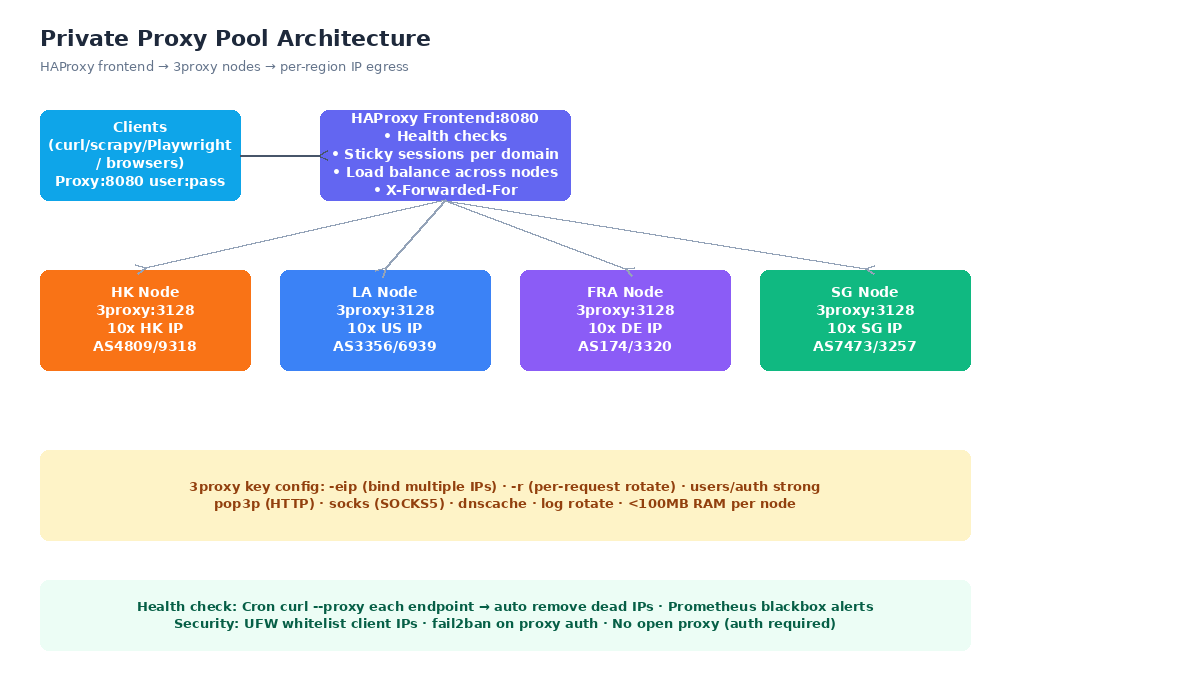
The production architecture we'll build has three layers:
- HAProxy Frontend (single entry point): Listens on port 8080 (HTTP) and 1080 (SOCKS5). Handles authentication passthrough, health checks, load balancing across backend nodes, and sticky session logic. You can point all your applications at one address.
- 3proxy Backend Nodes: One per region, each with 10 bound IPv4 addresses. Handles actual proxy connections, IP rotation, DNS caching, and logging.
- Health Check & Monitoring: Cron job tests each node every 60 seconds; Prometheus blackbox_exporter for alerting. Automatically removes dead IPs from rotation.
For a minimal starter setup, you can skip HAProxy and connect directly to a single 3proxy instance on port 3128/1080. Add HAProxy once you have multiple nodes.
4. Cost Analysis: Self-Hosted vs Commercial Proxies
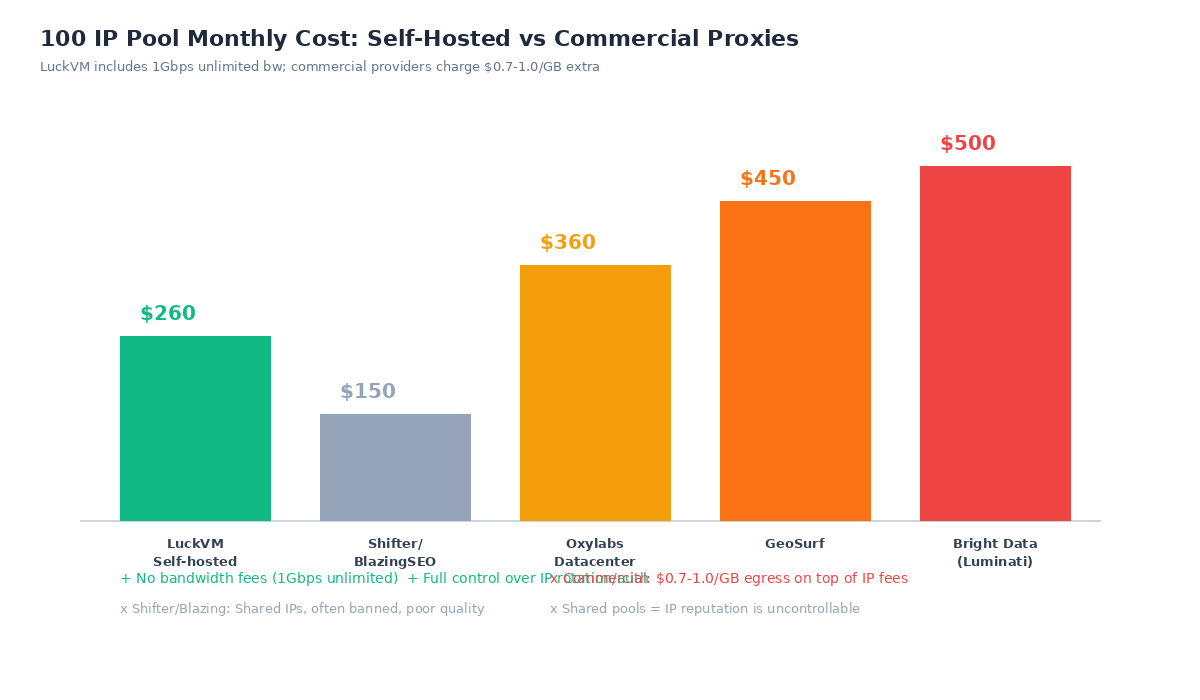
Here's a real cost comparison for a 100-IP pool across multiple regions (100 datacenter IPs, 1 TB monthly traffic used as baseline for bandwidth calculation on commercial providers):
| Provider | 100 IP/mo | 1 TB bandwidth | Total/mo | IP Quality |
|---|---|---|---|---|
| LuckVM Self-hosted | $150 (100 IP @ $1.50) | $0 (1Gbps unlimited) | $260 (10 VPS @ $11) | Fresh, unique ASN per region |
| Bright Data DC Proxies | $500 | $800 (1000GB @ $0.80) | $1,300+ | Shared, rotation managed |
| Oxylabs DC Proxies | $360 | $700 (1000GB @ $0.70) | $1,060+ | Shared pool |
| GeoSurf | $450 | Included (limited) | $450 | Residential mix, slow |
| Shifter/BlazingSEO | $150 | Included | $150 | Poor, heavily shared/banned |
Key insight: The real cost saving isn't just IP pricing — it's bandwidth. Commercial providers charge $0.50-1.00/GB for egress through their proxy network. If you scrape 5 TB/month (common for medium-scale scrapers), bandwidth alone costs $2,500-5,000. With LuckVM's 1 Gbps unlimited, that's included.
For pricing on bulk IPv4 and multi-region VPS deployments, see VPS Hosting plans and contact sales for bulk IP discounts at 200+ IPs.
5. Step 1: Server Setup & Multi-IP Configuration
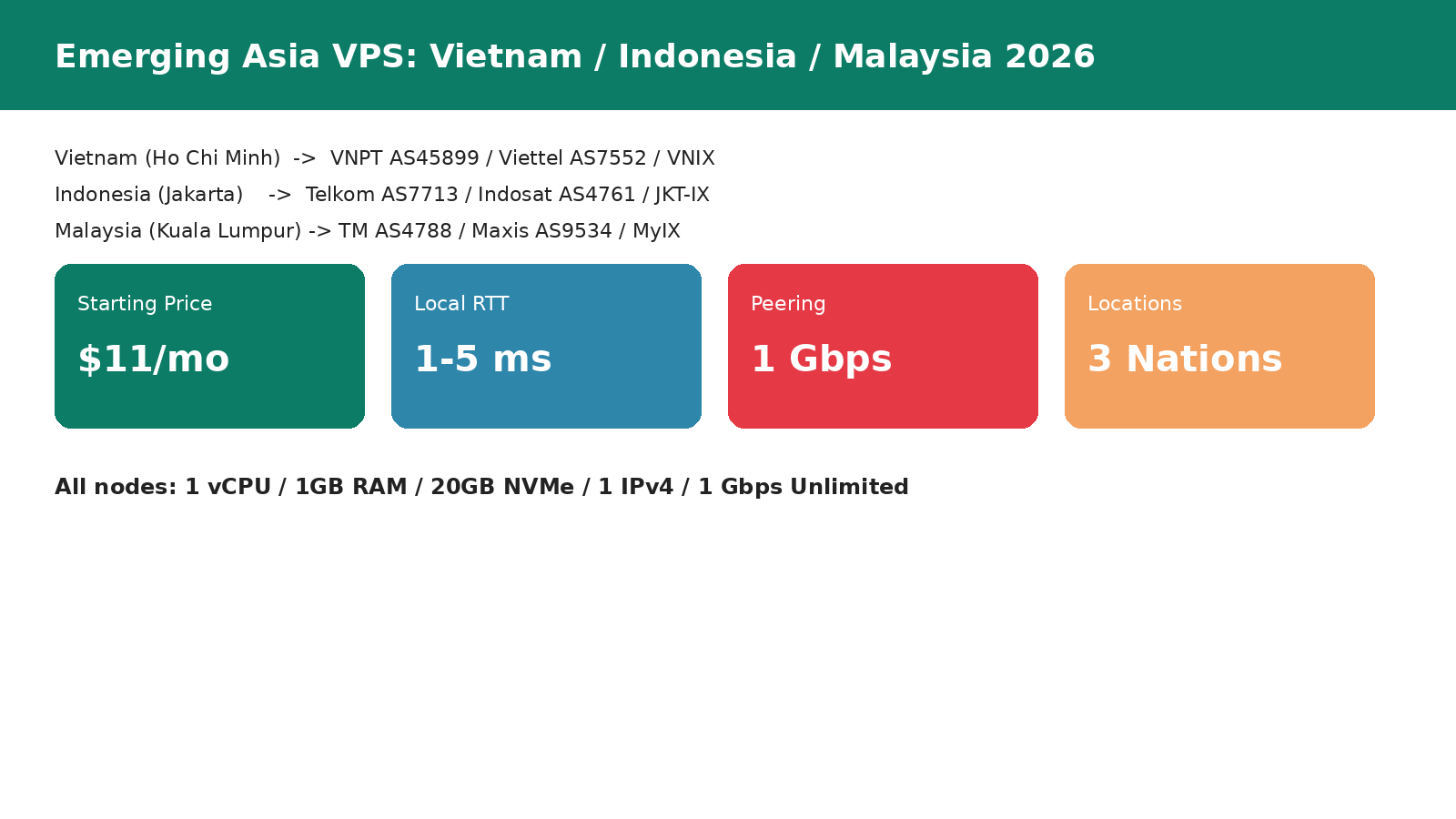
First, provision VPS instances in your target regions. For a 10-region pool, deploy one VPS in each location (Hong Kong, Los Angeles, Singapore, Tokyo, Seoul, Frankfurt, London, Ho Chi Minh City, Kuala Lumpur, Jakarta). Start with the $11/mo plan (1 vCPU, 1 GB RAM, 20 GB NVMe) which easily handles 5,000+ concurrent proxy connections.
After provisioning, order bulk IPv4 addresses from the control panel ($1.50/IP/mo). For testing, start with 10 IPs per node (plus the primary IP, 11 total per node).
Binding multiple IPs (Netplan on Ubuntu 22.04/24.04)
Edit your Netplan config to bind all purchased IPs to the network interface:
sudo nano /etc/netplan/50-cloud-init.yamlnetwork:
ethernets:
eth0:
addresses:
- 198.51.100.2/24 # Primary IP
- 198.51.100.10/24 # Bulk IP 1
- 198.51.100.11/24 # Bulk IP 2
- 198.51.100.12/24 # Bulk IP 3
- 198.51.100.13/24 # Bulk IP 4
- 198.51.100.14/24 # ... add all purchased IPs
gateway4: 198.51.100.1
nameservers:
addresses:
- 1.1.1.1
- 8.8.8.8
version: 2sudo netplan apply
# Verify all IPs are bound
ip addr show eth0 | grep inetSystem preparation
sudo apt update && sudo apt upgrade -y
sudo apt install -y 3proxy haproxy apache2-utils fail2ban ufw curl
# If 3proxy is not in repos (common on older Ubuntu):
# wget https://github.com/3proxy/3proxy/releases/download/v0.9.3/3proxy-0.9.3.tar.gz
# ... compile from source (make -f Makefile.Linux)
6. Step 2: 3proxy Installation & Configuration
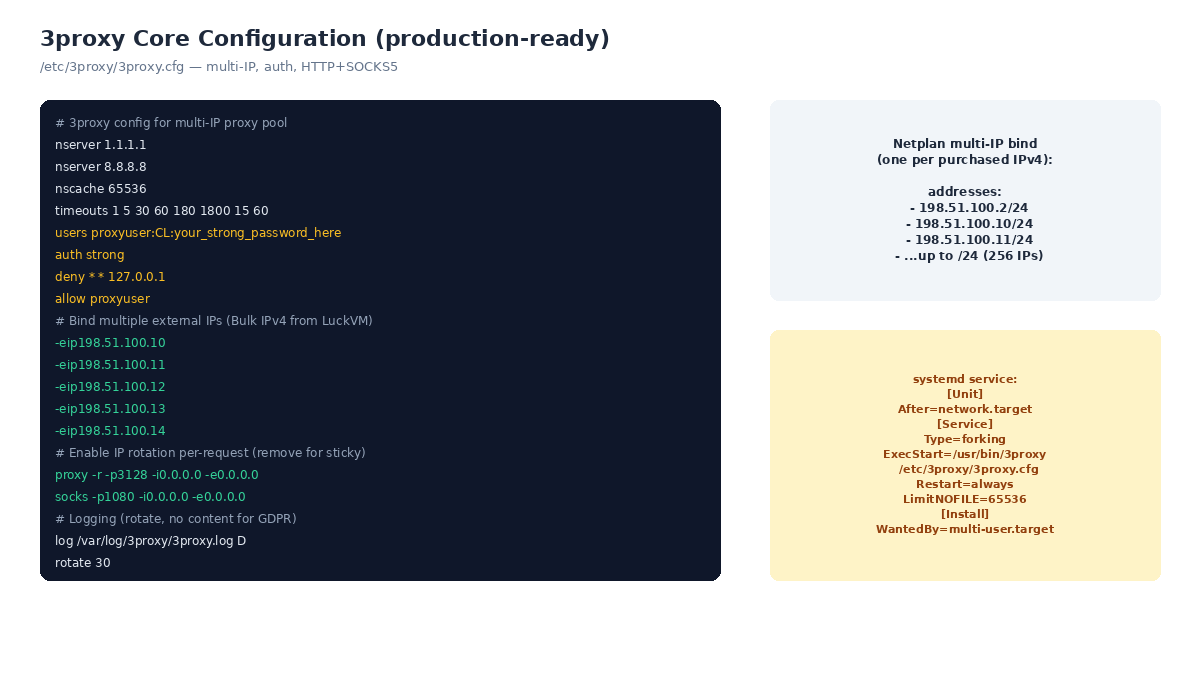
Create the 3proxy configuration directory and log directory:
sudo mkdir -p /etc/3proxy /var/log/3proxy
sudo chown nobody:nogroup /var/log/3proxy
Create the main config file /etc/3proxy/3proxy.cfg:
# 3proxy multi-IP proxy pool configuration
# DNS resolvers
nserver 1.1.1.1
nserver 8.8.8.8
nscache 65536

# Timeouts (seconds): connect, read, write, idle
timeouts 1 5 30 60 180 1800 15 60

# Users: format username:passwordtype:password
# CL = cleartext password (use over TLS or trusted network only)
# CR = encrypted (use md5crypt via htpasswd)
users proxyuser:CR:your_encrypted_password_here
auth strong

# Deny local access, allow authenticated users
deny * * 127.0.0.1
allow proxyuser

# Bind external IPs (one per purchased bulk IPv4)
-eip198.51.100.10
-eip198.51.100.11
-eip198.51.100.12
-eip198.51.100.13
-eip198.51.100.14
# ... add all 10 IPs per node

# HTTP proxy on port 3128 with per-request IP rotation (-r)
proxy -r -p3128 -i0.0.0.0 -e0.0.0.0

# SOCKS5 proxy on port 1080 with rotation
socks -r -p1080 -i0.0.0.0 -e0.0.0.0

# Logging (D = daily rotation, no content logged for GDPR)
log /var/log/3proxy/3proxy.log D
rotate 30htpasswd -n -b proxyuser your_strong_password and replace the password hash in the config. Never use cleartext passwords (CL) on public-facing servers unless you tunnel through TLS.Create a systemd service for auto-start:
sudo nano /etc/systemd/system/3proxy.service[Unit]
Description=3proxy Proxy Server
After=network.target
[Service]
Type=forking
ExecStart=/usr/bin/3proxy /etc/3proxy/3proxy.cfg
Restart=always
RestartSec=5
LimitNOFILE=65536
User=nobody
[Install]
WantedBy=multi-user.targetsudo systemctl daemon-reload
sudo systemctl enable --now 3proxy
sudo systemctl status 3proxy
# Test the proxy
curl -x http://proxyuser:password@YOUR_SERVER_IP:3128 https://ipinfo.io/ipVerify the test returns one of your bound IPs. Run it multiple times to confirm IP rotation is working.
7. Step 3: HAProxy Load Balancer & Sticky Sessions
Once you have 3proxy running on multiple nodes, set up HAProxy on a single management VPS as a unified entry point. This lets you use http://user:pass@haproxy-host:8080 as your proxy endpoint, with HAProxy distributing load across all backend nodes.
sudo nano /etc/haproxy/haproxy.cfgglobal
log /dev/log local0
maxconn 50000
ulimit-n 100000
user haproxy
group haproxy
defaults
log global
mode http
option httplog
option dontlognull
timeout connect 5s
timeout client 30s
timeout server 30s
# HTTP proxy frontend
frontend proxy_http
bind *:8080
default_backend proxies_http
# Per-domain sticky session table (best for scraping)
stick-table type string len 256 size 100k expire 30m
stick on req.hdr(host)
# Backend: all 3proxy nodes
backend proxies_http
balance roundrobin
option httpchk GET http://127.0.0.1:3128
server hk HK_IP:3128 check inter 10s rise 2 fall 3
server la LA_IP:3128 check inter 10s rise 2 fall 3
server sg SG_IP:3128 check inter 10s rise 2 fall 3
server fra FRA_IP:3128 check inter 10s rise 2 fall 3
server lon LON_IP:3128 check inter 10s rise 2 fall 3
# ... add all nodessudo systemctl restart haproxy
# Test through HAProxy
curl -x http://proxyuser:password@HAPROXY_IP:8080 https://ipinfo.io/ip8. IP Rotation Strategies
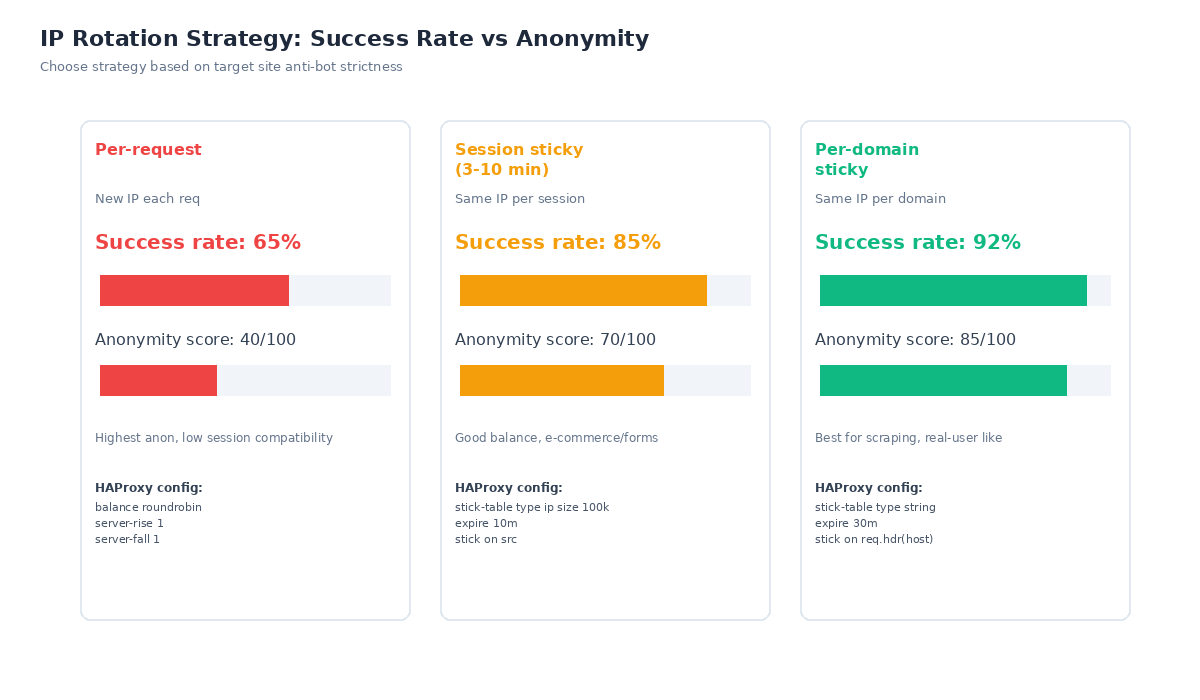
The rotation strategy dramatically affects success rates against anti-bot systems:
Per-request rotation (proxy -r flag in 3proxy)
A new IP is used for every outgoing request. Highest anonymity but poor session compatibility — many sites track sessions across requests and will block you if the IP changes mid-session. Success rate: ~65%. Use only for stateless API requests.
Session sticky (HAProxy stick on src)
The same client IP always gets the same backend proxy IP for a configurable time window (5-10 minutes). Good for e-commerce, form submissions, and multi-step workflows. Success rate: ~85%.
Per-domain sticky (HAProxy stick on req.hdr(host))
Requests to the same domain always go through the same IP for that session, but different domains use different IPs. This most closely mimics real user behavior (a user doesn't change IPs when visiting the same site). Success rate: ~92%. Recommended for production scraping.
To disable per-request rotation at the 3proxy level and rely entirely on HAProxy for sticky routing, remove the -r flag from the proxy/socks lines in 3proxy.cfg.
9. Monitoring, Health Checks & Security
Create a health check script to detect dead IPs/nodes:
#!/bin/bash
# /usr/local/bin/proxy-healthcheck.sh — run every minute via cron
PROXY_HOST="127.0.0.1"
PROXY_PORT="3128"
PROXY_USER="proxyuser"
PROXY_PASS="password"
LOG="/var/log/proxy-health.log"

result=$(curl -s -x http://$PROXY_USER:$PROXY_PASS@$PROXY_HOST:$PROXY_PORT \
  --connect-timeout 5 https://ipinfo.io/ip 2>&1)

if [[ $result =~ ^[0-9]+\.[0-9]+\.[0-9]+\.[0-9]+$ ]]; then
    echo "$(date) OK: $result" >> $LOG
else
    echo "$(date) FAIL: $result" >> $LOG
    # Send alert, restart 3proxy, or remove from rotation
    systemctl restart 3proxy
fi
# Run every minute
echo "* * * * * root /usr/local/bin/proxy-healthcheck.sh" | sudo tee /etc/cron.d/proxy-healthSecurity hardening (critical)
# UFW: Only allow proxy ports from YOUR client IP ranges
sudo ufw default deny incoming
sudo ufw allow from YOUR_IP_RANGE to any port 8080  # HAProxy - restrict to your IPs!
sudo ufw allow from YOUR_IP_RANGE to any port 3128
sudo ufw allow from YOUR_IP_RANGE to any port 1080
sudo ufw allow ssh
sudo ufw enable

# fail2ban for proxy auth brute-force
sudo cp /etc/fail2ban/jail.conf /etc/fail2ban/jail.local
# Add [3proxy] jail with maxretry=3, bantime=3600
sudo systemctl restart fail2ban10. Scaling: From 10 to 500 IPs
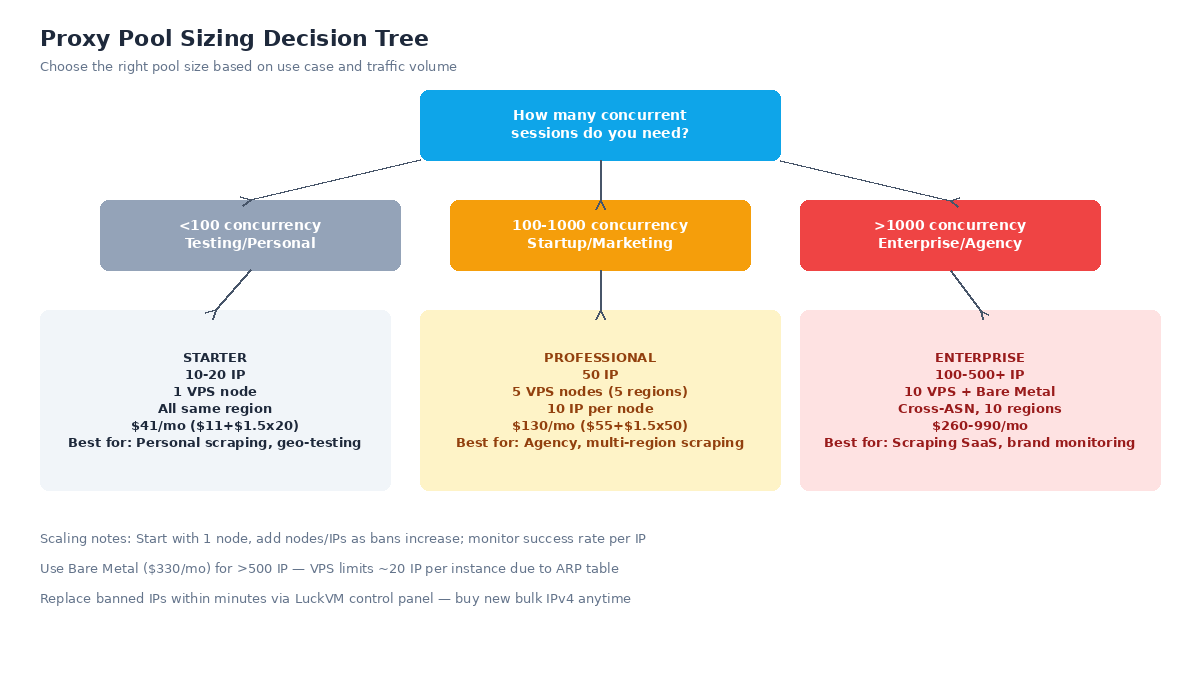
Scale based on your concurrent session count and ban rates:
| Tier | IPs | Infrastructure | Monthly Cost | Best For |
|---|---|---|---|---|
| Starter | 10-20 | 1 VPS, single region | $41/mo | Personal scraping, geo-testing |
| Professional | 50 | 5 VPS across 5 regions, 10 IP/node | $130/mo | Agency, multi-region scraping |
| Business | 100 | 10 VPS across 10 regions | $260/mo | Growth startups, scraping SaaS |
| Enterprise | 250+ | 2-3 Bare Metal ($330/mo each) | $660-$990/mo | Brand monitoring, scraping at scale |
VPS instances can reliably bind around 20 IPs each due to ARP table limits and shared network capacity. For 100+ IPs, use Bare Metal dedicated servers (starting at $330/mo) which support binding a full /24 subnet (256 IPs) on a single dedicated 1 Gbps port without fair use restrictions.
When scaling across multiple continents, place the HAProxy frontend centrally (Frankfurt is a good choice for global reach) or use GeoDNS (Cloudflare Worker, see our GeoDNS routing guide) to route clients to the nearest regional proxy pool.
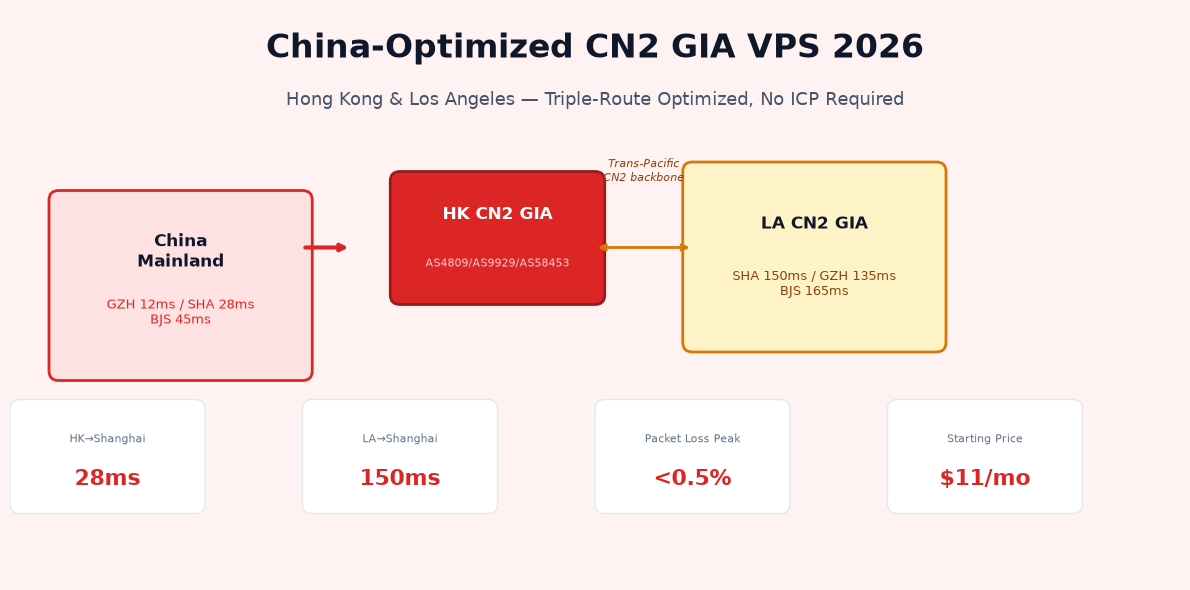
If you need China-optimized proxies for Chinese targets, deploy nodes on our CN2 GIA Hong Kong/Los Angeles network which has optimized routing to all three Chinese mainland carriers with
Ready to Build Your Proxy Pool?
Deploy VPS instances in 10+ regions starting at $11/mo. Bulk IPv4 at $1.50/IP/mo. Bare Metal servers for 250+ IP pools starting at $330/mo. All plans include 1 Gbps unlimited bandwidth.
Deploy Your First Proxy Node →Frequently Asked Questions
Is it legal to build your own proxy pool?
Building a private proxy pool is legal when used for legitimate purposes like compliant web scraping (respecting robots.txt), website geo-testing, QA automation, brand protection monitoring, and multi-account business operations. It is illegal to use proxies for DDoS attacks, credential stuffing, content scraping that violates terms of service, accessing illegal content, or any activity violating the CFAA or local laws in your jurisdiction.
How many IPs do I need for a proxy pool?
Start with 10-20 IPs for personal use/testing, 50 IPs across 5 regions for professional scraping/marketing, and 100+ IPs for enterprise or agency use. Monitor ban rates and add IPs as needed. Replace IPs when target success rate drops below 70%.
Datacenter proxies vs residential proxies — which should I use?
Datacenter proxies (this guide) are 10-50x cheaper, faster, and more reliable but detectable as datacenter IPs by sophisticated anti-bot systems. Use them for non-strictly-protected sites, geo-testing, QA, and general scraping. Residential proxies are needed for sites with aggressive anti-bot protection (sneaker sites, ticketing) but cost $5-15/GB. Many teams use a hybrid approach: datacenter for most tasks, residential only for heavily-protected targets.
Can I run a proxy pool on a single VPS?
Yes, you can bind up to ~20 IPs on a single VPS instance. For more IPs or multi-region coverage, use multiple VPS instances behind a single HAProxy frontend. Bare Metal servers ($330/mo) can bind up to a full /24 subnet (256 IPs) on one machine.
How do I prevent proxies from being detected?
Key steps: Use per-domain sticky sessions instead of per-request rotation; add realistic request headers (rotating User-Agent matching real browser distributions, Accept-Language matching the proxy region); don't leak X-Forwarded-For headers; maintain proper TLS fingerprints (use a modern TLS library); avoid unrealistic request rates (no more than 1-2 requests/sec per IP for most sites); randomize request intervals (jitter).
How do I secure my proxy pool from being abused?
Use strong authentication (encrypted passwords in 3proxy, not cleartext); set up UFW firewall to only allow proxy ports from your client IP ranges (never expose 0.0.0.0 to the world); enable fail2ban to block brute-force attempts; rotate proxy credentials periodically; never run an open (unauthenticated) proxy — they get scanned and abused within hours.
How much bandwidth do proxies use?
Bandwidth depends entirely on workload. Light API scraping: 500 Mbps for 72+ hours may trigger a notice — use Bare Metal for constant high-throughput workloads).
Why not use VPN or Tor instead?
VPNs route traffic through one IP with no rotation support. Tor is very slow (1-5 Mbps), has ~6000 exit nodes heavily blocked by most major sites, and is not for production. A private proxy pool gives you control over IP count, geographic distribution, rotation logic, authentication, and performance at scale — with 50-200x better throughput than Tor.