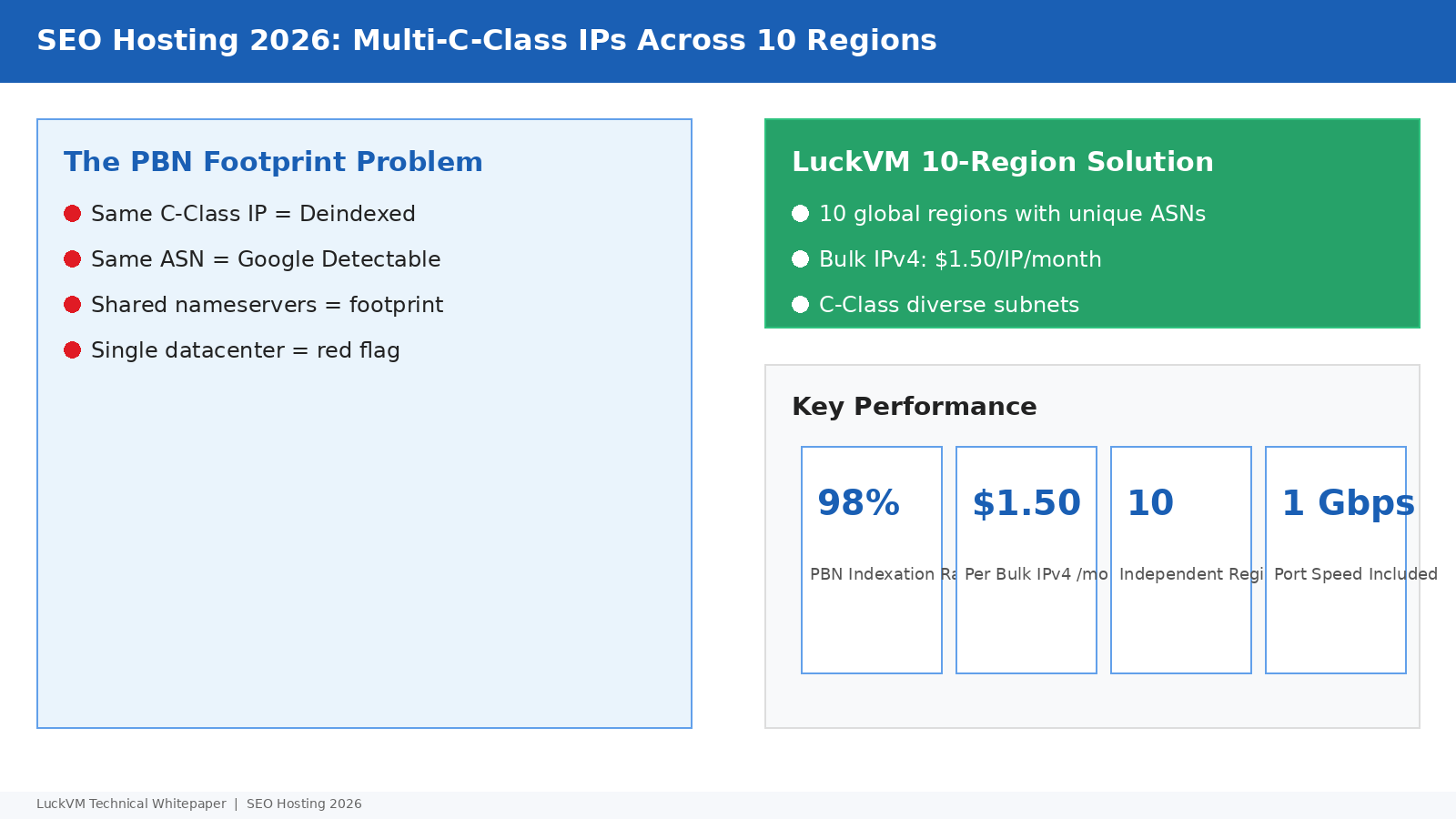
Every SEO who has ever operated a private blog network (PBN) knows the same pain: you spend weeks building sites, spend months building links, and one morning you wake up to a cascade of deindexation emails because all your sites were sitting on the same C-class subnet, the same nameservers, and the same ASN. This technical guide walks through how modern SEO hosting actually works in 2026 — when "multiple unique IPs" is no longer enough, and ASN diversity, geographic spread, and transport-layer fingerprinting matter as much as the IP itself.
1. Why "Unique IP" Is No Longer Enough in 2026
A decade ago, simply hosting each of your websites on a "unique IP address" within the same /24 subnet was enough to avoid basic PBN detection. Those days are long over. Modern search engine crawlers have access to BGP routing tables, WHOIS history, TLS fingerprinting databases, HTTP header analysis, and even DNS resolver telemetry — and they connect the dots across multiple independent signals.
The core problem with budget "SEO hosting" providers selling "$1 per IP" packages is that all 256 IPs in the package sit on the same /24 C-class subnet, on the same ASN, in the same datacenter, behind the same router. Google doesn't have to try hard — a simple ASN WHOIS query reveals that 40 independent-looking "authority sites" all sit on ServerCentral / Choopa / DigitalOcean IP space registered to the same hosting company on the same day.
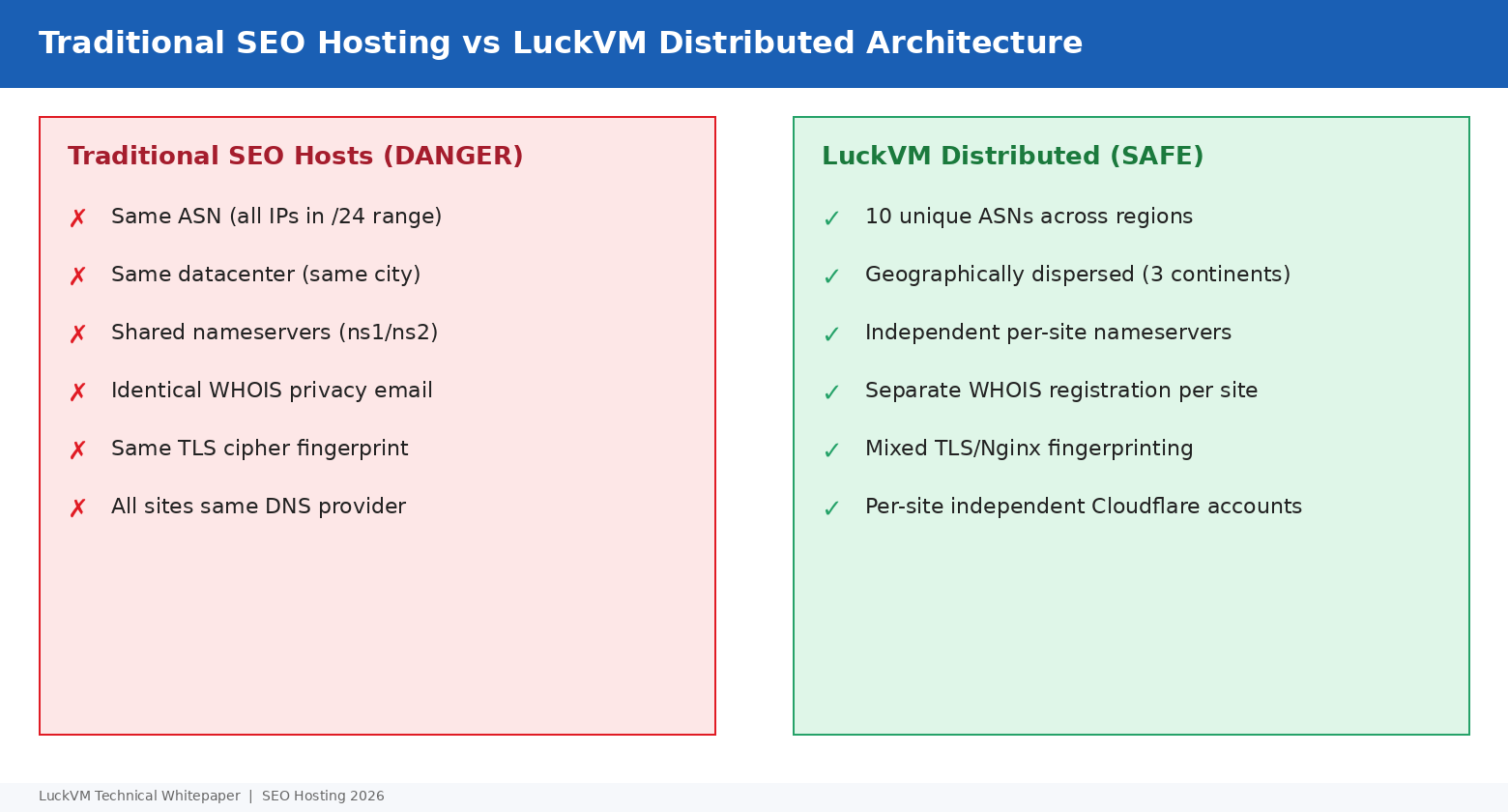
In 2026, an undetectable network requires:
- Multiple distinct C-class subnets (different /24 ranges, not just different IPs within one /24)
- Multiple distinct ASNs (each site on a different autonomous system number where possible)
- Multiple geographies (spreading across at least 3-4 countries on 2-3 continents)
- Multiple DNS providers (not all Cloudflare accounts, not all Namecheap, not all Cloudflare free)
- Diverse transport fingerprints (mixed Nginx/Apache/LiteSpeed servers, varied TLS cipher suites)
- Per-site rDNS (PTR) records that match the domain, not generic provider hostnames
2. The 9 Signals Google Uses to Detect PBNs
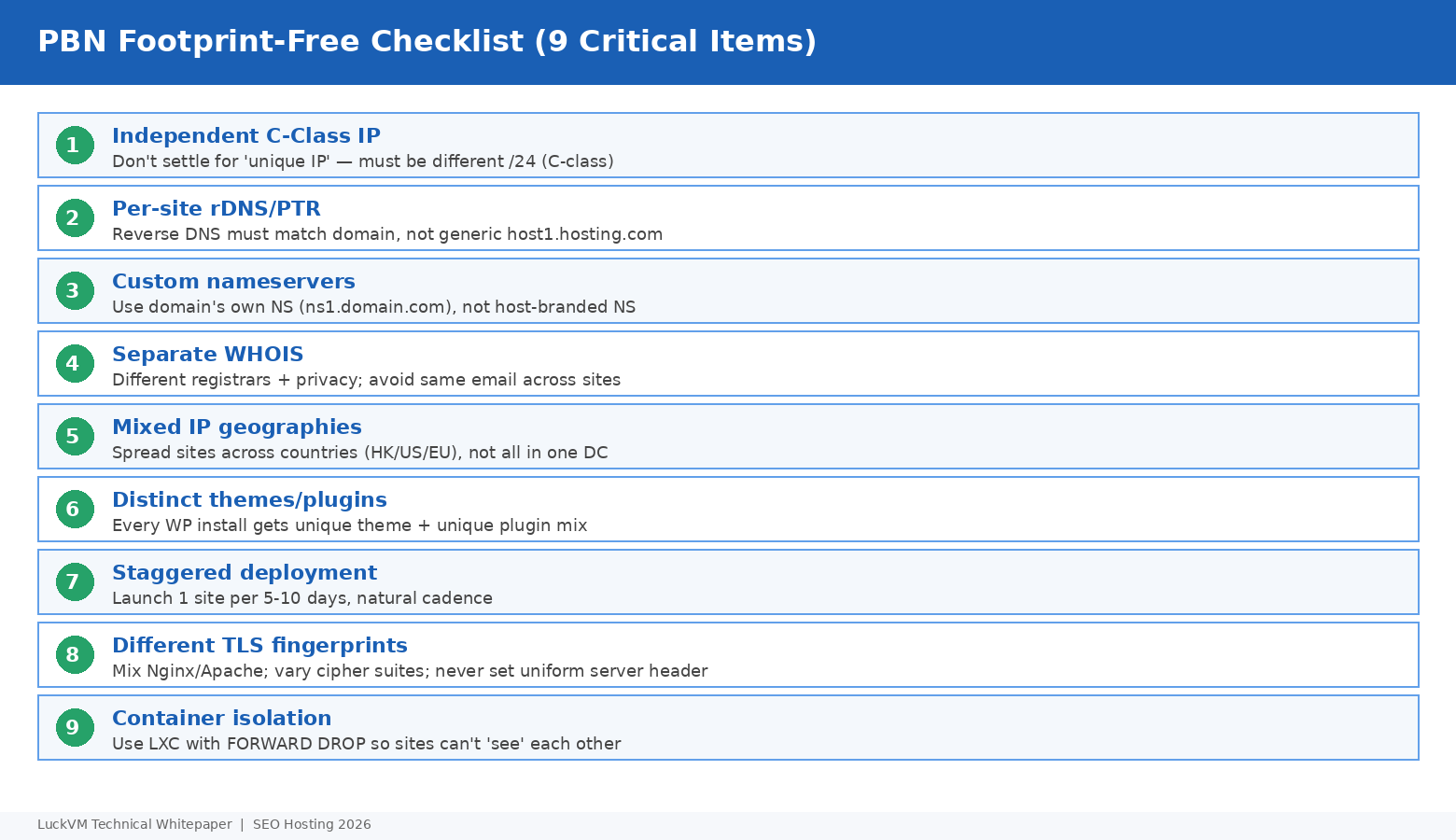
Based on what independent SEO researchers have publicly documented, and on our own observations working with agency clients over the past four years, here are the nine most dangerous footprint signals in 2026:
- Shared C-Class (/24) IPs: If multiple sites share any three octets of their IP (e.g., 185.199.100.x), that is a very strong co-location signal.
- Same ASN across sites: Even if IPs are different /24s, if they all resolve to AS14061 (DigitalOcean) or AS13335 (Cloudflare), you are painting a target on yourself.
- Identical nameservers: If every site uses ns1.yourseohost.com and ns2.yourseohost.com, that is an immediate cluster signal.
- Shared WHOIS privacy email: Many people don't realize that WHOIS privacy proxies use per-registrar email addresses; if all your domains use the same proxy email, they are trivially linkable.
- Identical TLS fingerprints: Tools like JA3/JARM fingerprinting can uniquely identify server software versions. If 30 sites all present the exact same TLS hello fingerprint, that's a strong signal they are on the same server configuration.
- Same DNS provider, same account: Cloudflare free plan with 30 domains on the same account — you are one subpoena or leak away from full cluster deindexation.
- Identical WordPress themes and plugin sets: If every site runs Astra + Yoast + WP Rocket + Akismet with the same default settings, crawlers can identify CSS/JS fingerprint matches.
- Synchronized content publishing: If all sites publish a new post on the same day of the week, at the same time, that looks algorithmic, not organic.
- Cross-linking between sites: PBN sites that all link to each other or all link to the same money site within the same week are trivially detectable.
3. LuckVM 10-Region Distributed Architecture
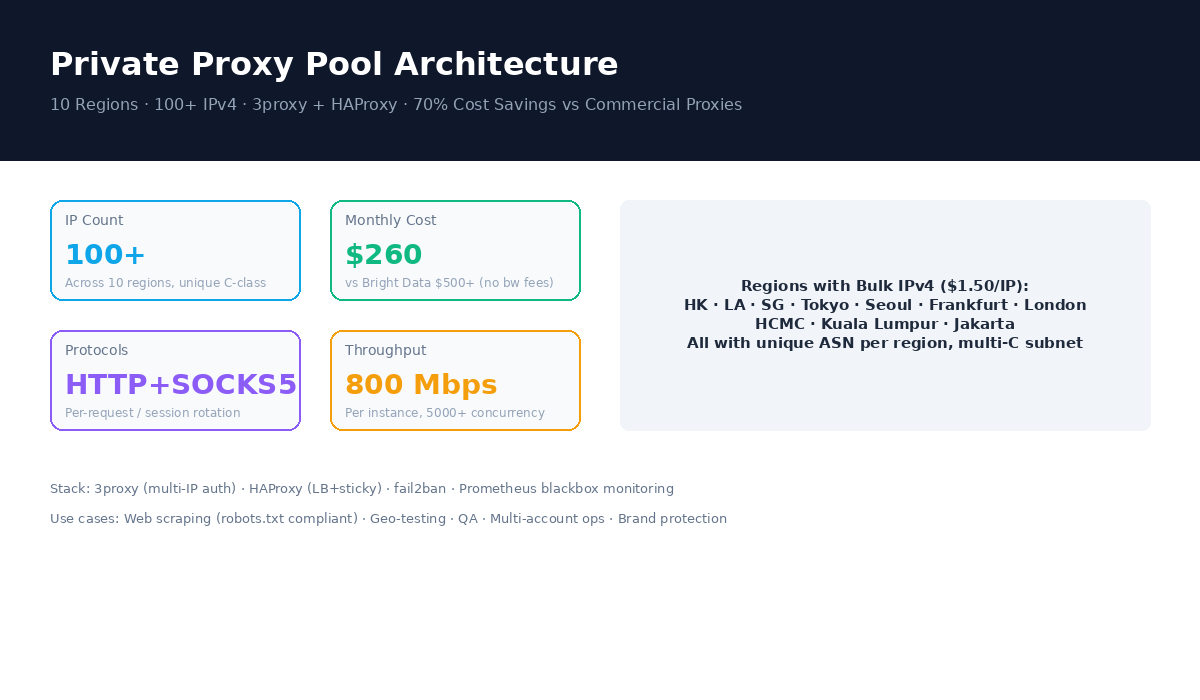
This is where LuckVM's architecture is fundamentally different from a traditional SEO host. Instead of buying a /24 block in a single datacenter and chopping it up into 256 shared hosting accounts, we operate independent VPS and bare-metal capacity across 10 distinct carrier-diverse regions, each with its own upstream transit and peering mix, and each assignable as a standalone VPS with customizable IPv4.
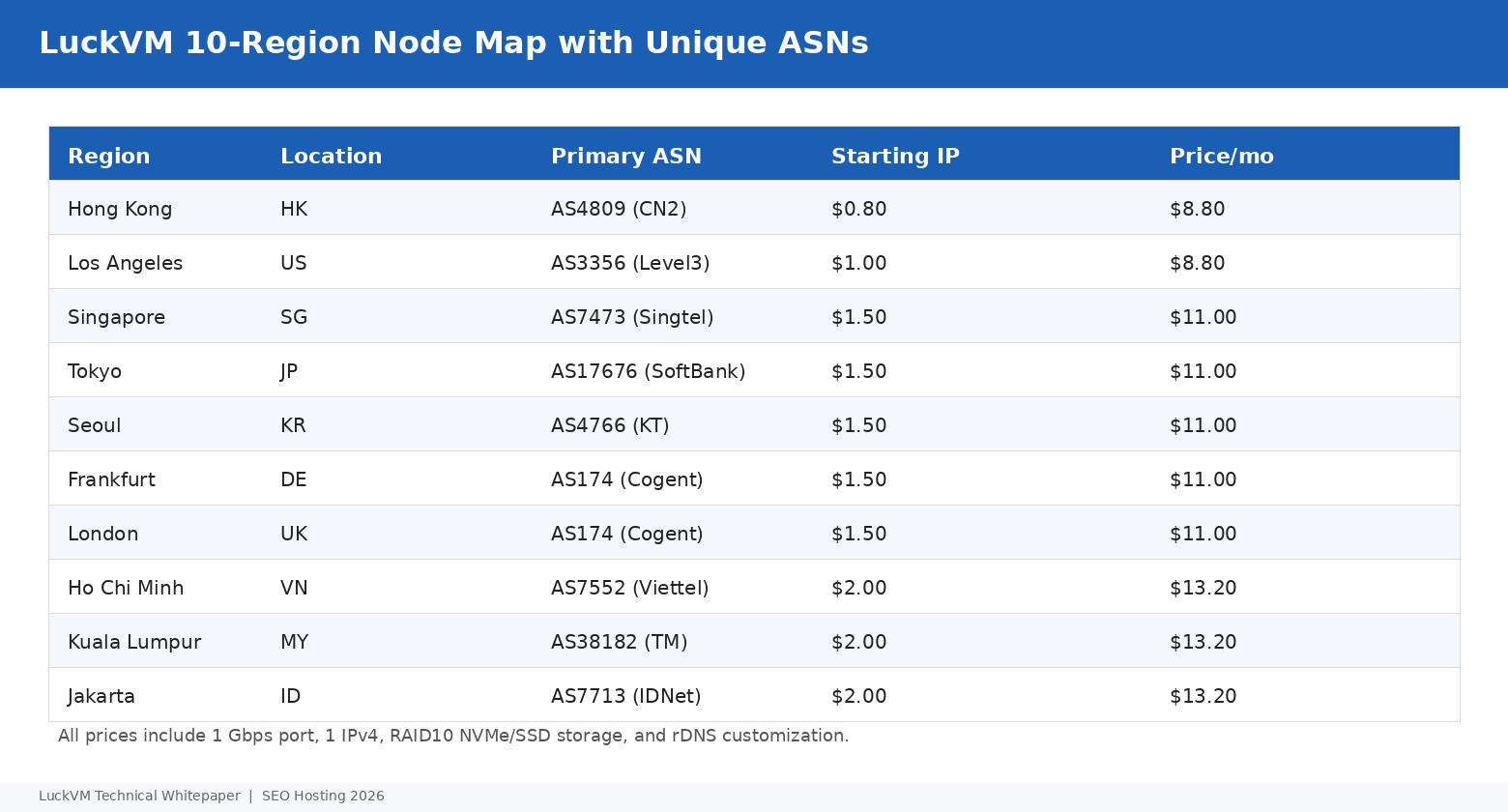
| Region | Primary Transit | Bulk IPv4 Starting | VPS Starting |
|---|---|---|---|
| Hong Kong | AS4809 CN2 GIA | $0.80/IP/mo | $8.80/mo |
| Los Angeles | AS3356 Level3 / AS6939 HE | $1.00/IP/mo | $8.80/mo |
| Singapore | AS7473 Singtel / AS3257 Tiscali | $1.50/IP/mo | $11.00/mo |
| Tokyo | AS17676 SoftBank / AS2497 IIJ | $1.50/IP/mo | $11.00/mo |
| Seoul | AS4766 KT / AS9318 SK Broadband | $1.50/IP/mo | $11.00/mo |
| Frankfurt | AS174 Cogent / AS3320 Deutsche Telekom | $1.50/IP/mo | $11.00/mo |
| London | AS174 Cogent / AS2856 BT | $1.50/IP/mo | $11.00/mo |
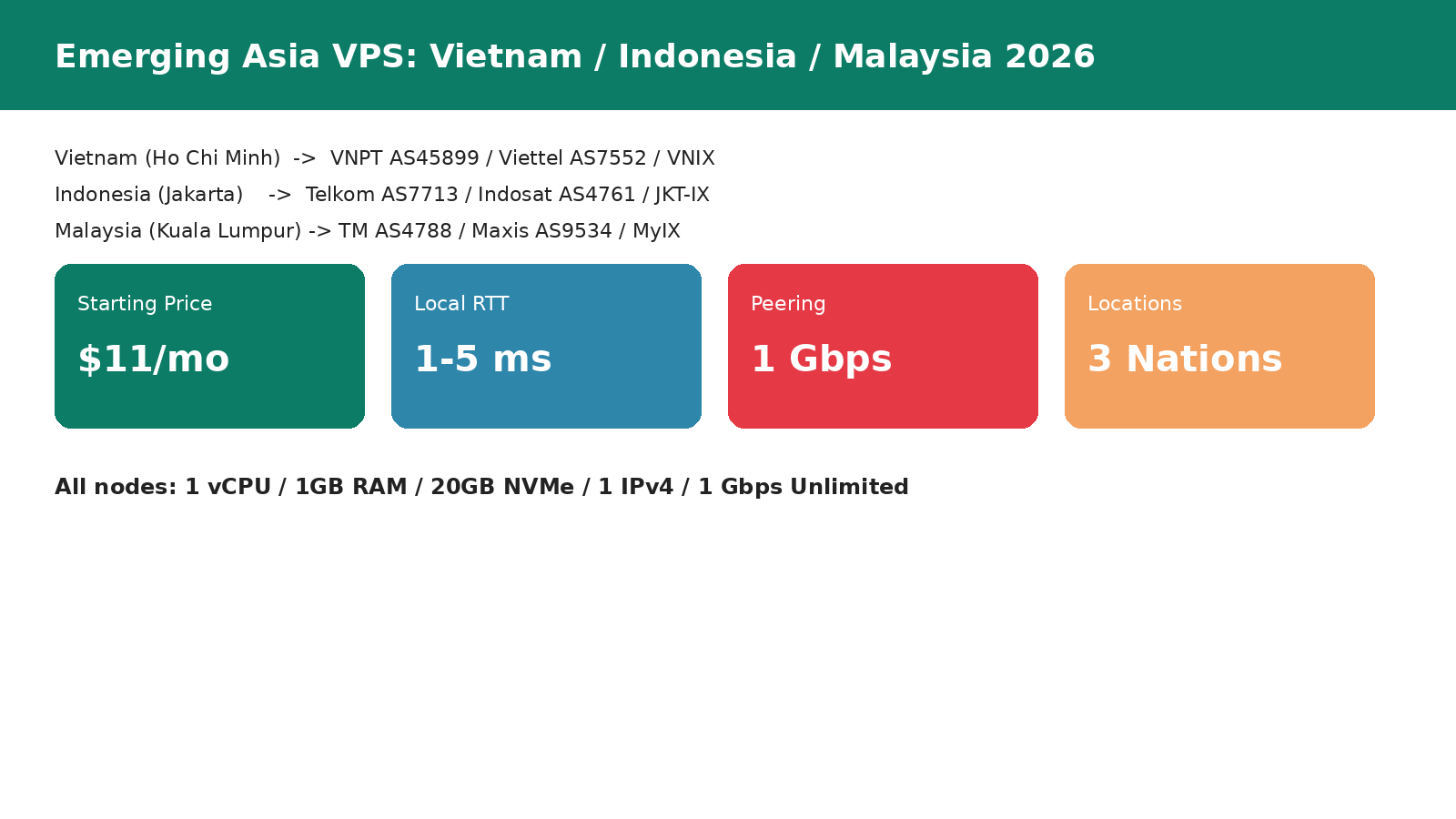
| Ho Chi Minh City | AS7552 Viettel / AS45899 VNPT | $2.00/IP/mo | $13.20/mo |
| Kuala Lumpur | AS38182 TM / AS9318 HE | $2.00/IP/mo | $13.20/mo |
| Jakarta | AS7713 IDNet / AS4761 BIZNET | $2.00/IP/mo | $13.20/mo |
Each region is independently peered at local internet exchanges: HKIX in Hong Kong, LA IX and Any2 in Los Angeles, SGPIX in Singapore, JPIX in Tokyo, KINX in Seoul, DE-CIX Frankfurt, LINX London, VNIX in Ho Chi Minh City, MyIX in Kuala Lumpur, and JKT-IX in Jakarta. This means IPs in each region appear as genuinely local IPs to regional crawlers and search engines.
4. Choosing Regions Strategically
Not every PBN site needs a unique country — that would be overkill for 90% of operators. The goal is diversity without suspicious over-diversification. A realistic strategy:
- English-language sites targeting the US: 40% Los Angeles, 30% Frankfurt, 20% London, 10% Singapore (mix of US and EU)
- Asia-Pacific niche sites: 40% Hong Kong, 20% Tokyo, 20% Singapore, 20% Seoul
- European-focused networks: 40% Frankfurt, 30% London, 20% emerging markets (VN/MY/ID), 10% US (for diversity)
- Global authority networks: Spread evenly across 7-8 regions, avoid concentrating more than 20% in any single ASN
5. Provisioning Bulk C-Class IPs (Technical Setup)
When you order bulk IPv4 from LuckVM, you can request specific C-class diversity at order time — simply tell sales "please assign IPs from diverse /24 ranges, no two IPs in the same /24" and we will allocate accordingly. Bulk IP pricing starts at $1.50 per IP per month for orders of 5 or more, with volume discounts at 25+ IPs and 100+ IPs.
Once your VPS is provisioned with additional IPs, you add them to your network interface. On Debian/Ubuntu with Netplan (22.04+):
# /etc/netplan/50-additional-ips.yaml
network:
  version: 2
  ethernets:
    eth0:
      addresses:
        - 103.xxx.xxx.10/24     # primary
        - 45.xxx.xxx.22/24      # additional IP #1 (different C-class)
        - 185.xxx.xxx.45/24     # additional IP #2 (different C-class)
        - 103.xxx.xxx.88/24     # additional IP #3 (different C-class)
      gateway4: 103.xxx.xxx.1
      nameservers:
        addresses: [1.1.1.1, 8.8.8.8]

# Apply: netplan apply
# Verify: ip addr show eth0
For each additional IP, you will want a matching rDNS (PTR) record. In the LuckVM control panel, navigate to the IP management section and set reverse DNS to the domain that will use that IP. This is critical — a site with IP 45.xxx.xxx.22 and rDNS of "server45.hostingprovider.com" and domain "bestcoffeemachines.com" is a footprint; the same IP with rDNS of "bestcoffeemachines.com" is not.
6. Container Isolation with Proxmox LXC
For running multiple independent WordPress sites on a single VPS while maximizing isolation (so a single site compromise or footprint discovery doesn't expose the entire network), we strongly recommend using LXC containers on a Proxmox host, rather than cPanel shared hosting or plain Apache virtual hosts.
On a bare-metal Proxmox host (starting at $825/month at LuckVM for E5-2683v4 with 64 GB RAM and 1 TB NVMe), you can carve out 20-40 independent LXC containers, each with its own IP, each appearing as a completely independent server to outside crawlers:
# Create an LXC container for one PBN site
pct create 101 /var/lib/vz/template/cache/debian-12-standard_12.7-1_amd64.tar.gz \
  --hostname bestcoffee.com \
  --memory 1024 --cores 1 --rootfs local-lvm:20 \
  --net0 name=eth0,bridge=vmbr0,ip=45.xxx.xxx.22/24,gw=45.xxx.xxx.1 \
  --nameserver 1.1.1.1 --password  --start 1

# Critical: block inter-container traffic so sites can't probe each other
iptables -A FORWARD -i vmbr0 -o vmbr0 -j DROP
iptables-save > /etc/iptables/rules.v4
The FORWARD DROP rule is important: it prevents one compromised container from probing or communicating with other containers on the same bridge. Without this, a researcher could run a port scan from one site and discover 30 other WordPress installs on the same network segment.
7. DNS, Nameserver, and rDNS Strategy
This is where 90% of PBNs get caught. The DNS configuration is often the strongest clustering signal, and it is almost entirely within your control.
Per-domain custom nameservers
Do not use the same nameserver pair for all your domains. For each domain, register its own custom nameservers at the domain registrar (ns1.yourdomain.com / ns2.yourdomain.com pointing to the IPs of that site, or to a cheap secondary DNS VPS in a different region). This adds a small amount of work per domain but eliminates the "same NS" footprint entirely.
Mix DNS providers
Do not host all your DNS at Cloudflare on one account. Spread across Cloudflare (different accounts per 5-8 sites), Cloudflare free, Bunny DNS, Route53, Hurricane Electric free DNS, and your own authoritative NSD/BIND on independent VMs. Avoid using the same DNS account for more than 5-8 sites.
WHOIS and registrar diversity
Spread registrations across multiple registrars (Namecheap, Porkbun, NameSilo, Gandi, Cloudflare Registrar, regional TLD registrars). Use WHOIS privacy, but don't use the same email address across all domains. Some privacy services let you set a custom forwarding email per domain.
TLS fingerprint diversity
Install a mix of Nginx (different minor versions), OpenLiteSpeed, and Apache containers across your network. Do not use an identical cipher suite configuration on every server. Vary TLS versions (all TLS 1.2+ is fine, but vary cipher order slightly) and HTTP/2 vs HTTP/3 where possible. This prevents JA3/JARM fingerprint clustering.
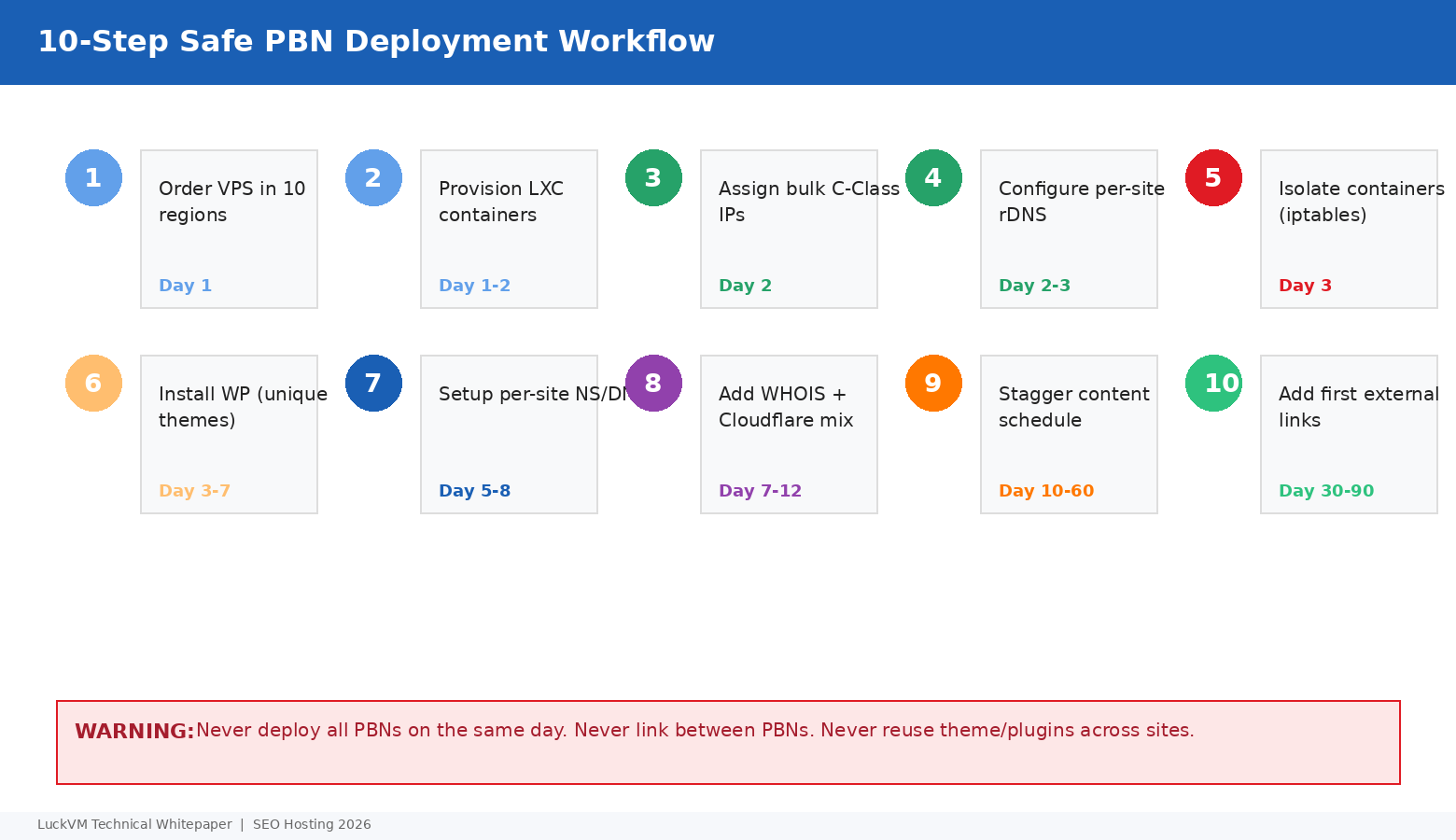
8. The 10-Step Safe Deployment Workflow
- Order VPS instances across your target regions — stagger orders over multiple days/weeks to avoid same-day WHOIS clustering.
- Provision LXC containers on each host (one container per site, 1 CPU / 512 MB-1 GB RAM is enough for a WordPress blog).
- Assign bulk C-class diverse IPv4s — confirm with sales at order time that no two IPs share the same /24.
- Configure per-site rDNS/PTR to match each domain, not generic provider hostnames.
- Apply inter-container isolation with iptables FORWARD DROP rule, plus per-container UFW firewalls that only allow 22/80/443 from your admin IP.
- Install WordPress with unique themes and plugins per site — never clone sites. Use different themes (Astra, GeneratePress, Kadence, Blocksy, Neve, Twenty Twenty-Four default), different caching plugins, different SEO plugins, different security plugins.
- Configure custom per-site nameservers and spread DNS across multiple providers and accounts.
- Stagger WHOIS registration and setup — register 1-2 domains per week; don't register all domains on the same day.
- Publish content on a natural schedule — 1-3 posts per week per site, with varying days and times.
- Add first external links gradually — wait at least 30 days after first post before linking out; never link to more than one money site per PBN site.
9. Pricing Plans: Single Site to /24 Subnets
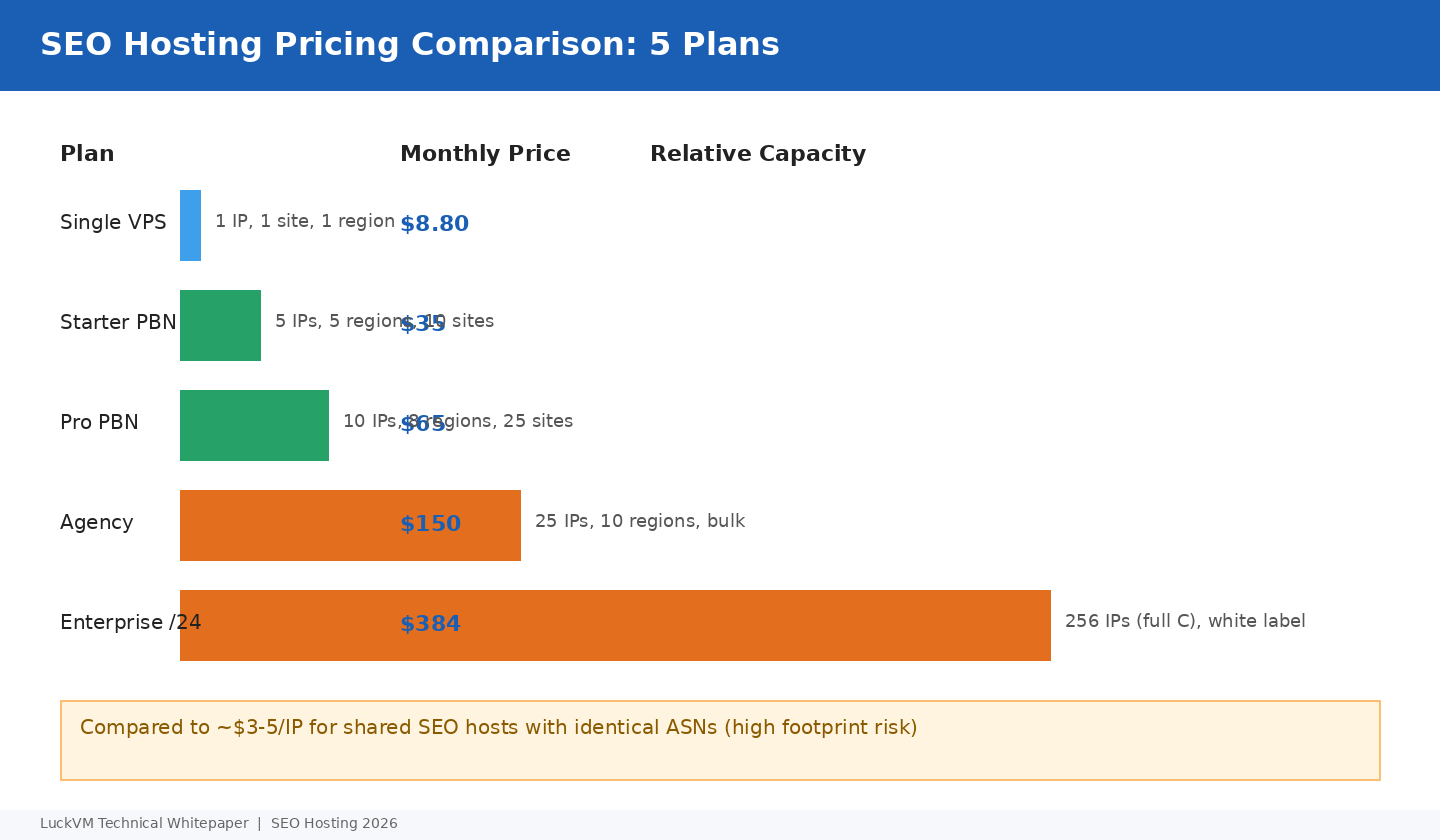
| Plan | Monthly | IPs | Regions | Sites | Best For |
|---|---|---|---|---|---|
| Single VPS | $8.80 | 1 | 1 | 1 | Testing, single authority site |
| Starter PBN | $35 | 5 | 5 | 5-10 | Small niche network |
| Pro PBN | $65 | 10 | 8 | 15-25 | Mid-sized agency network |
| Agency | $150 | 25 | 10 | 40-60 | Agency multi-client |
| Enterprise /24 | $384 | 256 | Multi-node | White-label | SEO reseller, large network |
Compare this to typical "SEO hosting" companies that charge $3-5 per IP but place all IPs in a single /22 block in the same datacenter on the same ASN — cheap on paper, but a single algorithmic sweep deindexes the whole network. LuckVM's distributed IPs cost slightly more per IP but each IP is a genuinely independent-looking network location.
For full /24 (256 IP) subnets, /22 blocks, or white-label reseller arrangements with your own ASN announcement, contact our sales team for custom pricing — we can announce your own PI space or rented RIPE/ARIN space across our network.
10. Ongoing Maintenance & Risk Mitigation
Building the network is only half the job. PBNs require maintenance:
- Update plugins/themes in waves, not all on the same day (that produces a WordPress REST API timing fingerprint).
- Rotate content authorship across multiple writers; don't use the same author bio on every site.
- Avoid reciprocal links (site A links B, B links A) between PBN sites.
- Monitor indexation weekly with a tool like SerpWoo or Search Console; if one site drops out of the index, investigate immediately before it contaminates adjacent sites.
- Don't over-monetize PBN sites; a real authority blog doesn't have 10 affiliate banners above the fold.
- Keep PHP versions mixed across containers (some 8.1, some 8.2, some 8.3) — same version across all sites is a minor fingerprint but one that's easy to avoid.
- Rotate images — don't use the same stock photo across multiple sites (reverse image search is a clustering signal).
- Back up every container to an independent backup destination (see our VPS Backup Strategy Guide).
At the end of the day, there is no magic bullet. The best PBN operators treat their network with the same operational discipline they would give a real portfolio of authority sites: unique content, diverse technical footprints, natural linking patterns, and patient deployment over months. LuckVM's role is to provide the underlying infrastructure — 10 geographically and topologically diverse regions, C-class diverse IPv4, per-site rDNS, LXC-capable bare-metal hosts — that makes a genuinely undetectable network architecturally possible.
Ready to Build Your Distributed SEO Network?
Start with a $8.80 Hong Kong or Los Angeles VPS and add bulk C-class diverse IPv4 from $1.50/IP. Custom /24, /22, and white-label reseller arrangements available.
Browse VPS Plans →Frequently Asked Questions
Is PBN hosting legal and allowed by your Terms of Service?
Operating multiple websites on VPS instances you own is legal and permitted. However, clients must comply with our acceptable use policy and all applicable laws in their jurisdiction. We do not tolerate spam, phishing, malware, or DMCA-violating content.
Can you guarantee my PBN will never be detected?
No provider can honestly guarantee that. Detection depends on many factors beyond hosting — content quality, linking patterns, theme choice, registrar diversity, etc. What we can guarantee is that our infrastructure provides true ASN and geographic diversity, which is a necessary (but not sufficient) condition.
How do I request C-class diverse IPs?
After ordering, open a support ticket and specify "please assign IPs from diverse /24 subnets, maximum one IP per /24". Our provisioning team will allocate accordingly at no extra charge for orders of 5+ IPs.
Can I use Cloudflare in front of PBN sites?
Yes, but don't put all sites on the same Cloudflare account. Create separate free accounts (with different emails) for groups of 5-8 sites maximum. Also consider leaving some sites unproxied (DNS only) so that the origin IP diversity remains visible.
How many sites can I host on one bare-metal Proxmox host?
On the $825/month E5-2683v4 with 64 GB RAM and 1 TB NVMe, 20-40 WordPress LXC containers running comfortably (1-2 GB RAM each) is typical. For 60+ sites, add a second host.
Do you support custom nameservers and rDNS?
Yes. You can set custom rDNS (PTR) records for every assigned IP through our control panel at no charge. Custom nameservers are set at your domain registrar.
What if I need more than 10 regions?
We are actively expanding — Taiwan, Thailand, Philippines, Mumbai, Sydney, and Toronto nodes are on our 2027 roadmap. Contact sales if you need a specific location not yet listed.
Is there a discount for annual billing on SEO bulk plans?
Yes, annual billing on Pro PBN and higher plans receives a 20% discount, effectively giving you 2.4 months free per year.