Sometimes you run into a frustrating situation: the VPS has enough CPU, plenty of memory, and decent bandwidth, yet the moment you connect, everything feels slow.
Remote Desktop has noticeable lag. SSH commands take a moment to respond. A website that should open instantly takes an extra beat to load, and even simple operations feel slightly delayed.
My first instinct when I encountered this was to blame the server configuration. I assumed upgrading the CPU or memory would solve the problem. After testing different configurations, I realized that server performance was only part of the story.
The network path mattered much more.
In other words, when you buy a VPS, you are not simply buying CPU, memory, storage, and bandwidth. You are also buying a network route between your users and the data center.
If that route is poor, a powerful server can still feel slow.
This article walks through the way I usually troubleshoot high VPS latency, including node selection, network routes, bandwidth, local connectivity, peak-hour congestion, and practical ways to reduce latency.
What Does High VPS Latency Actually Mean?
Before replacing a server, it is worth figuring out what kind of latency problem you are dealing with.
A high Ping value is one situation. Large fluctuations are another. Sometimes Ping looks reasonable, but SSH, RDP, or web applications still feel sluggish.
Those situations can have completely different causes.
When I troubleshoot a VPS now, I first look at two things.
Is the latency consistently high, or does it fluctuate?
If the latency stays around the same high value, geographic distance or the network route is usually worth checking first.
If the latency jumps between low and high values, network instability, packet loss, congestion, or routing issues may be involved.
Is the connection itself slow, or is remote interaction slow?
If downloading files is fast but Remote Desktop feels delayed, the problem may be related to latency or packet loss rather than bandwidth.
If everything is slow, including downloads, websites, SSH, and file transfers, a broader network investigation makes more sense.
The important thing is to identify the type of problem before changing the server.
Choosing the Wrong VPS Location Is One of the Most Common Causes
This is probably the easiest mistake to make.
If most of your users are in Asia but you choose a VPS located on the other side of the world simply because the price is attractive, latency will naturally be higher.
A powerful CPU cannot compensate for a long network path.
That is why I now look at the location of users before looking at the server price.
If your users are mainly in mainland China, Hong Kong and nearby Asian locations are worth testing.
For Southeast Asian traffic, Singapore is often a practical choice.
For North American users, a US West Coast location can make more sense.
If your audience is spread across multiple regions, deploying several nodes can be more effective than forcing everyone through one server.
The basic rule is simple:
Choose the server based on where your users are, not simply where the VPS happens to be cheapest.
Network Quality Can Matter More Than Physical Distance
There are situations where two servers are located in the same city, yet their latency is completely different.
I have encountered this myself.
The reason is usually the network route.
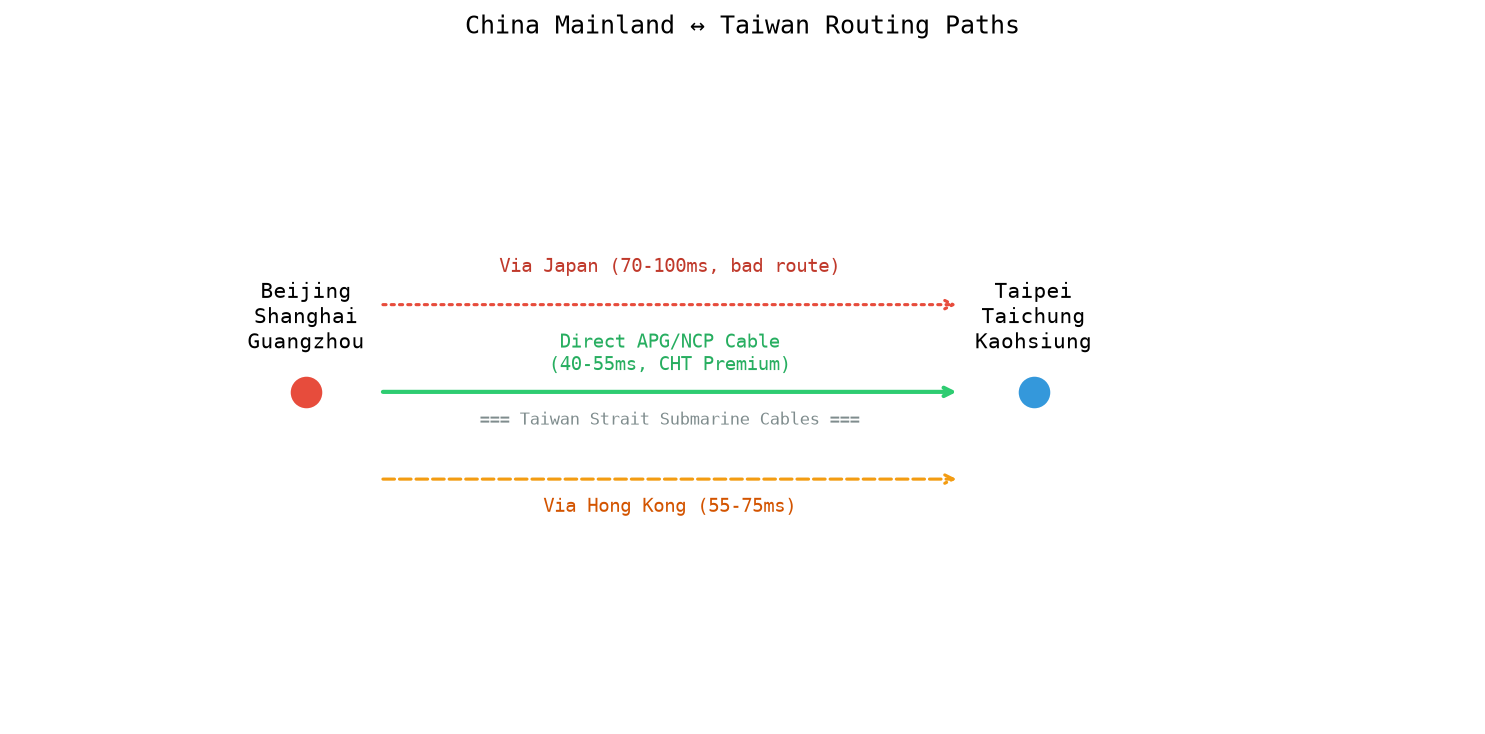
Data does not travel between your computer and the VPS in a perfectly straight line. It passes through multiple networks, routers, exchanges, and upstream providers.
A shorter geographical distance can still produce a longer network path.
This is why I pay attention to routing quality when comparing VPS providers.
A server in Hong Kong may have a very different experience depending on its upstream network. The same applies to servers in Japan, Singapore, the United States, and other regions.
For users who care about cross-border connectivity, the route can matter just as much as the data center location.
More Bandwidth Does Not Automatically Mean Lower Latency
This is another common misunderstanding.
A VPS with 1Gbps bandwidth does not automatically have lower latency than a VPS with 100Mbps bandwidth.
Bandwidth determines how much data can be transferred within a given period. Latency determines how quickly a request travels between two points and receives a response.
For large file downloads, bandwidth becomes very important.
For SSH, Remote Desktop, APIs, database connections, and interactive websites, latency and packet loss can have a much greater effect on the user experience.
So if your problem is "the connection feels laggy" rather than "downloads are too slow," increasing bandwidth may not solve it.
The network route deserves attention first.
Your Local Network May Also Be the Problem
It is easy to blame the VPS whenever something feels slow.
Your own network connection can produce the same symptoms.
For example, your home broadband may become congested during the evening. Wi-Fi interference can also introduce packet loss and unstable latency. Your router or ISP's upstream connection may contribute to the problem as well.
A simple test is to connect through another network.
For example, enable a mobile hotspot and connect your computer through cellular data. Then test the same VPS again.
If latency drops significantly, your local network deserves further investigation.
If the result is almost identical, you can focus more heavily on the VPS location and network route.
This simple comparison can save a lot of unnecessary troubleshooting.
A VPS That Is Fast During the Day May Slow Down at Night
Peak-hour performance is one of the things I pay particular attention to when evaluating a VPS.
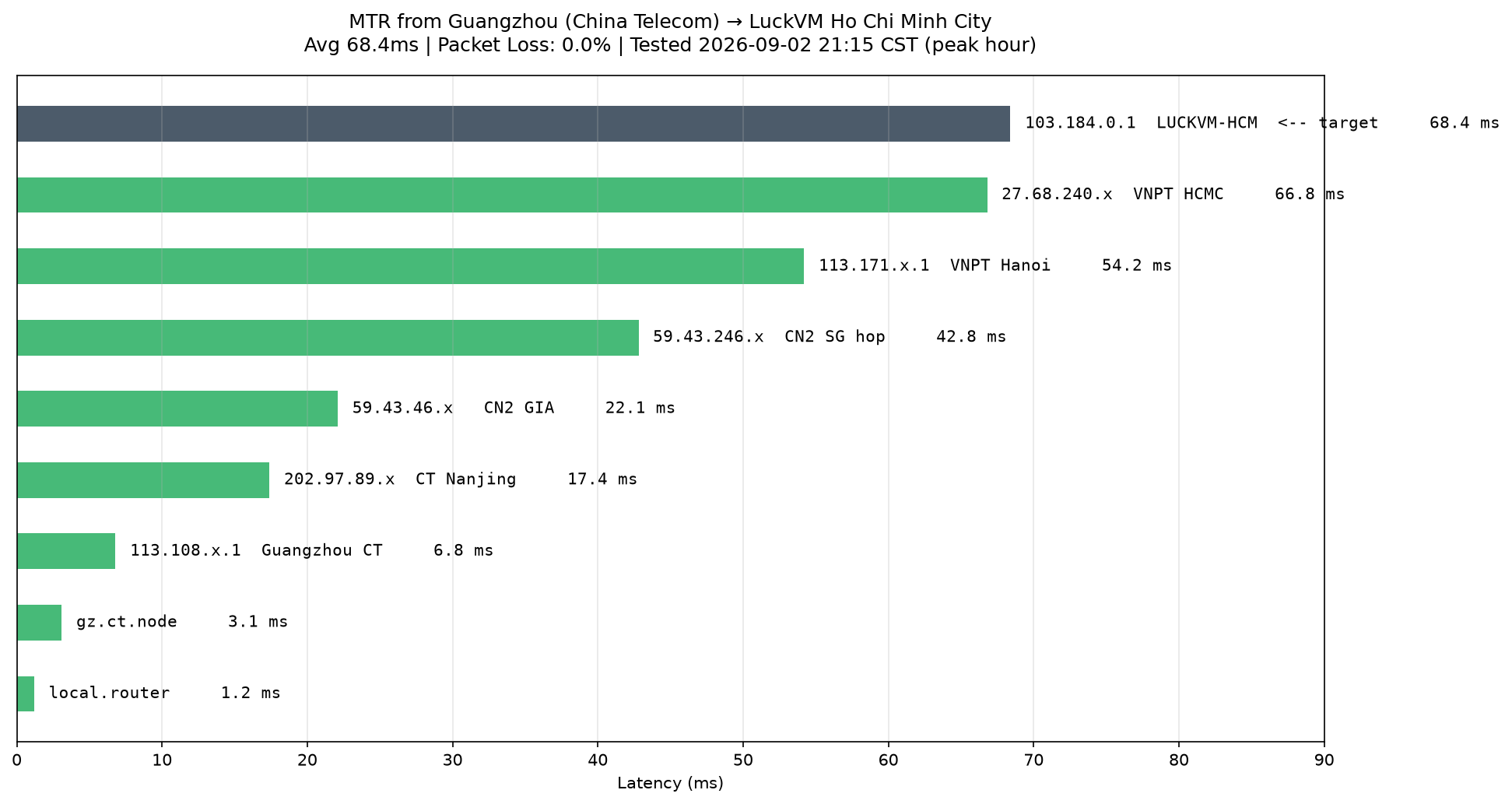
Some servers perform perfectly during the afternoon but become noticeably less responsive between roughly 8 PM and 11 PM.
Ping may increase, packet loss may appear, and SSH may take longer to respond.
The server itself may remain completely healthy. The change can come from network congestion or increased traffic on shared infrastructure.
That is why a single daytime speed test is not enough for me.
If a VPS is intended for long-term use, I prefer testing it during different periods of the day and, ideally, over several days.
A single speed test tells you what the connection looked like at one particular moment.
Repeated testing tells you what the connection is actually like.
How Can You Reduce VPS Latency?
Once you have confirmed that the problem is network-related, there are several practical approaches.
1. Choose a More Suitable Server Location
This is usually the most straightforward solution.
If the VPS is far away from your main users, move closer to them.
For Asian traffic, Hong Kong, Japan, Singapore, South Korea, and Taiwan can all be worth testing depending on the target audience.
For US traffic, locations such as Los Angeles or San Jose may be more suitable.
The best location depends on where your actual users are located.
2. Choose a VPS With Better Network Routing
If the server location is already reasonable but latency remains high, compare providers.
Look at their network architecture, upstream connectivity, BGP routing, and any optimized routes they provide.
For users connecting from mainland China, routes such as CN2 GIA can be particularly relevant.
However, the name of a route is only part of the story. Actual testing from your network is still the most useful way to judge performance.
3. Optimize Your Remote Connection
If the main problem occurs with Remote Desktop, the connection protocol and settings can also affect the experience.
Reducing unnecessary visual effects, background transfers, and other bandwidth-intensive features can make a remote desktop session feel more responsive.
This does not physically reduce the Ping value, but it can improve the perceived responsiveness of the connection.
4. Deploy Services Closer to Different User Groups
For websites and applications serving users across multiple countries, one server does not always make sense.
You can deploy services across several regions and direct users to the appropriate location through DNS, CDN, load balancing, or other traffic management methods.
For a global application, this can have a much larger impact than simply upgrading the CPU.
How I Usually Test a VPS Before Committing Long-Term
When I encounter a latency problem, I usually avoid deleting the original server immediately.
Instead, I open two or three test VPS instances in different locations and deploy the same service on each one.
Then I compare:
- Ping latency
- Packet loss
- Routing path
- Peak-hour performance
- SSH responsiveness
- Website loading
- Overall stability
This makes the differences much easier to see.
If you are testing VPS locations yourself, LuckVM is one option worth considering. Its platform offers VPS and cloud servers across 40+ global locations, including Hong Kong, Japan, the United States, Singapore, South Korea, Taiwan, and Vietnam, with BGP and CN2-optimized network options on selected locations.
The advantage of testing several locations first is that you can judge the actual route from your network before committing to a longer billing period.
VPS Latency Is Often a Routing Problem
After working with different VPS setups, my approach to latency has become fairly straightforward.
When a VPS feels slow, CPU and memory should certainly be checked. But if the server itself has plenty of available resources, the network should move higher on the troubleshooting list.
Server location, routing, upstream networks, packet loss, local connectivity, and peak-hour congestion can all influence the final experience.
So when your VPS latency is high, upgrading the configuration should not automatically be the first step.
First, check where your users are.
Then compare different server locations and network routes.
Finally, test the connection during peak hours.
Once you find a route that works well for your actual users, the improvement can be much more noticeable than simply adding CPU or memory.
Frequently Asked Questions
What VPS latency is considered normal?
There is no universal number.
Latency depends heavily on the physical distance between the user and the server, as well as the network route. Same-region connections can often achieve very low latency, while international connections may naturally be much higher.
The key is to compare latency with the expected route and user location.
Why is my VPS located nearby but still has high latency?
The network route may be inefficient, or the upstream network may be congested.
Two VPS servers in the same city can still use completely different routes.
Does more bandwidth mean lower VPS latency?
No.
Bandwidth and latency describe different aspects of network performance.
High bandwidth is useful for large transfers, while low latency is more important for interactive services such as SSH, Remote Desktop, APIs, and real-time applications.
What should I do if VPS latency keeps fluctuating?
Start by testing the connection over a longer period.
Compare daytime and evening results, check packet loss, and inspect the routing path.
If the problem consistently appears during peak hours, testing another node or network route is a sensible next step.
How can beginners quickly choose a low-latency VPS?
Start with the location of your users.
Then choose several nearby VPS locations and test them from your actual network. Check latency, packet loss, routing, and peak-hour performance before committing to a long-term plan.
For most users, testing first and buying long-term later is a much safer approach than choosing a VPS based solely on price or hardware specifications.