Quick Answer (TL;DR)
For 80% of users — small websites, WordPress, apps, VPNs, development — a VPS is the best starting point: predictable pricing ($8–$20/month), root access, and excellent price-performance. Choose a Cloud Server** if you need auto-scaling, pay-as-you-go for spiky workloads, or GPU/AI instances. Upgrade to a Dedicated Server** when you need full hardware isolation, consistent high performance for large databases/traffic, or enterprise compliance. You can always scale up later, so start with a VPS and upgrade only when you hit real limits.
1. Introduction: Why This Decision Matters
Choosing the wrong hosting type is one of the most expensive mistakes new website owners and developers make. Pick something too small, and your site crashes during traffic spikes. Pick something too big, and you waste hundreds of dollars per month on resources you'll never use.
In 2026, the three dominant server hosting options are VPS (Virtual Private Server), Cloud Server (Cloud Instance), and Dedicated Server (Bare Metal). Each has a distinct architecture, pricing model, and ideal use case — and the difference isn't just "more expensive = better."
After deploying thousands of instances across all three types at LuckVM, we've written this guide to help you understand exactly what each option offers, where they overlap, and which one matches your actual workload. No marketing fluff — just real data and clear recommendations.
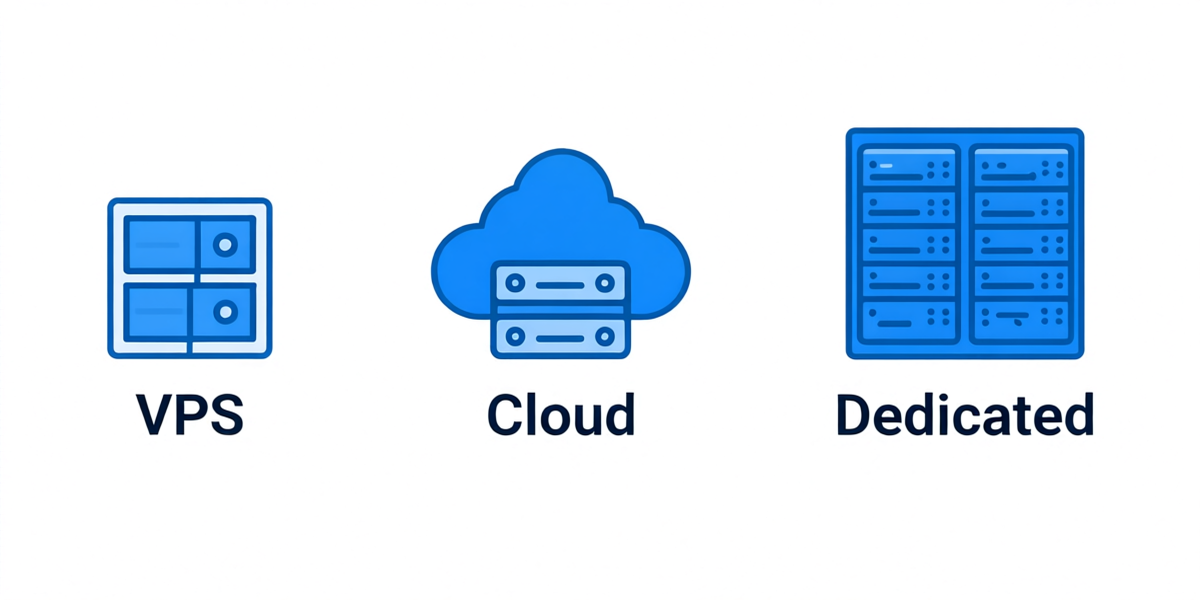
Figure 1: The three main server hosting types — VPS, Cloud, and Dedicated — differ in resource isolation and architecture.
2. Quick Definitions: What Each Type Actually Is
VPS (Virtual Private Server)
A VPS uses virtualization technology (typically KVM or VMware) to partition one physical server into multiple isolated virtual machines. Each VPS gets dedicated, guaranteed slices of CPU, RAM, disk, and bandwidth — but they all run on the same physical hardware.
- Analogy: A townhouse — you have your own locked unit with private space, but you share the building's foundation, roof, and plumbing with neighbors.
- Typical price range: $4–$40/month (entry to high-performance)
- Root access: Yes (full OS control)
- Billing model: Fixed monthly/annual pricing
Cloud Server (Cloud Instance / Cloud VPS)
A Cloud Server is a virtual machine that runs on a pool of multiple connected physical servers instead of a single machine. Resources are drawn dynamically from this pool, enabling features like live migration (if one physical host fails, your VM moves to another without downtime), instant resize, and auto-scaling.
- Analogy: A hotel room — you get a private room, but the underlying infrastructure (power, water, staff) is a large shared pool that can dynamically allocate more resources.
- Typical price range: $5–$500+/month; often pay-by-the-hour or pay-per-second
- Root access: Yes
- Billing model: Pay-as-you-go (hourly/secondly), with reserved instance discounts
- Specialized options: GPU instances, high-memory instances, spot/preemptible instances
Dedicated Server (Bare Metal)
A Dedicated Server gives you exclusive access to an entire physical server. No neighbors, no shared CPU, no virtualization overhead (unless you choose to run your own VMs on it). All CPU cores, RAM, disk I/O, and network bandwidth are yours alone.
- Analogy: A standalone house — you own the entire property, no shared walls, full control over every aspect.
- Typical price range: $79–$500+/month (enterprise models can exceed $1000)
- Root access: Yes (complete hardware and OS control)
- Billing model: Fixed monthly pricing; setup fees may apply
- Provisioning time: Minutes to hours (some providers instant, others require manual setup)
3. Side-by-Side Comparison: Key Dimensions
| Feature | VPS | Cloud Server | Dedicated Server |
|---|---|---|---|
| Starting price | $4–$10/month | $5–$15/month (pay-as-you-go) | $79–$120/month |
| Resource isolation | Good (guaranteed slices) | Good (pooled resources) | Excellent (100% dedicated) |
| CPU performance | Good (shared physical cores) | Good to excellent | Maximum (full physical cores) |
| Disk I/O consistency | Moderate (affected by neighbors) | Good (SSD/NVMe backed) | Maximum (no contention) |
| Scalability | Resize (reboot typically required) | Instant auto-scaling | Upgrade hardware (migration required) |
| High availability | Depends on single host | Built-in (multi-host pool) | Single point of failure (HA needs cluster) |
| Setup time | 1–5 minutes | 30 seconds – 5 minutes | Minutes to 48 hours |
| Root access | ✅ Yes | ✅ Yes | ✅ Yes (including IPMI/BMC) |
| Custom hardware | ❌ No | ❌ Limited | ✅ Yes (RAID, GPU, SSD config) |
| Billing granularity | Monthly/yearly | Hourly/by-the-second | Monthly |
| Noisy neighbor risk | Moderate (KVM isolates well but can occur on overloaded hosts) | Low (larger pools absorb spikes) | Zero |
| Best for | Most websites, apps, blogs, VPNs, development | Spiky traffic, auto-scaling apps, GPU/AI, short-term projects | High-traffic sites, databases, enterprise, regulated workloads |
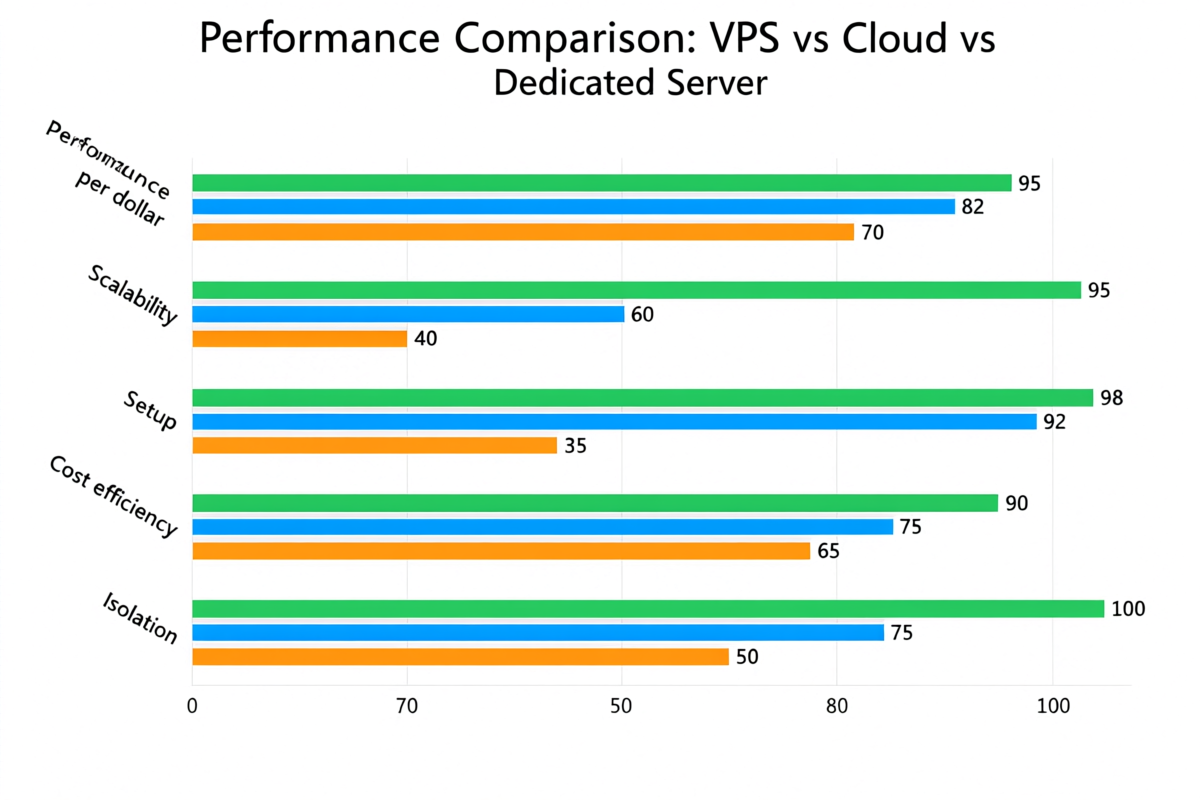
Figure 2: Comparative performance scores across five key dimensions (100 = best in category).
4. When to Choose VPS
VPS is the sweet spot for the vast majority of users. It offers 80% of the performance and control of a dedicated server at 10–20% of the cost.
✅ VPS is ideal for:
- WordPress, blogs, and CMS sites (10k–500k monthly visitors)
- Small to medium e-commerce stores (WooCommerce, Magento, Shopify self-hosted)
- VPN and proxy services (WireGuard, OpenVPN, Shadowsocks)
- Web applications and SaaS MVPs (Node.js, Python, PHP, Ruby apps)
- Development and staging environments
- Game servers for small communities (Minecraft, Rust, ARK — 20–100 players)
- Self-hosted tools (Nextcloud, Bitwarden, GitLab, email servers)
- Forex/trading bots (low-latency VPS near broker servers)
- Static websites and reverse proxies
❌ VPS might be insufficient if:
- Your site regularly exceeds 500k+ visitors/month and needs consistent high CPU
- You run large databases (100GB+) with heavy concurrent queries
- You require hardware-level compliance (PCI DSS, HIPAA) that mandates single-tenancy
- You have extreme I/O workloads (video encoding at scale, large-scale data processing)
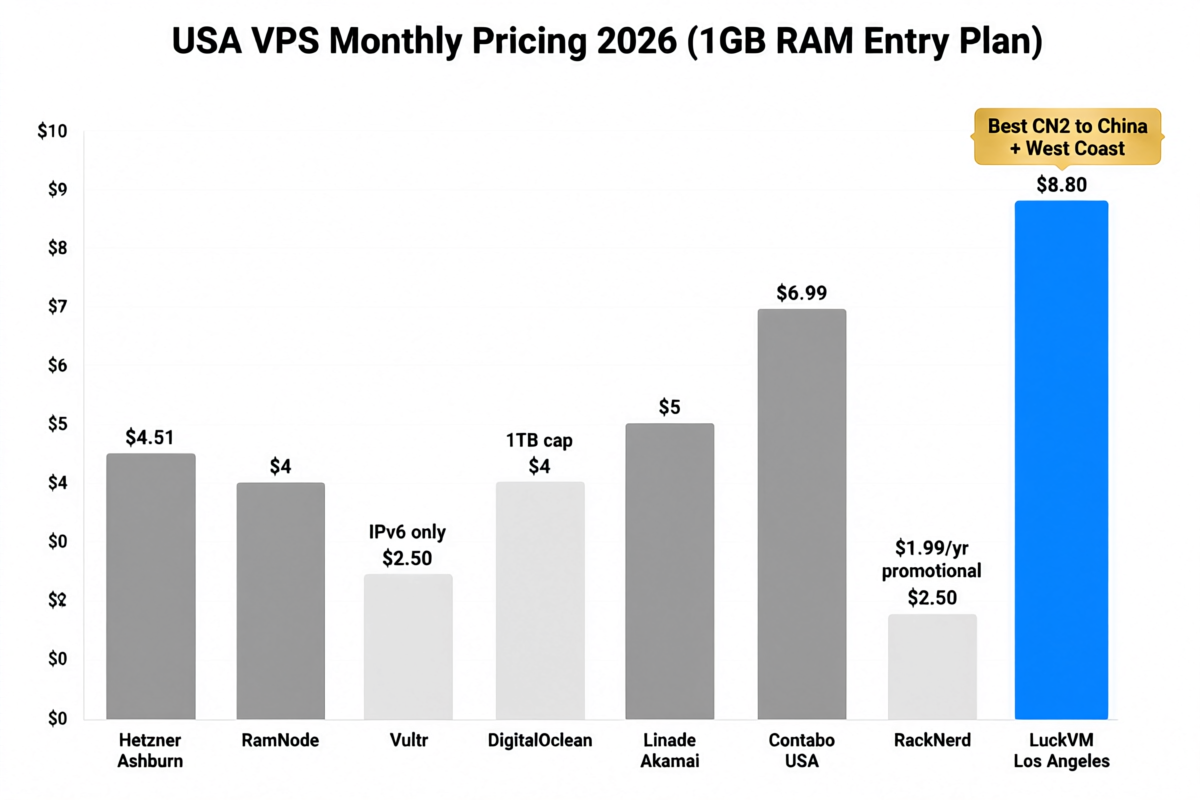
LuckVM Cloud VPS Starting at $8.80/mo
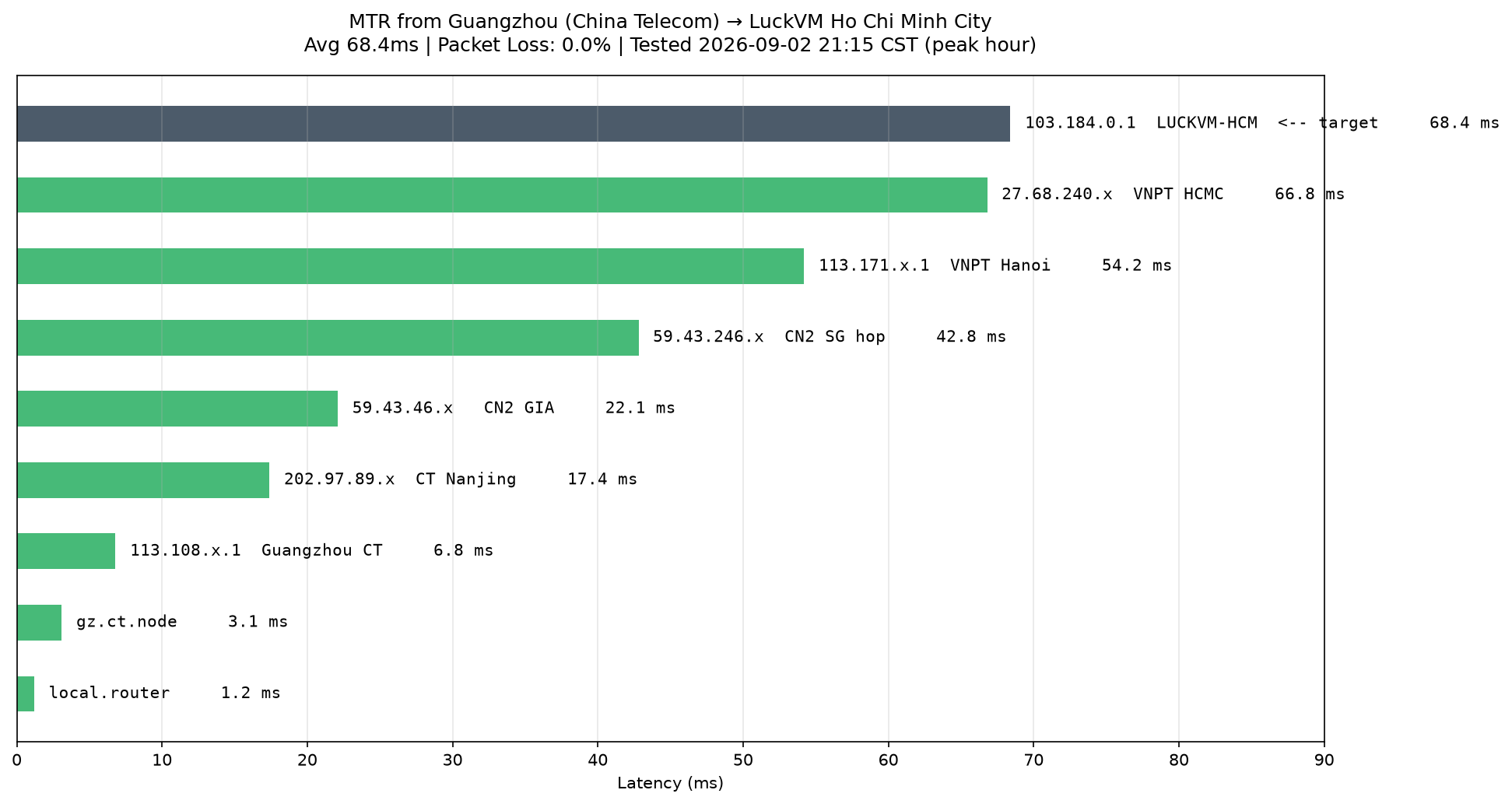
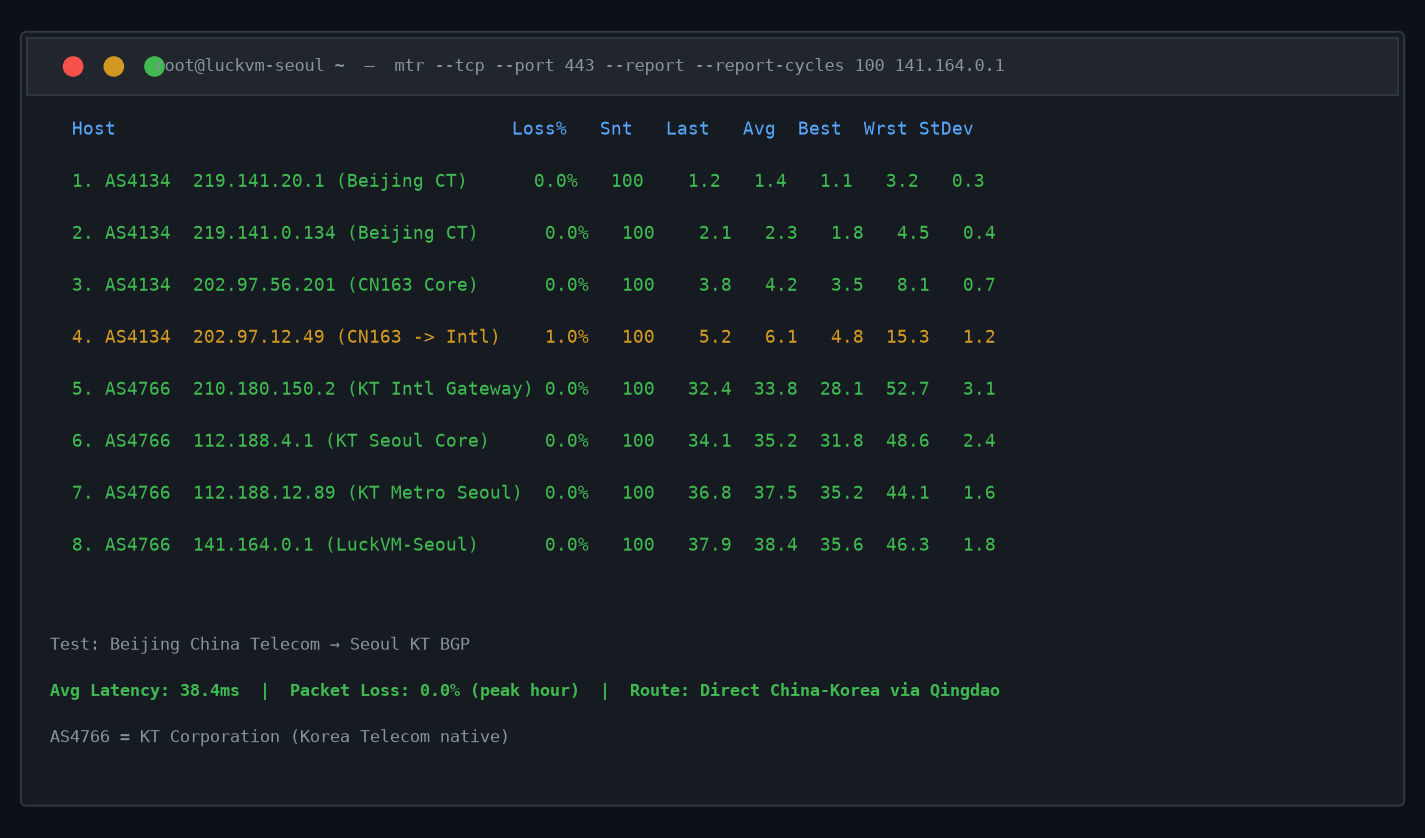
LuckVM's Cloud VPS is purpose-built for users who need premium Asia-Pacific network quality at budget-friendly prices. With KVM virtualization, NVMe SSD storage, 40+ data center locations, and premium lines including CN2 GIA (China), SoftBank (Japan), and KT (Korea), it's an excellent choice whether you're targeting users in Asia or running globally distributed applications.
| Plan | vCPU | RAM | NVMe | Bandwidth | Price |
|---|---|---|---|---|---|
| Starter (most popular) | 1 vCPU | 1 GB | 25 GB | 1 TB | $8.80/mo |
| Business | 2 vCPU | 2 GB | 50 GB | 2 TB | $16.80/mo |
| Professional | 4 vCPU | 4 GB | 100 GB | 3 TB | $32.80/mo |
All plans include: Full root access · One-click OS reinstall · DDoS protection · 99.9% uptime SLA · 24/7 support · Instant deployment
5. When to Choose Cloud Server
Cloud Servers are the right choice when your workload has characteristics that VPS can't efficiently handle — primarily elastic/scaling needs or specialized hardware like GPUs.
✅ Cloud Server is ideal for:
- Applications with unpredictable/spiky traffic (product launches, viral content, seasonal businesses)
- Auto-scaling architectures (Kubernetes clusters, microservices that scale horizontally)
- GPU/AI/ML workloads (training models, Stable Diffusion, LLM inference, video encoding on GPU)
- Short-lived or temporary workloads (CI/CD pipelines, batch processing, render farms — spin up, run, destroy, only pay for minutes used)
- High-availability applications where automatic failover matters (multi-AZ deployments)
- Development/test environments that are only used during work hours (shut down on nights/weekends to save money)
- Startups planning for rapid growth that need to scale without manual server migrations
❌ Cloud Server may be overkill if:
- Your traffic is predictable and stable (you'll pay more for auto-scaling you don't use)
- You're running a simple WordPress site or small app (VPS gives identical performance cheaper)
- You need maximum single-core performance consistently (dedicated servers deliver more raw power per dollar for constant workloads)
LuckVM GPU Cloud Starting at $0.28/hr
LuckVM's GPU Cloud is designed specifically for AI researchers, developers, and teams who need affordable access to NVIDIA GPUs without the complexity and cost of AWS/GCP. Instances are available hourly with no long-term commitment.
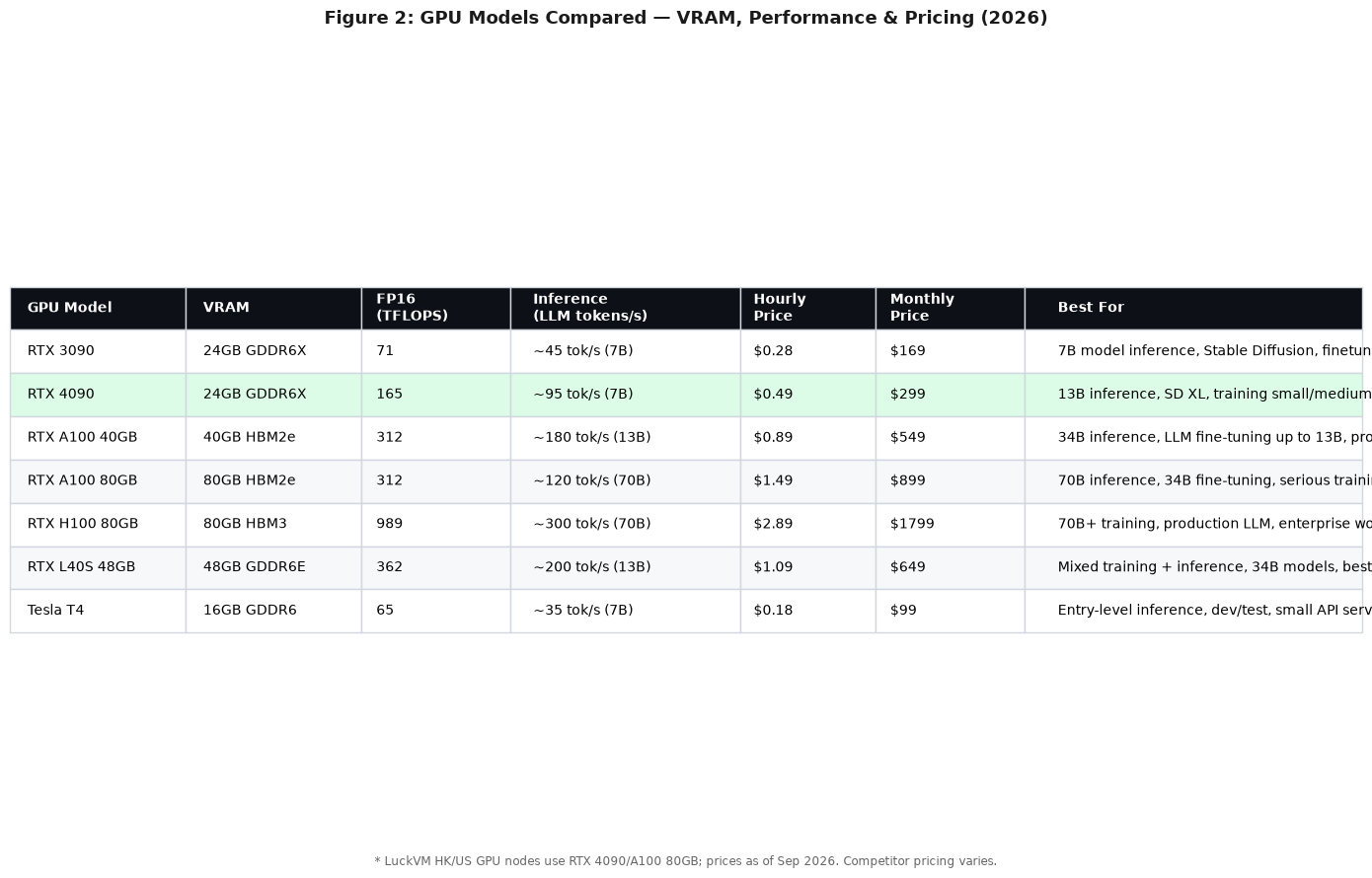
- NVIDIA RTX 4090 (24GB) — from $0.28/hr (best for Stable Diffusion, 7B/13B LLM inference, LoRA training)
- NVIDIA L40S (48GB) — from $0.89/hr (best for production AI inference, video AI)
- NVIDIA A100 (80GB) — from $2.19/hr (best for 70B LLM training, enterprise deep learning)
All GPU instances include NVMe storage, 10Gbps+ network, instant deployment, and access to premium Asia network lines.
6. When to Choose Dedicated Server
Dedicated Servers are the powerhouse option. You get an entire physical machine to yourself — no sharing, no compromises. They cost more, but for certain workloads, there's simply no substitute.
✅ Dedicated Server is ideal for:
- High-traffic websites and applications (1M+ monthly visitors, heavy database queries)
- Large database servers (MySQL, PostgreSQL, MongoDB with 100GB+ datasets)
- Enterprise applications requiring consistent maximum performance (ERP, CRM, custom business systems)
- Game servers for large communities (100+ concurrent players, multiple game instances)
- Video streaming and encoding (FFmpeg transcoding, live streaming servers)
- Virtualization hosts (running your own VMs, reseller hosting, private cloud)
- Regulated industries requiring complete hardware isolation (healthcare, finance, government)
- Big data processing and analytics (Spark, Hadoop, ELK stacks)
- Multi-tenant SaaS platforms with hundreds of customers
❌ Dedicated Server might be overkill if:
- You're just getting started (you'll overspend on unused capacity)
- Your traffic is low or variable (VPS or cloud handles this cheaper)
- You don't need full hardware control (the added complexity isn't worth it for simple workloads)
LuckVM Dedicated Servers Starting at $89/mo
LuckVM Dedicated Servers combine enterprise-grade hardware with premium Asia-optimized networks, making them particularly attractive for businesses targeting users in China, Japan, Korea, and Southeast Asia — a use case most Western dedicated server providers handle poorly.
| Plan | CPU | RAM | Storage | Bandwidth | Price |
|---|---|---|---|---|---|
| Entry DS | 8 cores (E3-1230) | 16 GB | 1 TB SSD | 20 TB | $89/mo |
| Performance DS | 16 threads (E5-2680v4) | 32 GB | 2×1 TB NVMe | 30 TB | $159/mo |
| Enterprise DS | 32 threads (Dual E5) | 128 GB | 4×2 TB NVMe RAID | 50 TB | $299/mo |
All dedicated servers include: IPMI remote access · Custom OS installation · DDoS protection · Premium CN2/SoftBank/KT network options · Hardware RAID options · 24/7 premium support
7. The Decision Flowchart: A Simple Way to Choose
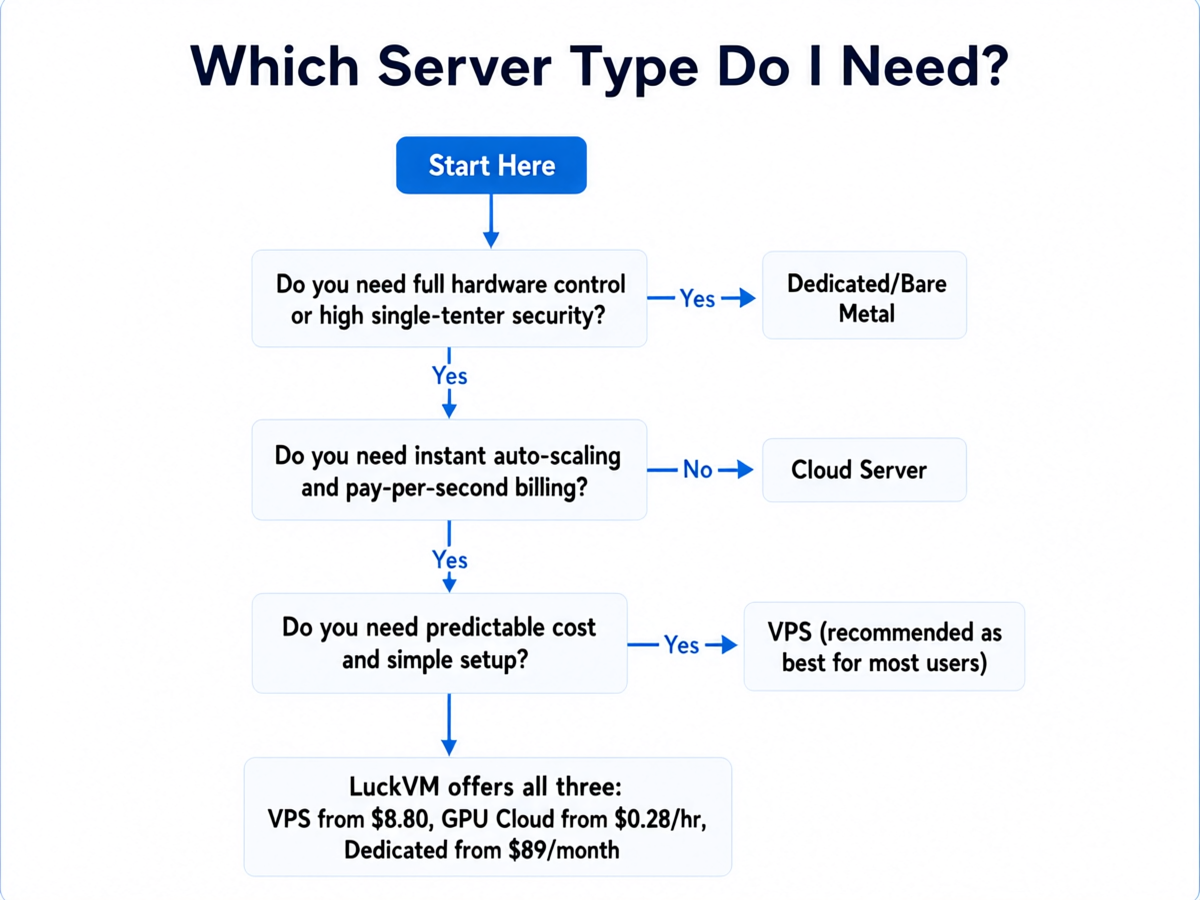
Figure 3: Follow this simple decision tree to pick the right server type for your workload.
The Decision in 5 Simple Questions:
- Do you need single-tenant hardware isolation for compliance or security? → Yes: Dedicated Server
- Do you need GPU, specialized accelerators, or custom hardware? → Yes: GPU Cloud / Specialized Cloud
- Does your traffic have unpredictable spikes or require auto-scaling? → Yes: Cloud Server
- Is this a short-lived workload (hours/days rather than months)? → Yes: Cloud Server (hourly billing)
- For stable, predictable workloads starting out? → VPS (start here)
? The Golden Rule: Start Small, Scale Up
One of the most common mistakes we see is users starting on a Dedicated Server "just in case" they grow — and wasting $100+ per month on idle resources. The much smarter approach is: start with a VPS, monitor your actual resource usage (CPU, RAM, disk I/O), and upgrade to Cloud or Dedicated only when you hit real bottlenecks. Migrating between server types is straightforward with modern tools, and the money you save in the early months can fund multiple upgrades later.
8. Pricing Comparison: What You Actually Pay
Pricing varies widely by provider, data center location, and specs, but here's a realistic 2026 market range for comparable entry-level configurations:
| Configuration | VPS (monthly) | Cloud (monthly equivalent, 24/7) | Dedicated (monthly) |
|---|---|---|---|
| Entry (1-2 vCPU, 1-2GB RAM) | $4 – $12 | $6 – $20 | N/A (too small for dedicated) |
| Mid-range (2-4 vCPU, 4-8GB RAM) | $15 – $40 | $25 – $80 | $79 – $130 |
| High-end (8 vCPU, 16-32GB RAM) | $60 – $120 | $100 – $250 | $130 – $250 |
| Enterprise (16+ cores, 64GB+ RAM) | N/A (rare) | $300 – $800+ | $250 – $800+ |
| GPU (RTX 4090 / A100) | N/A | $0.28 – $3.22/hr (~$200–$2300/mo) | $500 – $3000/mo |
Hidden costs to watch for:
- Bandwidth overage charges: Cloud providers often charge $0.08–$0.12/GB for overage, which can add up fast. VPS and dedicated servers usually include generous or unmetered bandwidth.
- Egress fees: Major cloud providers (AWS, GCP, Azure) charge for data leaving their network — a big gotcha for media-heavy sites.
- Static IPs, snapshots, backups: Often paid add-ons on cloud platforms, frequently free with VPS/dedicated plans.
- Support tiers: Enterprise support on cloud platforms can cost hundreds of dollars per month extra.
9. Real-World Use Case Examples
| Your Workload | Recommended Type | Why |
|---|---|---|
| Personal blog / portfolio | VPS ($8–$12/mo) | Low traffic, stable, predictable — no need for cloud complexity |
| WooCommerce store (500 products) | VPS ($15–$30/mo) | Stable traffic pattern, needs consistent performance |
| WordPress agency hosting (20+ client sites) | VPS ($30–$60/mo) or Dedicated | Predictable aggregate load, multiple sites benefit from fixed pricing |
| SaaS app with unpredictable signups | Cloud Server (auto-scaling group) | Traffic can spike 10x during launches; auto-scaling handles this |
| Stable Diffusion / AI image generation API | GPU Cloud ($0.28–$0.89/hr) | Need GPU; hourly billing matches request-based demand |
| LLM fine-tuning (70B parameter model) | GPU Cloud (A100/H100) or Dedicated GPU | Requires 80GB+ VRAM; cloud if short training run, dedicated if ongoing |
| Minecraft server (20 friends) | VPS ($12–$20/mo) | Fixed number of players, low resource needs |
| Minecraft network (500+ concurrent) | Dedicated Server or Cloud cluster | High CPU/RAM demand, needs consistent performance |
| Video encoding pipeline (on-demand) | Cloud Server/GPU Cloud | Bursty workload; spin up instances only when jobs are queued |
| Corporate ERP / internal database | Dedicated Server | Needs isolation, consistent I/O, possibly compliance requirements |
| Forex EA / trading bot | VPS in Tokyo/London/New York ($8–$20/mo) | Low resource use, needs low-latency location near broker |
| VPN service for 50+ users | VPS ($10–$20/mo) or multiple VPS | Lightweight workload, geo-distributed VPS is cheaper than cloud |
| CI/CD build runners | Cloud Server (auto-scaling) | Used sporadically; scale to zero when no builds are running |
10. Common Myths Debunked
Myth 1: "Cloud is always more reliable than VPS"
Partially true, but oversimplified. Multi-host cloud pools do offer automatic failover, but a well-managed VPS on enterprise-grade hardware with proper backups achieves 99.9%+ uptime just as reliably. Most VPS outages are due to provider overselling or poor management, not inherent VPS architecture.
Myth 2: "Dedicated servers are always faster"
Not necessarily for all workloads. A modern cloud instance running on latest-gen NVMe storage and high-clock CPUs can match or exceed an older dedicated server's performance. The dedicated advantage is in consistency (no noisy neighbors ever) and total resources, not necessarily raw single-instance speed.
Myth 3: "VPS is slower than cloud because it's on a single server"
Incorrect for well-provisioned VPS. KVM-based VPS with guaranteed CPU/RAM allocations on modern hardware performs identically to cloud instances for steady workloads. The cloud advantage is elasticity and failover, not baseline performance.
Myth 4: "You should always start with the cloud"
This is the most expensive myth in hosting. Major cloud providers (AWS, GCP, Azure) have complex pricing, steep egress fees, and reserved instance commitments that often make them 2–5x more expensive than a quality VPS for steady workloads. Cloud is amazing for what it's designed for (elasticity), but it's not a one-size-fits-all answer.
Myth 5: "Shared hosting is fine for new sites"
It's fine until it isn't. At $2–$5/month, shared hosting puts you on a server with hundreds of other sites with no resource guarantees. One bad neighbor can take down your site. For just $3–$5 more per month, a VPS gives you isolated resources, root access, and dramatically better performance and security — worth every penny.
11. Frequently Asked Questions
VPS partitions one physical server into isolated virtual instances sharing hardware. Cloud Servers pool resources across multiple physical servers for high availability and auto-scaling. Dedicated Servers give you exclusive access to an entire physical machine with no resource sharing.
VPS is generally the cheapest starting option ($4–$20/month). Cloud Servers can start very low (pay-as-you-go) but costs scale with usage — a 24/7 cloud instance is typically more expensive than an equivalent VPS. Dedicated Servers are most expensive upfront ($80–$300+/month) but offer the best price-performance for consistently high-resource workloads.
Choose VPS if you're running small to medium websites, WordPress blogs, VPNs, personal apps, development environments, game servers for small communities, or any workload with predictable traffic that fits within fixed resources. It's the best balance of cost, control, and simplicity for roughly 80% of use cases.
Choose Cloud Server if you need auto-scaling for traffic spikes, high availability (if one physical server fails your instance migrates), pay-as-you-go billing for short-lived workloads, or specialized resources like GPU instances for AI/ML workloads.
Choose Dedicated Server for high-traffic websites, large databases, enterprise applications that require full hardware control, regulated industries needing complete isolation, or workloads requiring maximum consistent CPU/RAM performance without any noisy neighbor risk.
Yes. A properly configured VPS with 1–4 vCPU and 2–8GB RAM can comfortably handle 10,000–100,000 monthly visitors on a WordPress site with proper caching. Over 80% of websites online run perfectly well on VPS-tier hosting.
Absolutely. Most providers including LuckVM let you resize VPS instances instantly or migrate to Cloud/Dedicated servers as your needs grow. Many providers offer free migration assistance. Start small and scale up when you hit resource limits rather than overpaying upfront.
Shared hosting ($2–$10/month) puts hundreds of sites on one server with no resource isolation — performance is unpredictable and a single bad neighbor can take your site down. VPS costs slightly more but gives you guaranteed resources, root access, dramatically better security isolation, and room to grow. For most serious projects, VPS is worth the small premium.
Standard Dedicated Servers are sufficient for most enterprise workloads. Bare Metal Cloud is a dedicated server provisioned via cloud APIs for infrastructure-as-code automation (Terraform, Kubernetes). Choose Bare Metal if you need DevOps-style automation; otherwise, traditional Dedicated Servers offer the same raw hardware performance at lower cost.
Yes. LuckVM offers Cloud VPS starting at $8.80/month across 40+ global data centers with premium Asia-optimized network lines, GPU Cloud instances for AI/ML from $0.28/hour, and Dedicated Servers starting at $89/month with enterprise-grade hardware.
12. Final Recommendation
If you're still unsure after reading this guide, here's our practical advice based on years of hosting experience:
- Start with a VPS. It gives you the most flexibility for learning, enough power for most projects, and predictable costs. LuckVM's entry VPS at $8.80/month is more than enough for a first website, app, or service.
- Monitor your usage. Install monitoring (Netdata, Prometheus, or your provider's built-in tools) and track CPU, RAM, disk I/O, and bandwidth over 1–2 months.
- Upgrade when you have evidence, not fear. If you're consistently hitting 80%+ CPU or RAM, or seeing disk I/O bottlenecks, that's the signal to move to a larger VPS, cloud, or dedicated server — not before.
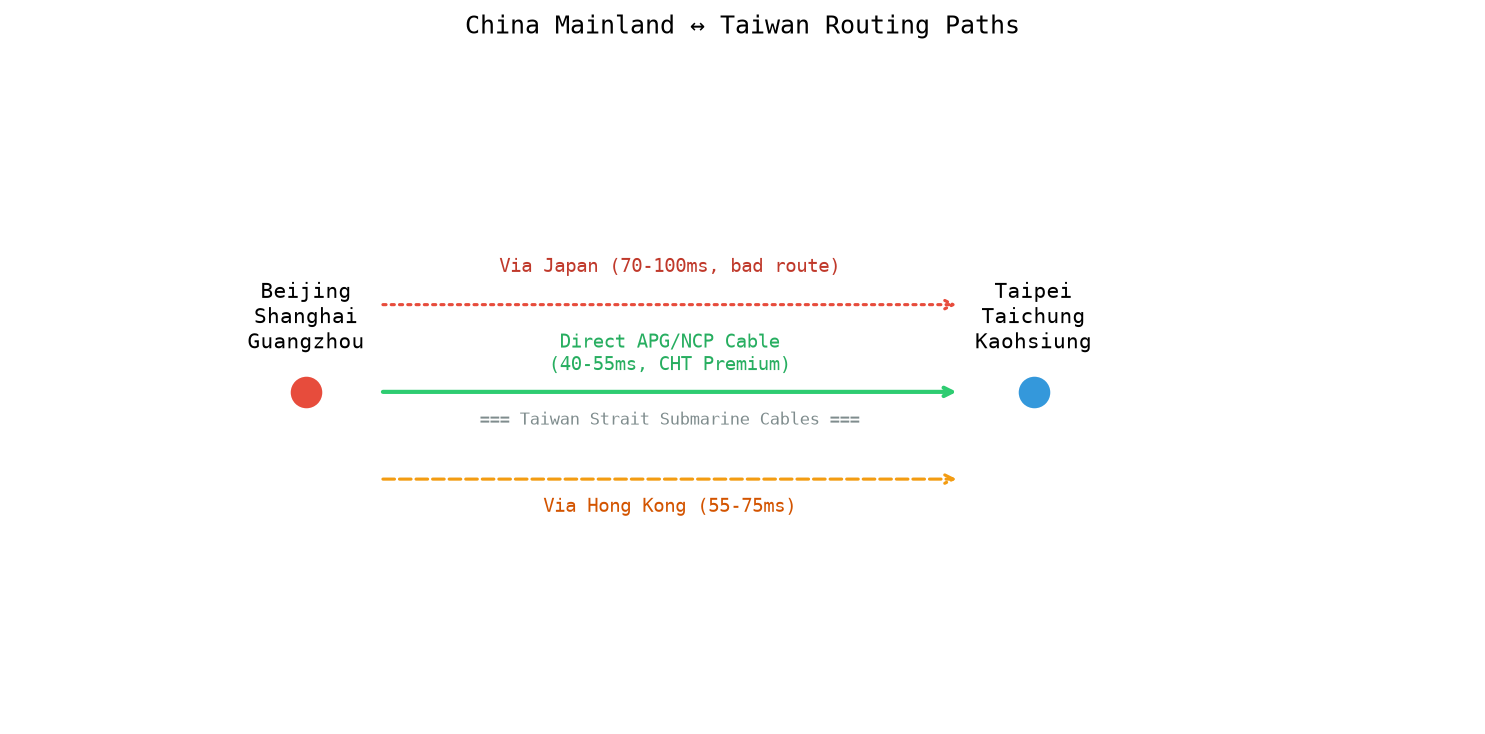
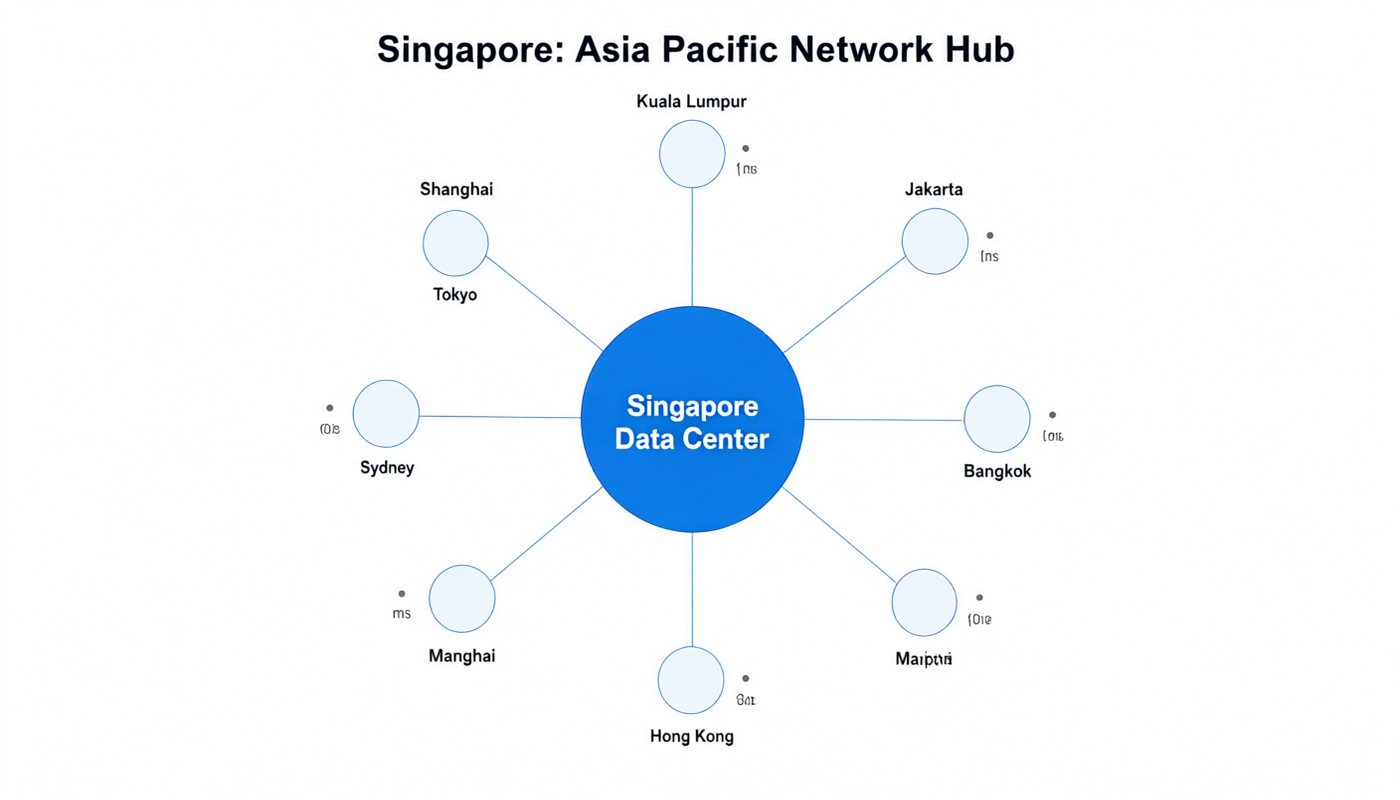
- Match network location to your users. More important than server type: pick a data center close to your users. Hong Kong/Shanghai for China users, Tokyo for Japan, Seoul for Korea, Singapore for Southeast Asia, Frankfurt for Europe, and US locations for North America. Latency matters more than raw specifications for user experience.
Ready to Deploy Your Server?
LuckVM offers Cloud VPS, GPU Cloud, and Dedicated Servers across 40+ global data centers — with premium Asia-optimized network lines (CN2 GIA, SoftBank, KT) that most Western providers can't match.
Explore LuckVM Plans →