Buying a server is quite different from buying a phone. With a phone, you turn it on, swipe through a few screens, and quickly get a sense of how it feels.
A server works differently.
On the first day, everything is clean. The system has almost no workload, caches are empty, and there are barely any accumulated logs or temporary files. SSH responds immediately, and a newly deployed website loads quickly.
That initial experience can last for several days or even a couple of weeks. Many users see this early performance and decide that the server is reliable enough for a long-term subscription.
The real test usually comes after the server has been running continuously for two or three months.
I currently have a Hong Kong cloud server from LuckVM with 1 CPU core, 1GB of RAM, a 60GB SSD, and 10Mbps bandwidth. It is an entry-level configuration rather than a high-performance machine.
I use it for a small international business website and a lightweight API service. I have treated it like a normal production server, keeping it online every day instead of repeatedly reinstalling the system.
After nearly three months, it has gone through several evening peak periods, scheduled backups, and a few small traffic spikes. Some of the things I noticed simply cannot be seen during a one-day test..jpg)
Fast on Day One Does Not Mean Fast After Three Months
The server performed very well when I first deployed it.
The Hong Kong node uses BGP and CN2 GIA optimized connectivity. During my initial tests, packet loss during peak hours stayed around 2.3%, while latency generally remained between 15 and 20ms.
From mainland China, the connection felt quite responsive. SSH commands returned quickly, and the website loaded without noticeable delays.
That experience lasted for roughly three weeks.
As traffic gradually increased, the database accumulated more records, log files grew, and Docker containers started using more cache. Around the 40th day, I began noticing occasional delays when saving articles from the backend.
It only happened from time to time, but once every few days there would be a one or two-second pause.
SSH login also became slightly less responsive, with occasional delays of around half a second.
The CPU was still sufficient, and the bandwidth was far from being saturated. The main issue was memory pressure.
The web server, database, cache, log collection, and monitoring scripts each consumed a relatively small amount of RAM. Together, however, they gradually pushed the 1GB configuration toward its limit.
When the server was freshly installed, more than 600MB of RAM was available. By around the 60th day, resident memory usage had reached approximately 850MB.
Swap usage became more frequent, and disk I/O increased as a result.
This created a familiar long-term server experience: nothing appeared seriously broken, yet the machine no longer felt as responsive as it did during the first few weeks.
Disk I/O Is Easy to Ignore Until You Need It
The server comes with a 60GB SSD, which initially seemed sufficient for a small international website and API service.
After two months, however, disk usage was growing faster than expected.
Website access logs continued to accumulate, weekly database backups created additional files, Docker images left behind unused layers, and system updates generated temporary data.
Eventually, the available storage dropped below 15GB.
The moment that really made me pay attention to disk I/O happened during a database backup.
One evening, I manually started a full database backup while several visitors were submitting forms on the website.
The backup took about three minutes.
During those three minutes, saving articles from the backend became noticeably slower, and frontend pages also took longer to respond. The website remained online, but operations occasionally paused before continuing.
After checking the system, the reason was fairly straightforward. Backup operations were creating additional disk read and write pressure.
The Hong Kong LuckVM server uses SSD storage, and its everyday performance was perfectly adequate for my workload. For databases, Docker containers, and other I/O-sensitive applications, however, you still need to leave enough storage and I/O capacity available.
Seeing the word “SSD” on a VPS product page is only the starting point. Long-term storage behavior also depends on log growth, backup frequency, Docker images, cache management, and application data.
Peak-Hour Stability Matters More Than a Daytime Speed Test
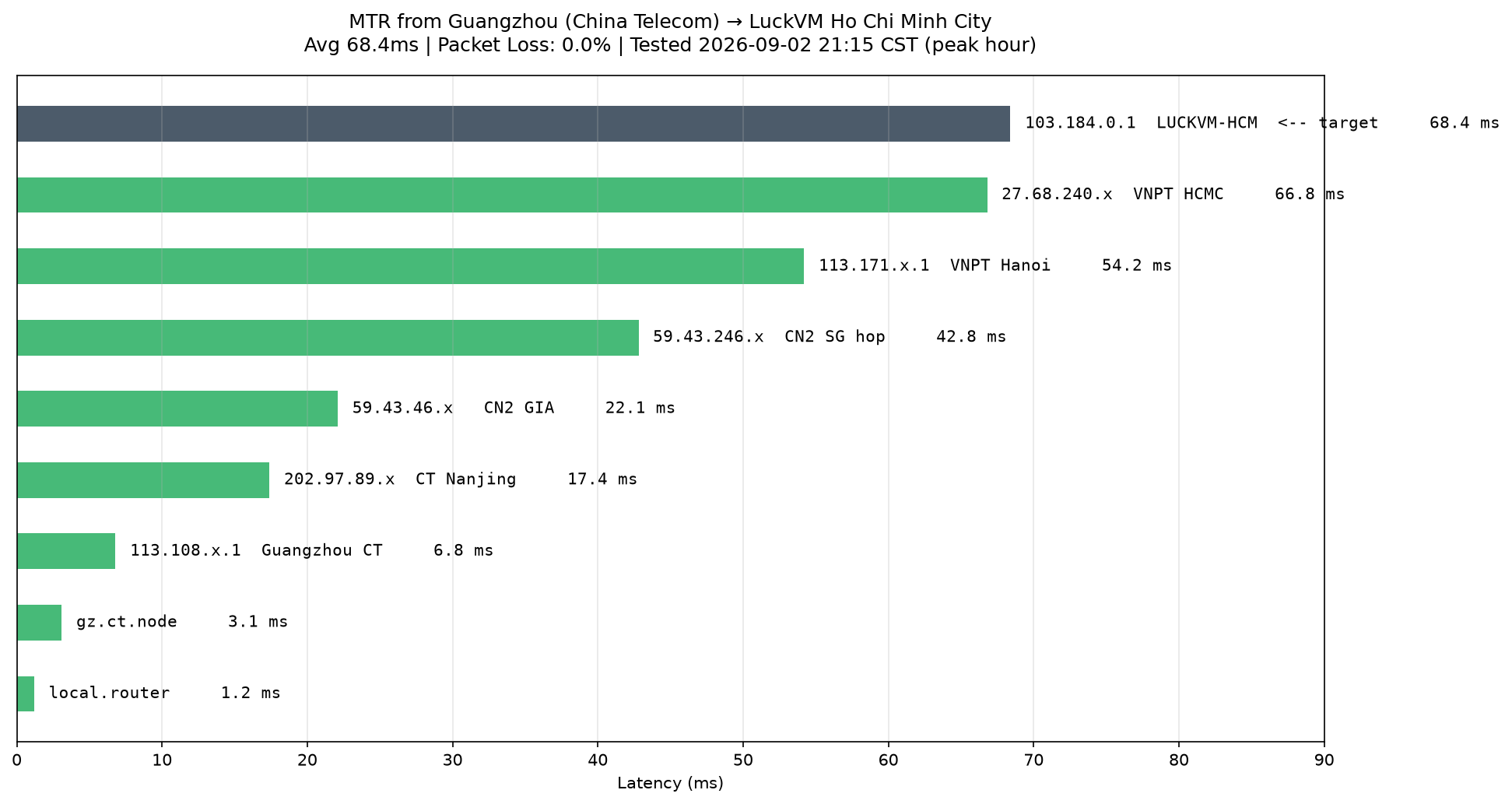
During the day, network tests from different parts of China looked very good.
Latency was generally around 20ms, and packet loss was close to zero.
The situation changed slightly between 8 PM and 11 PM.
Packet loss increased to around 2%, while latency moved from approximately 15ms to 25 to 30ms.
The numerical difference may appear small, but the interactive experience was easier to notice. SSH occasionally took about half a second to return after pressing Enter, and website loading changed from an immediate response to a short pause.
The service remained usable, but the network was clearly under more pressure during the evening.
LuckVM's Hong Kong node uses BGP multi-line intelligent routing to optimize international connectivity. This can help reduce inefficient routing paths, but overall congestion during peak periods remains a real network condition.
No routing system can completely eliminate congestion.
That is why I think a server should be evaluated at 10 PM, not just at 10 AM.
A daytime speed test can tell you what the network looks like under favorable conditions. Long-term usage tells you what happens when traffic increases and the network becomes busy.
GPU Servers Follow a Different Usage Model
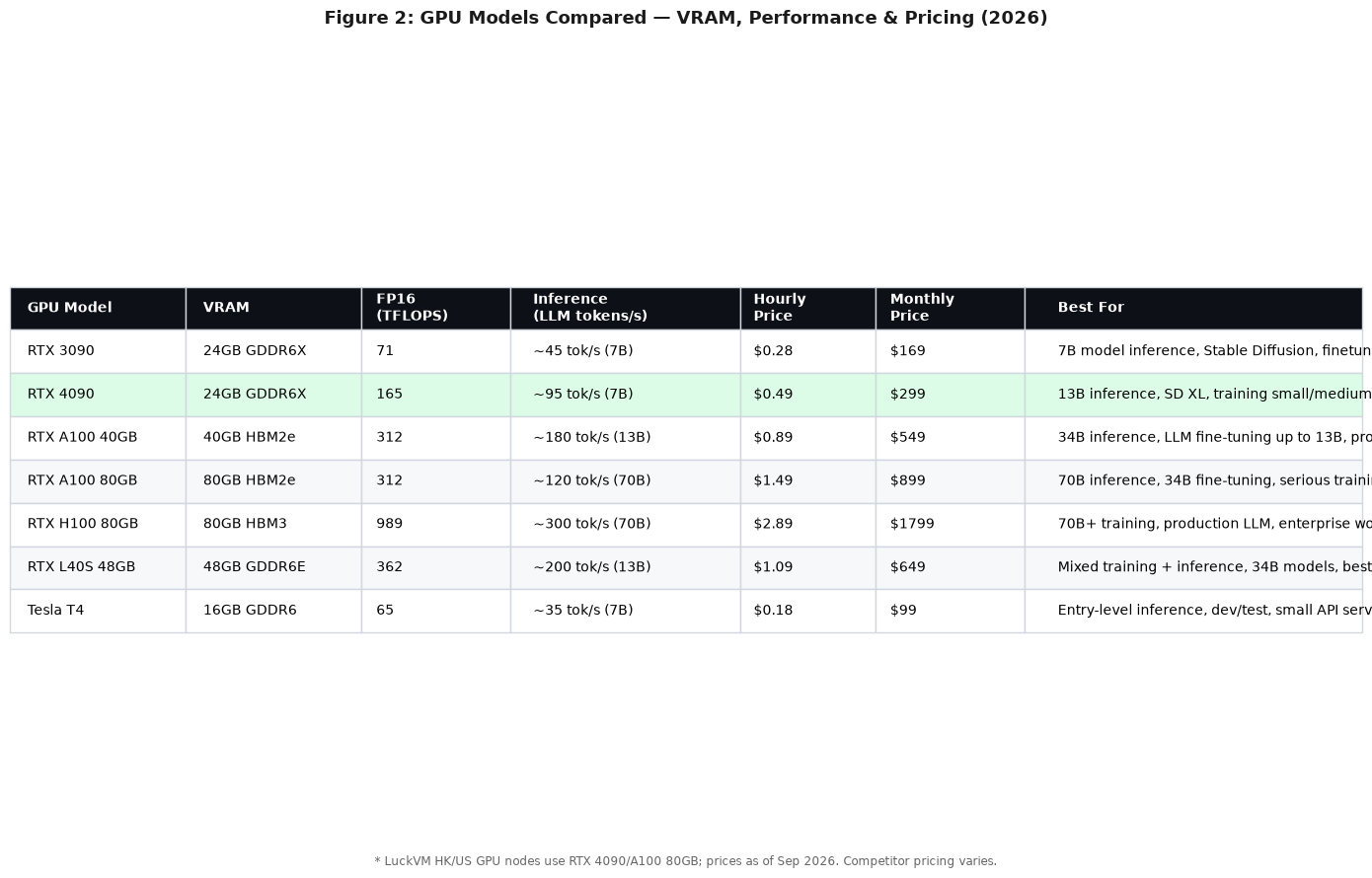
In addition to cloud servers, LuckVM also offers GPU servers equipped with NVIDIA A100, H100, and RTX-series GPUs.
The A100 configuration can provide up to 80GB of GPU memory, while the H100 targets high-end AI and computing workloads. RTX models focus more on cost efficiency for certain workloads.
GPU servers are used differently from ordinary cloud servers.
A standard cloud server is usually kept online continuously. A GPU server may only be needed when a model is being trained, a rendering job is running, or a large computational task needs to be completed.
A training job might run for several dozen hours. Once the job finishes, the server can be shut down until it is needed again.
LuckVM supports hourly billing for these workloads and provides preinstalled deep learning environments. For teams working with AI training, deep learning, rendering, or other GPU-intensive tasks, this billing model can be useful because the cost follows actual usage time.
There is, however, another issue that tends to appear after using a GPU server for a while: data storage.
You need to know exactly where your datasets, model weights, checkpoints, and other important files are stored.
If everything is kept on the system disk, shutting down or rebuilding the environment can create unnecessary risk. Persistent storage or object storage should be used for important data.
This is one of those details that many people only take seriously after experiencing a failed training run or having to download a large dataset again.
Dedicated Servers Follow a Different Logic
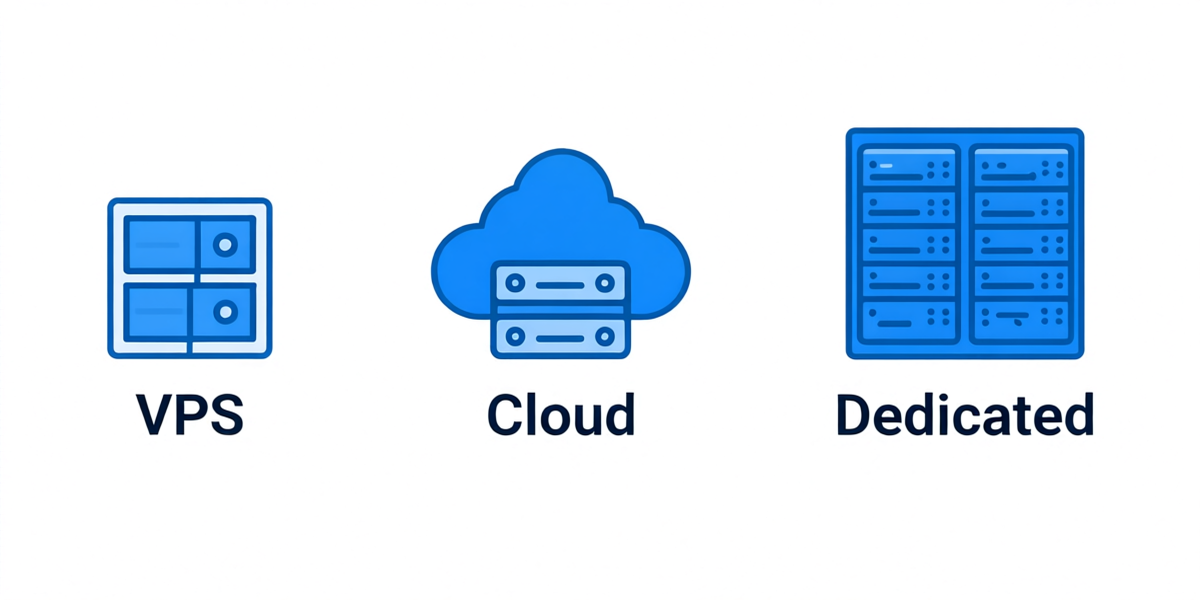
LuckVM also provides dedicated physical servers for workloads that require exclusive hardware resources.
These servers are designed around dedicated CPU, memory, storage I/O, and network resources. Enterprise-oriented configurations can include RAID storage protection and IPMI remote management.
The biggest difference between a dedicated server and a cloud VPS is resource isolation.
With a dedicated machine, the hardware belongs to your workload. CPU performance, memory, disk I/O, and network resources are available exclusively to your applications.
For long-running databases, high-traffic websites, and applications with heavy concurrent workloads, this can provide a more predictable performance curve.
The trade-off is management responsibility.
Operating system updates, security patches, hardware monitoring, and troubleshooting all require more attention. A cloud VPS can often be rebuilt or restored from a snapshot quickly, while hardware-related issues on a physical server usually require a more involved process.
Before choosing a dedicated server, it is worth asking whether the workload actually requires exclusive hardware or whether a cloud server already provides enough capacity and flexibility.
Choosing a Server Location Is About Users, Not Just the Country Name
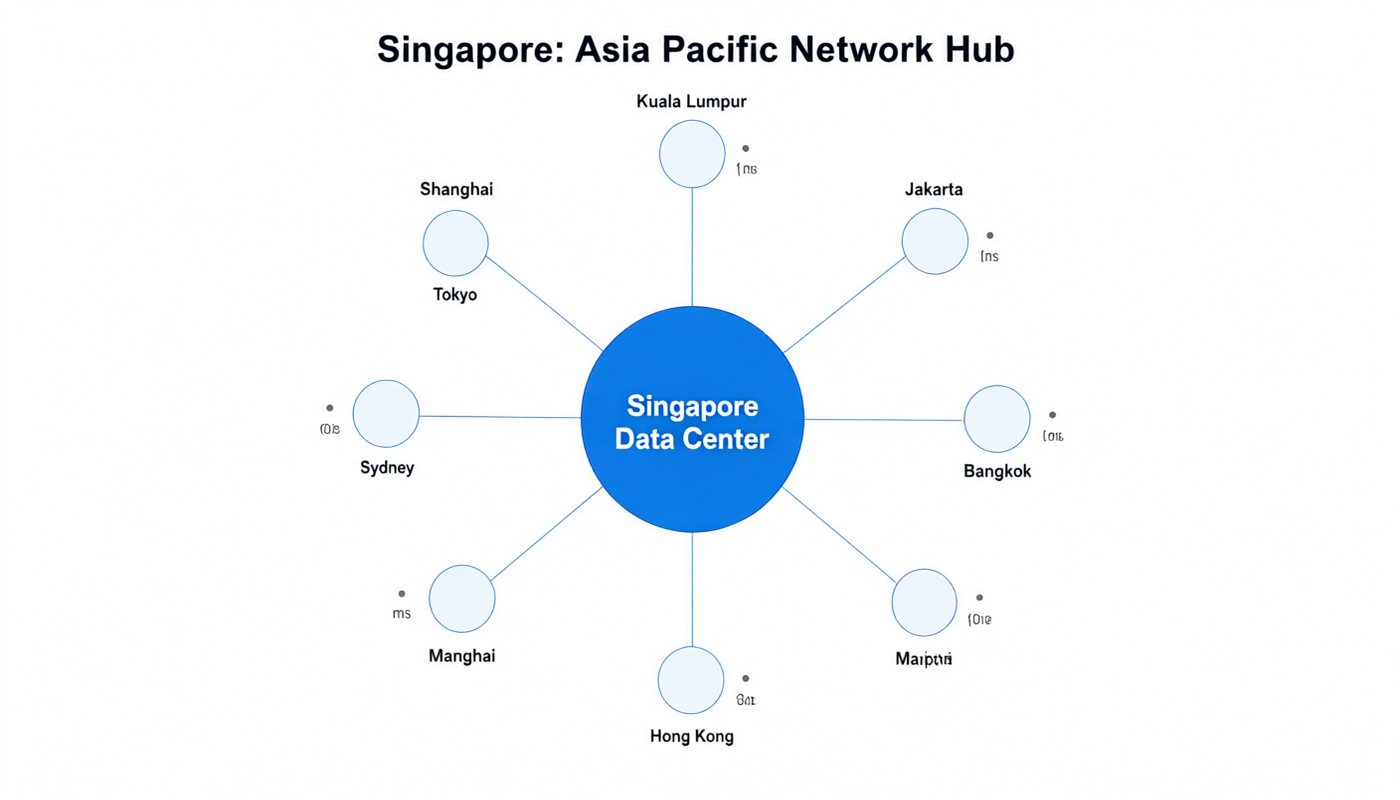
LuckVM covers more than 40 countries and regions, including Hong Kong, the United States, Japan, South Korea, Singapore, Malaysia, Taiwan, and Vietnam.
Each location serves a different purpose.
Hong Kong is suitable for applications targeting users in mainland China, with low latency and direct connectivity options such as CN2 GIA.
Tokyo and Osaka are useful for businesses targeting Japan and broader East Asian markets, with BGP multi-line connectivity.
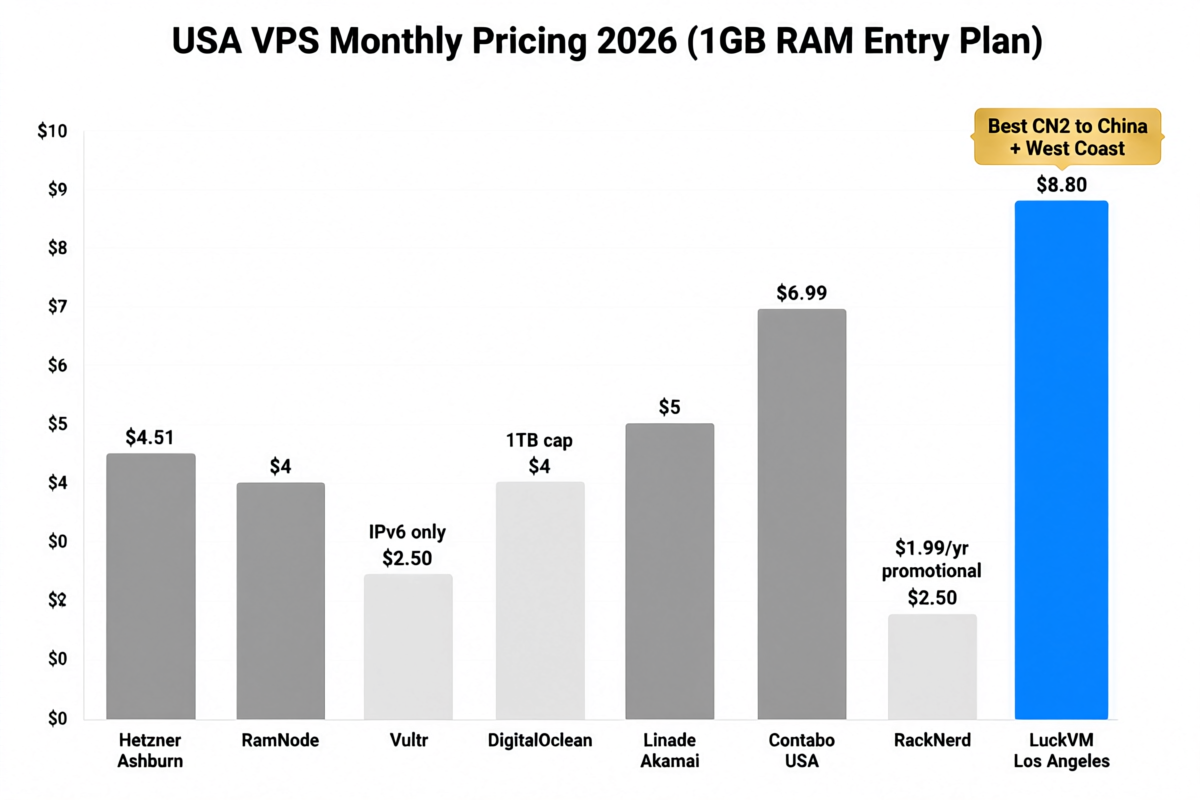
Los Angeles and San Jose are more suitable for North American users and global applications. Optimized routes to China can also make these locations useful for cross-border services.
Singapore is a natural choice for Southeast Asian workloads, particularly when international BGP connectivity and regional access are important.
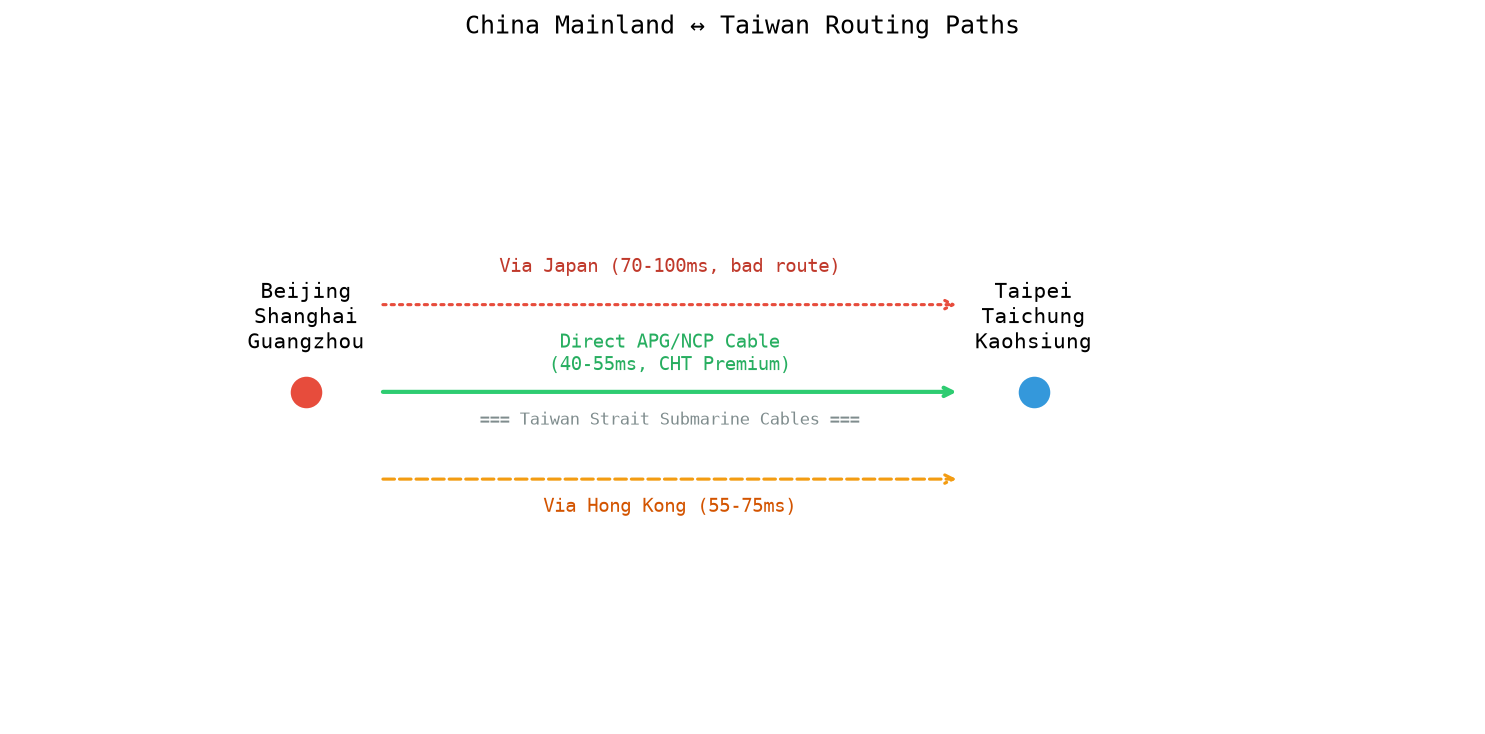
Seoul can be considered for South Korean users, while Taipei provides a convenient location for Taiwan-focused services. Ho Chi Minh City can also make sense for applications targeting Vietnam and nearby Southeast Asian markets.
The right location depends primarily on where your users are.
A Hong Kong server may be ideal for mainland Chinese traffic, while Singapore can be more suitable for Southeast Asia. North American applications will usually benefit from a US location.
Price alone should not determine the decision. Network routing and the physical distance between your server and users can have a much larger impact on long-term performance.
Registering a Domain Through the Same Platform Can Be Convenient
LuckVM also provides domain registration services covering common extensions such as .com, .net, and .cn, along with a large selection of other domain suffixes.
The platform supports real-time domain availability checks, registration, DNS management, and WHOIS privacy protection.
For users who already manage their VPS through LuckVM, keeping the domain and server under the same account can simplify administration.
You can register the domain, configure DNS, and manage the server without moving between several different platforms.
It is a small convenience, but it becomes useful when managing multiple projects.
After Three Months, These Are the Things I Pay Attention To
After running this server for almost three months, my evaluation criteria have changed.
At the beginning, I mainly looked at latency, bandwidth, specifications, and monthly price.
Now I pay more attention to what happens during continuous operation.
How stable is the network during evening peak hours?
How quickly does disk usage grow?
Does memory consumption gradually increase?
Does the server recover its services automatically after a reboot?
How reliably do backups complete?
These questions tell me much more about a server than a single benchmark.
Overall, the LuckVM Hong Kong entry-level server has performed well for my workload.
The network experiences some variation during peak hours, but I have not encountered an outage. Memory pressure has gradually increased, but adjusting cache settings and cleaning logs regularly has helped. Disk I/O becomes more noticeable during backups, while normal website operation remains smooth.
For a small international business website combined with a lightweight API service, the server has handled nearly three months of continuous operation reasonably well.
At the same time, the experience reminded me that long-term server stability depends on management as well as hardware.
Logs need regular cleanup. Backups need to be checked. Disk space needs monitoring. Security updates need to be applied.
A server is not something you buy once and forget about. It is a small system that needs ongoing maintenance.
Beginners Should Look Beyond the Product Page
The specifications on a hosting provider's website are important, but they only describe the easiest parts to measure.
CPU cores, RAM, storage capacity, bandwidth, and data center location are all visible on the product page.
Long-term experience involves more variables.
Peak-hour network stability, disk I/O behavior, host-node load, technical support response times, backup reliability, and recovery options often become important only after the server has been running for a while.
That is why I prefer starting with a short billing period and a smaller configuration.
Deploy the real project first. Then observe the server after 30, 60, and 90 days.
Look at network behavior, memory usage, disk growth, backup performance, and service recovery.
Once the server has demonstrated that it can handle the workload consistently, upgrading or committing to a longer subscription becomes much easier to justify.
For me, this is a more reliable way to evaluate a VPS than choosing an annual plan simply because the initial price looks attractive.