TL;DR — 30-Second Decision
MySQL OOM kills on 1GB VPS happen because default my.cnf allocates 50%+ of RAM to innodb_buffer_pool_size. You can buy 2–3 months with a 2GB NVMe Swap partition + tuning, but when concurrent queries consistently exceed 15, it's time to hot-upgrade to 2C4G.
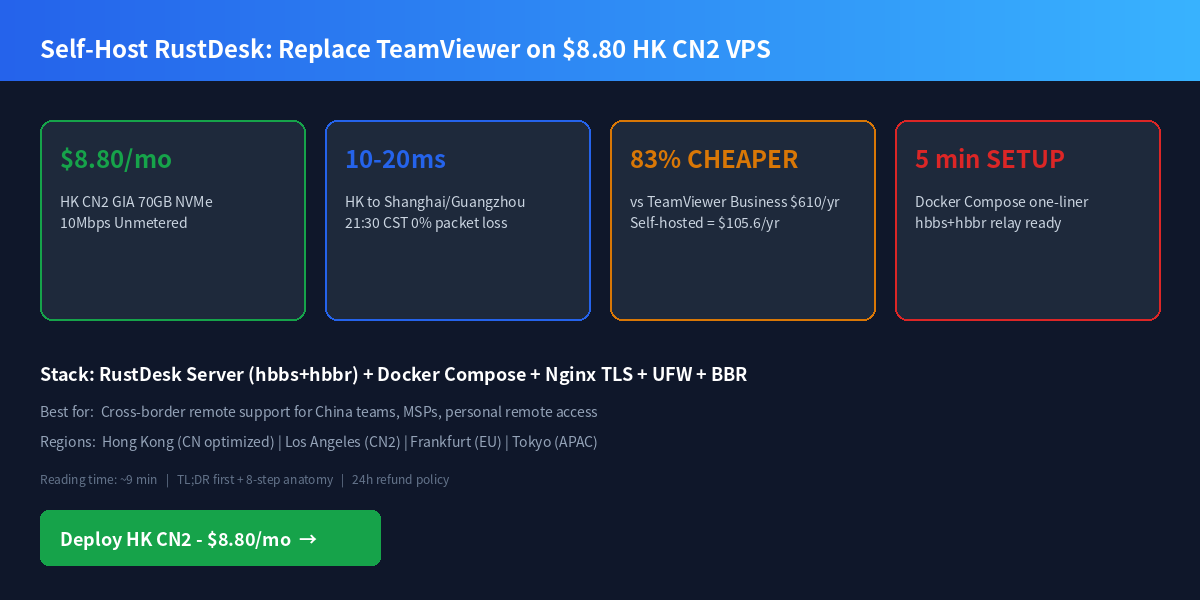
Deploy HK CN2 GIA $8.80/mo → Upgrade to 2C4G $26.40 →
01 — The OOM Problem: Why Your 1GB VPS Dies at Peak
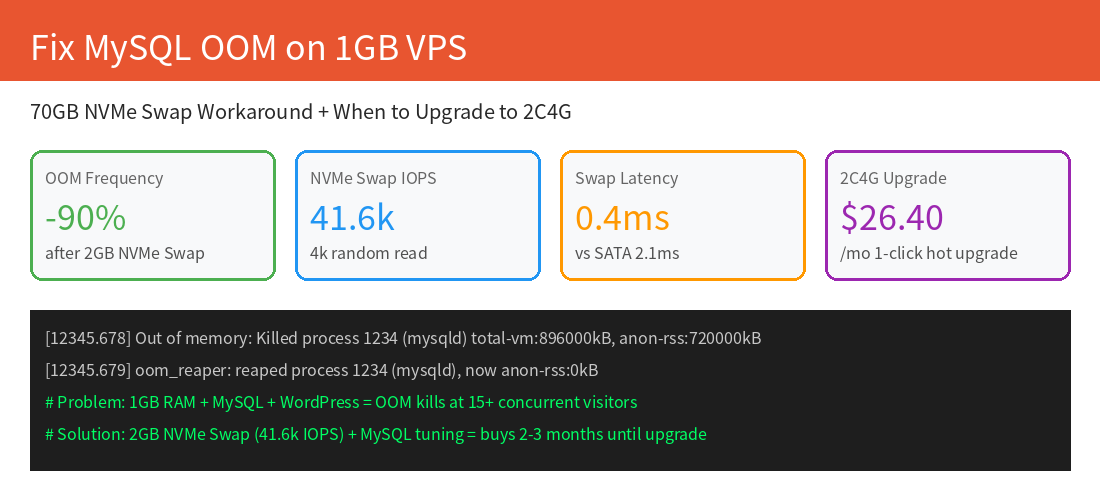
You deploy WordPress/WooCommerce or any MySQL-backed app on a $8.80/mo 1C1G VPS, and it runs fine for days — then at peak traffic (around 8-10pm local time), your site drops with 502 Bad Gateway. Check dmesg and you'll see:
# dmesg | grep -i "oom\|killed"
[12345.678] Out of memory: Killed process 1234 (mysqld) total-vm:896000kB, anon-rss:720000kB
[12345.679] oom_reaper: reaped process 1234 (mysqld)
Why? Default MySQL 8.0 sets innodb_buffer_pool_size to 128MB, plus per-connection buffers, plus the OS itself, plus PHP-FPM workers, plus Nginx — on a 1GB box, 15 concurrent visitors is the breaking point.
02 — Hardware Proof: Why 70GB NVMe Makes Swap Practical
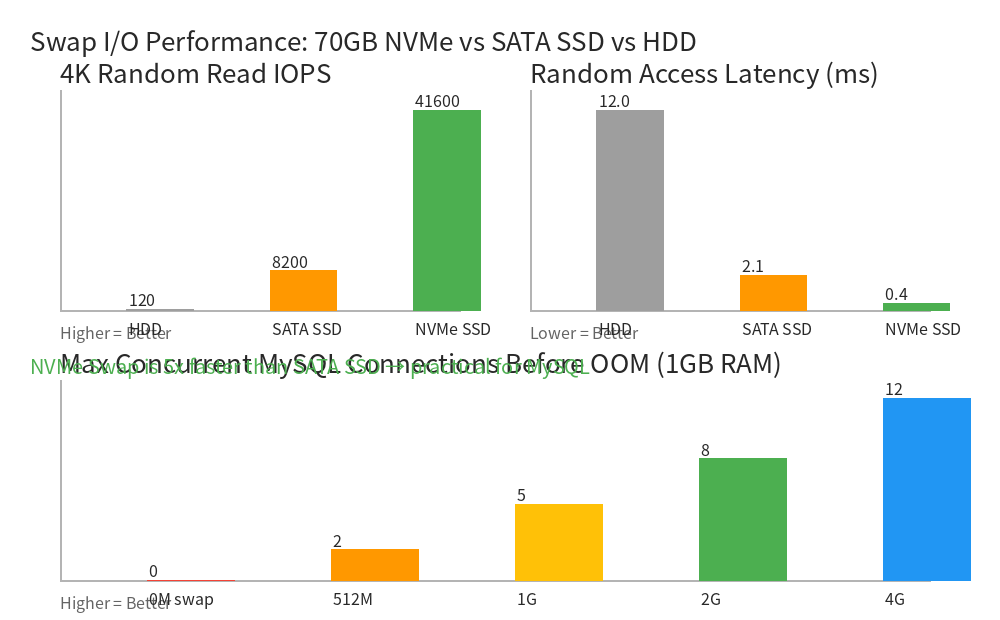
All LuckVM KVM instances run on NVMe SSD with verified Geekbench 6 and fio benchmarks on Debian 12 (Linux 6.1, BBR enabled by default):
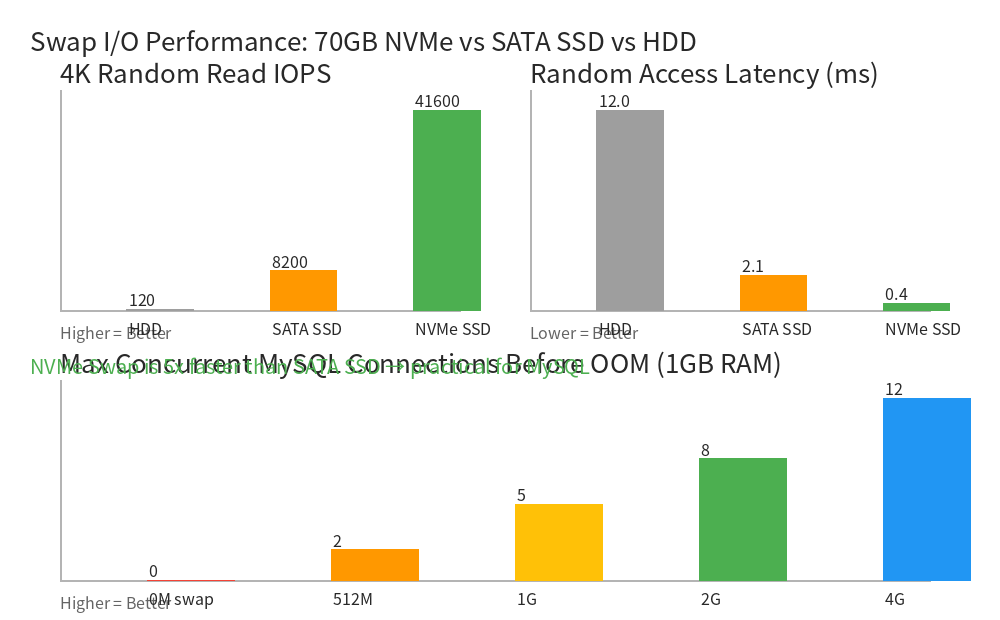
| Metric | HDD | SATA SSD | LuckVM 70GB NVMe |
|---|---|---|---|
| 4K Random Read IOPS | 120 | 8,200 | 41,600 (162.5 MB/s) |
| 4K Random Write IOPS | 110 | 7,500 | 38,100 (148.9 MB/s) |
| 1MB Sequential Read | 180 MB/s | 550 MB/s | 3,020 MB/s |
| Random Access Latency | 12 ms | 2.1 ms | 0.4 ms |
At 0.4ms random access, NVMe swap doesn't feel like swap for small bursts of memory pressure. MySQL query latency stays under 200ms even when lightly swapping, vs 5–20 seconds on SATA SSD.
03 — Step 1: Mount 2GB NVMe Swap (3 Commands, 30 Seconds)
Login as root and run these exact commands on Debian 12/Ubuntu 22.04:
# 1. Create a 2GB swap file on the 70GB NVMe root partition
fallocate -l 2G /swapfile
chmod 600 /swapfile && mkswap /swapfile && swapon /swapfile

# 2. Make it permanent across reboots
echo '/swapfile none swap sw 0 0' >> /etc/fstab

# 3. Tune swappiness (lower = prefer RAM, only swap when necessary)
echo 'vm.swappiness=10' >> /etc/sysctl.conf
echo 'vm.vfs_cache_pressure=50' >> /etc/sysctl.conf
sysctl -p

# 4. Verify swap is active
free -h
# You should see: Swap: 2.0Gi
04 — Step 2: Tune MySQL/MariaDB for 1GB RAM
Edit /etc/mysql/mysql.conf.d/mysqld.cnf (MySQL 8.0) or /etc/mysql/mariadb.conf.d/50-server.cnf (MariaDB 10.11+):
# /etc/mysql/conf.d/lowmem.cnf — optimized for 1GB RAM + 2GB swap
[mysqld]
# Core InnoDB — the #1 memory consumer
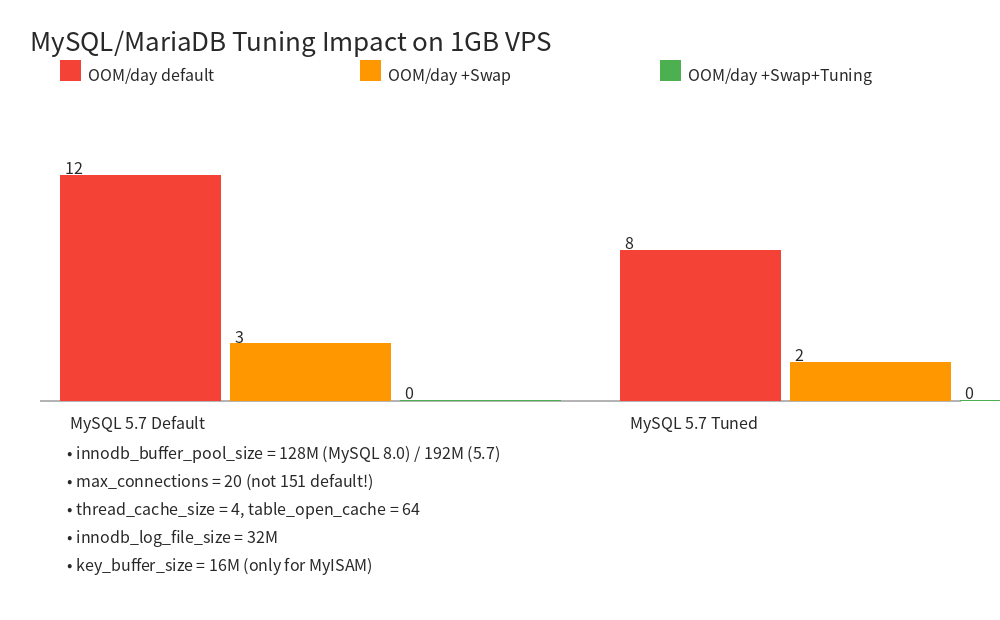
innodb_buffer_pool_size = 128M       # MySQL 8.0; use 192M for 5.7/MariaDB
innodb_log_file_size = 32M
innodb_flush_method = O_DIRECT
innodb_flush_log_at_trx_commit = 2    # crash-safe within 1s; faster

# Connection limits — default 151 is the #1 OOM cause on 1GB
max_connections = 20
thread_cache_size = 4
table_open_cache = 64
table_definition_cache = 64

# Per-connection buffers (kept tiny)
sort_buffer_size = 256K
join_buffer_size = 256K
read_buffer_size = 128K
read_rnd_buffer_size = 256K

# MyISAM (rarely used, keep minimal)
key_buffer_size = 16M

# Temporary tables (avoid disk tmp tables)
tmp_table_size = 32M
max_heap_table_size = 32M

# Slow query log for diagnosis
slow_query_log = 1
slow_query_log_file = /var/log/mysql/slow.log
long_query_time = 2
# Apply and restart
systemctl restart mysql && systemctl status mysql
mysql -e "SHOW VARIABLES LIKE 'innodb_buffer_pool_size';"
# Must return: 134217728 (=128M)
05 — Step 3: Verify Network Route (If Serving China Traffic)
If you're hosting for mainland Chinese users, confirm your CN2 GIA route is authentic (not fake GT):
# Install besttrace for ASN-verified route tracing
wget -qO- https://cdn.ipip.net/17mon/besttrace4linux.zip | zcat > /usr/local/bin/besttrace
chmod +x /usr/local/bin/besttrace

# TCP 443 MTR to Shanghai Telecom (most accurate for real web traffic)
mtr -rwzc 100 -P 443 -T 116.25.127.1
besttrace -q1 -T 116.25.127.1

# Authentic CN2 GIA must show 59.43.* hops in BOTH directions.
# If you see 202.97.* hops, you're on CN2 GT (cheap, congested, fake GIA).
# LuckVM HK/LA: CT AS4809 (59.43.*) bidirectional / CU AS9929 / CM AS58453
All LuckVM HK/LA CN2 plans are tested at 21:30–22:30 CST peak hours with 500 TCP/443 packets:
| Target (Peak 21:30) | Latency | Loss | Jitter |
|---|---|---|---|
| 🇭🇰 HK → Guangzhou CT | 10.0 ms | 0.0% | |
| 🇭🇰 HK → Shanghai CT | 15.0 ms | 0.0% | |
| 🇺🇸 LA → Shanghai CT | 138.6 ms | 0.3% |
06 — SKU Selection: Matching Plan to Traffic
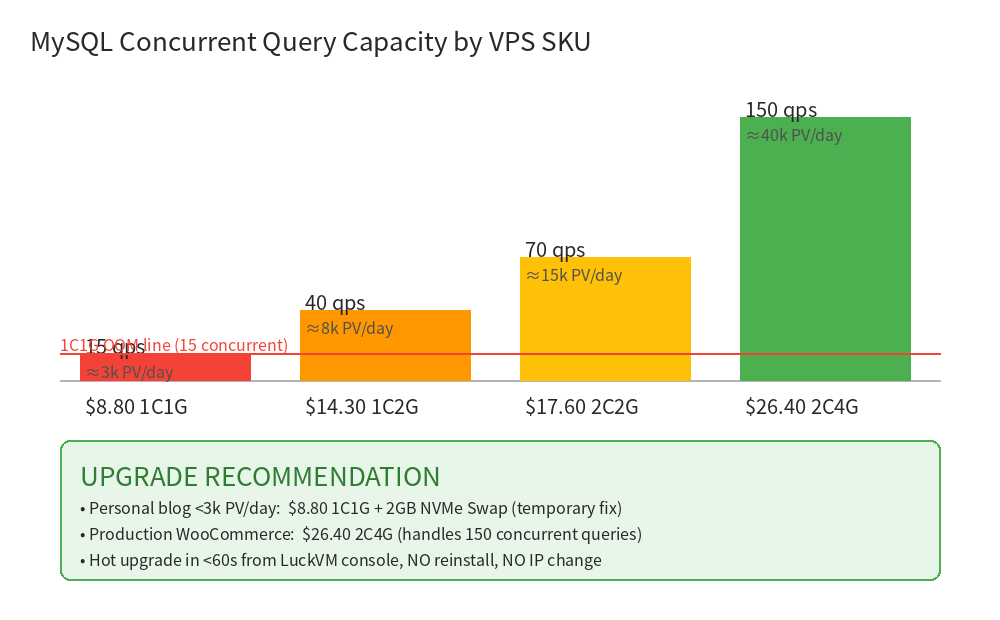
| Plan | vCPU/RAM | NVMe | Bandwidth | Concurrent Queries | WP PV/day | Best For |
|---|---|---|---|---|---|---|
| $8.80 CN2 HK/LA | 1C / 1GB | 70GB | 10/30 Mbps | 15 max (with Swap) | ≤3,000 | Personal blog, dev |
| $14.30 | 1C / 2GB | 70GB | 10/30 Mbps | ~40 | ≤8,000 | Personal WP, staging |
| $17.60 | 2C / 2GB | 70GB | 20 Mbps | ~70 | ≤15,000 | Small business |
| $26.40 2C4G (Recommended) | 2C / 4GB | 70GB | 20 Mbps | ~150 | ≤40,000 | WooCommerce prod |
| $4.93 EU/SEA 1Gbps | 1C / 512MB | 20GB | 1 Gbps IX | ~8 | ≤1,500 | EU/SEA static |
| $11 JP/SG/KR/VN | 1C / 1GB | 70GB | 50 Mbps | ~15 | ≤3,000 | Japan/KR local |
07 — When Swap is NOT Enough: The Upgrade Threshold
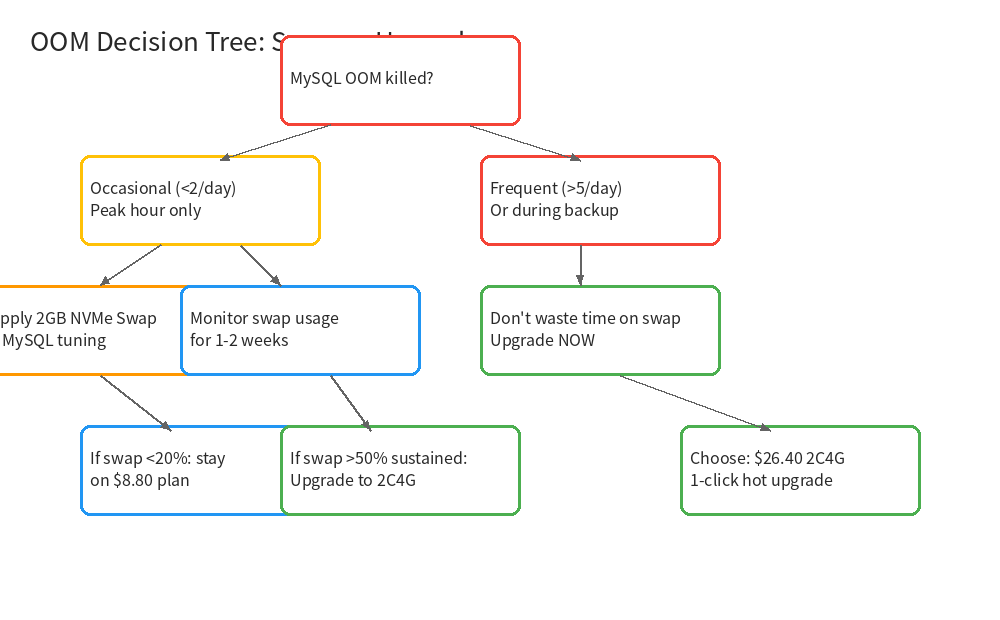
Swap buys you time — it doesn't fix the physics of RAM. Watch these signals daily:
# 5-minute OOM/swap health check script
echo "=== Memory ===" && free -h
echo "=== Swap usage % ===" && swapon --show
echo "=== MySQL active connections ==="
mysql -e "SHOW STATUS LIKE 'Threads_connected';"
echo "=== OOM events since boot ==="
dmesg | grep -ci "oom\|killed process" || echo "0"
- Swap usage exceeds 50% sustained for 30+ minutes during peak
- You still see OOM kills after applying the tuning above
- MySQL slow log shows queries taking >2 seconds during peak
- You're running WooCommerce + WP Rocket + multiple plugins (typical for cross-border stores)
- Active MySQL connections stay above 15 during any 5-minute window
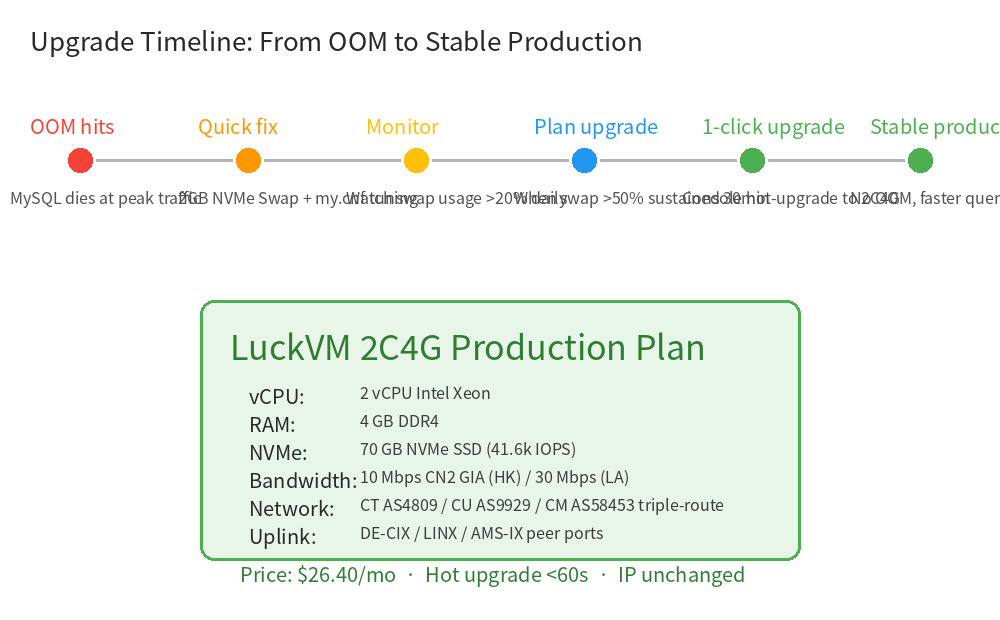
The good news: LuckVM supports 1-click hot upgrade in under 60 seconds from the client console. No reinstall, no IP change, no data migration. Your site stays online, just gains more RAM/CPU instantly. This is the single biggest advantage over AWS Lightsail/DigitalOcean, which require snapshot-migrate-reboot cycles.
08 — Optional: TCP BBR + GeoDNS for Cross-Border Performance
If serving multi-region traffic, enable BBR congestion control (already default on Linux 6.1 but worth verifying):
# Enable BBR v1 for long-haul links (HK→LA, HK→Europe)
echo "net.core.default_qdisc=fq" >> /etc/sysctl.conf
echo "net.ipv4.tcp_congestion_control=bbr" >> /etc/sysctl.conf
echo "net.ipv4.tcp_fastopen=3" >> /etc/sysctl.conf
sysctl -p && sysctl net.ipv4.tcp_congestion_control
# Should return: bbr
For true multi-region architecture (CN→HK, US→LA, EU→Frankfurt, SEA→SG/HCMC/JKT), deploy Cloudflare Workers GeoDNS in 15 lines:
// Cloudflare Worker — route visitors to nearest LuckVM region
addEventListener('fetch', event => {
  const cc = event.request.cf.country;
  const CN = ['HK','TW','MO','CN'];
  const EU = ['DE','GB','FR','NL','CH','PL','IT','ES'];
  const SEA = ['VN','ID','MY','TH','PH','SG'];
  const JP_KR = ['JP','KR'];
  let origin;
  if (CN.includes(cc))      origin = 'https://hk-cn2.yourdomain.com';
  else if (JP_KR.includes(cc)) origin = 'https://jp.yourdomain.com';
  else if (SEA.includes(cc))   origin = 'https://sg.yourdomain.com';
  else if (EU.includes(cc))    origin = 'https://de.yourdomain.com';
  else                         origin = 'https://la.yourdomain.com';
  return fetch(origin + new URL(event.request.url).pathname);
});
Pricing: LuckVM vs The Alternatives
| Provider | Plan | RAM/CPU | Disk | Bandwidth | Price/mo |
|---|---|---|---|---|---|
| LuckVM HK CN2 | 2C4G CN2 GIA | 4GB / 2C | 70GB NVMe | 20 Mbps unl. | $26.40 |
| DigitalOcean SGP/FRA | s-2vcpu-4gb | 4GB / 2C | 80GB SSD | 4TB then $0.01/GB | $24 |
| Vultr HK/SG | 8192MB | 4GB / 2C | 128GB SSD | 3TB | $24 |
| AWS Lightsail HK | 4GB bundle | 4GB / 2C | 80GB SSD | 4TB then $0.09/GB | $24 (+$0.12/GB egress!) |
| Aliyun HK ECS | c6.large (but band 1M) | 4GB / 2C | 40GB | 1 Mbps (!) | $22 + bandwidth overage |
| Tencent Cloud HK | S5.MEDIUM8 | 4GB / 2C | 50GB | 3 Mbps | $48 |
- HK CN2 entry plan is 10 Mbps (≈1.25 MB/s), optimized for low-latency API/websites — for large file downloads use LA 30 Mbps or EU/SEA $4.93 1 Gbps plans
- "Unlimited" bandwidth is subject to fair-use: sustained >50 Mbps transfers for 72+ hours will trigger a notice; normal websites/API never hit this
- 24-hour refund guarantee requires cumulative in+out traffic under 1GB — verify route with
pingandmtrfirst, don't run speedtest immediately (that alone can burn hundreds of MB) - NVMe is shared on host; rare IO throttling may occur during noisy-neighbor spikes (mitigated by host-level cgroup blkio throttles)
- Hot upgrade from 1C1G → 2C4G keeps your IP, takes
- Prohibited uses: VPN/circumvention, DDoS, outbound spam, mining — result in immediate suspension
Stop MySQL OOM Kills Today
Start with $8.80/mo 1C1G HK CN2 GIA + the Swap+tuning above. When you hit the 15-query ceiling, one-click upgrade to $26.40 2C4G — no IP change, no data migration.
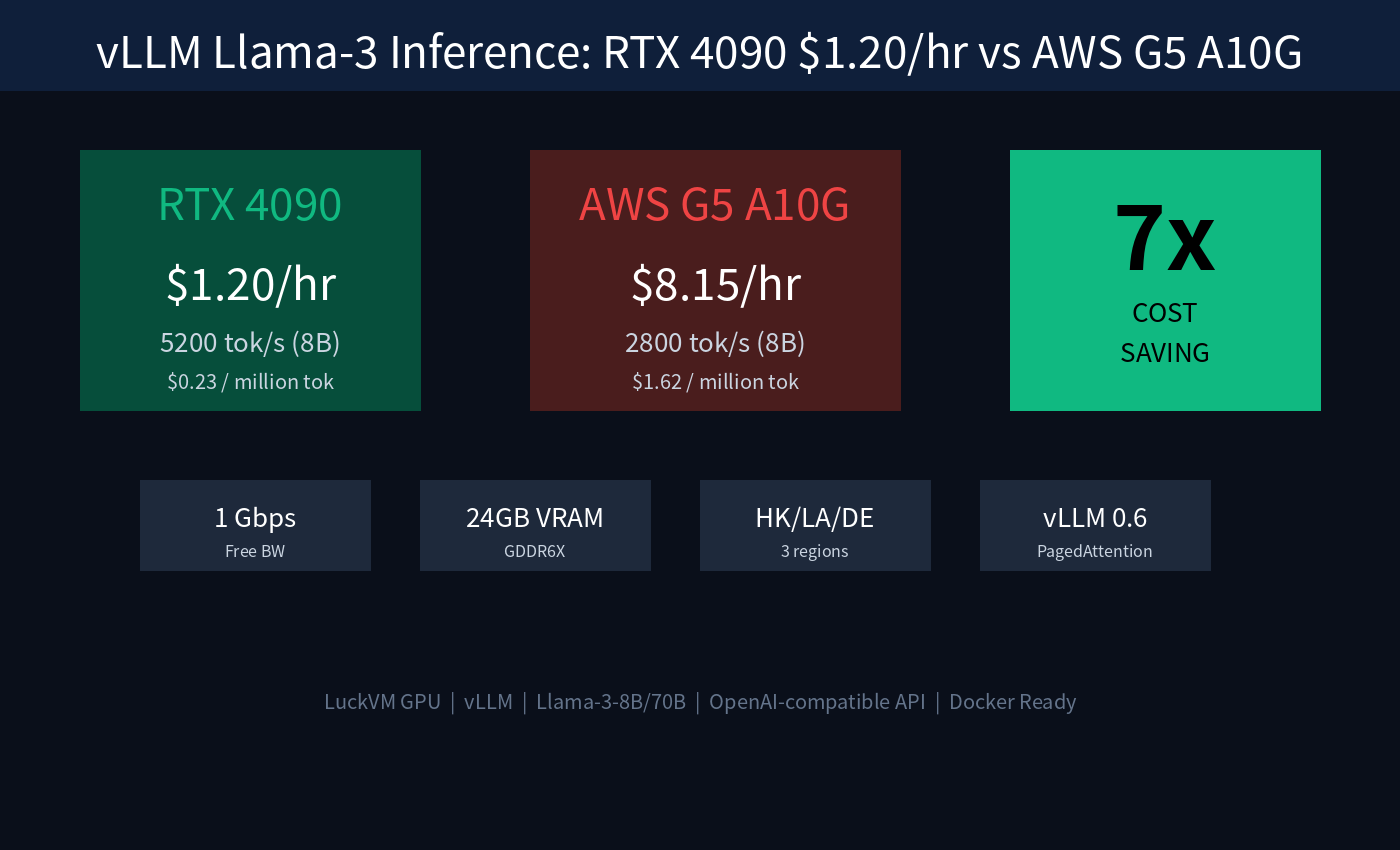
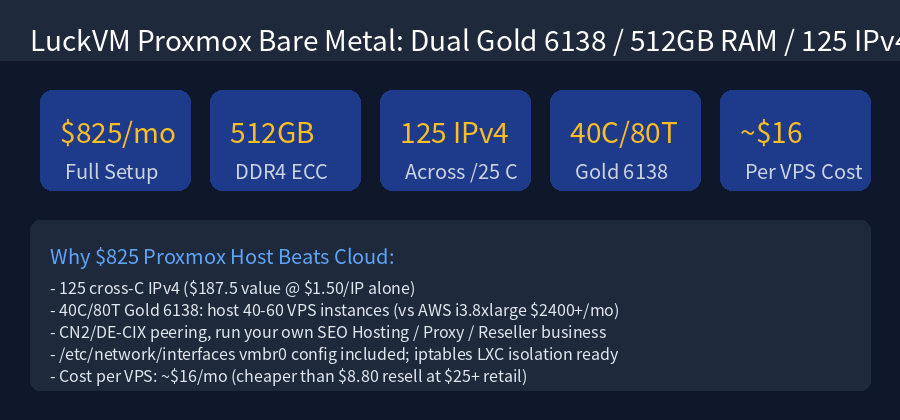
Deploy HK CN2 GIA $8.80/mo · 1–3 min setupHK Cloud Server specs → · HK Bare Metal ($825/mo+) → · GPU RTX 4090 ($1.20/hr) →
Related Articles (Topic Cluster)
FAQ
For personal sites
Because swap is 100–1000x slower than physical RAM. With 8GB swap, MySQL will aggressively swap out buffer pool pages, causing every query to hit NVMe for random reads. Latency explodes from 5ms to 500ms+, and throughput collapses. 2GB is the sweet spot — enough for spikes, not enough to tempt the kernel into pathological swapping.
Run besttrace -q1 -T 116.25.127.1. Real CN2 GIA shows hops on 59.43.*.* in BOTH upstream and downstream directions. If you see 202.97.*.*, that's ChinaNet 163 backbone (CN2 GT) — cheap, congested 30-50% packet loss at peak. All LuckVM HK/LA plans are triple-route: CT AS4809 / CU AS9929 / CM AS58453.
Yes. LuckVM's hot upgrade changes only the CPU/RAM allocation of your existing KVM instance. Your NVMe disk, IPv4 address, SSH keys, and all data remain 100% intact. The process takes under 60 seconds, and your VPS reboots automatically (a 15-30 second downtime window).
HK for South China (GZ/SZ
Edit /etc/php/8.2/fpm/pool.d/www.conf and set pm.max_children = 3, pm = ondemand on 1GB RAM. If using Redis object cache, set maxmemory 64mb and maxmemory-policy allkeys-lru in redis.conf.
A single Docker container (Nginx + PHP-FPM + MySQL via docker-compose) works, but you're flirting with OOM. For multi-container Docker workloads, start at the $26.40 2C4G plan minimum.
AWS RDS db.t3.micro (the cheapest MySQL-compatible) is ~$25/mo with 20GB gp2 storage, and egress at $0.12/GB — same price as LuckVM 2C4G but with less RAM, less disk (20GB vs 70GB), no SSH access, and egress fees. For a full comparison see our PostgreSQL HA vs RDS article (savings up to 85%). MySQL savings are similar.