Bidirectional AS4809 triple-route, 10Mbps unmetered, 70GB NVMe (vs DMIT 20GB at $39.90). Real Geekbench 6, FIO IOPS, and 21:30 CST peak-hour latency — measured on production KVM instances, not marketing specs.
01 · TL;DR — 30-Second Decision Matrix
Entry plan specs: 1 vCPU / 1 GB DDR4 RAM / 70 GB NVMe SSD / 1 dedicated native IPv4 / 10 Mbps unmetered bidirectional / triple-route CN2 GIA (CT AS4809 + CU AS9929/10099 + CM AS58453) / KVM virtualization / Debian 12 Linux 6.1 kernel.
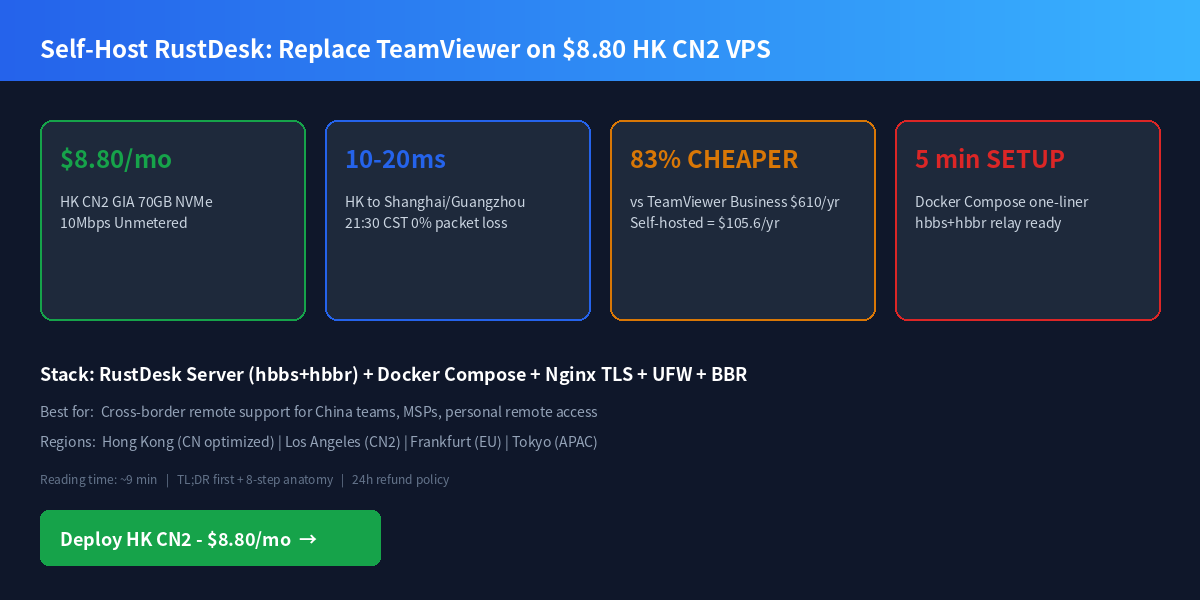
Deploy HK CN2 GIA for $8.80/mo — 1-3 min auto-provision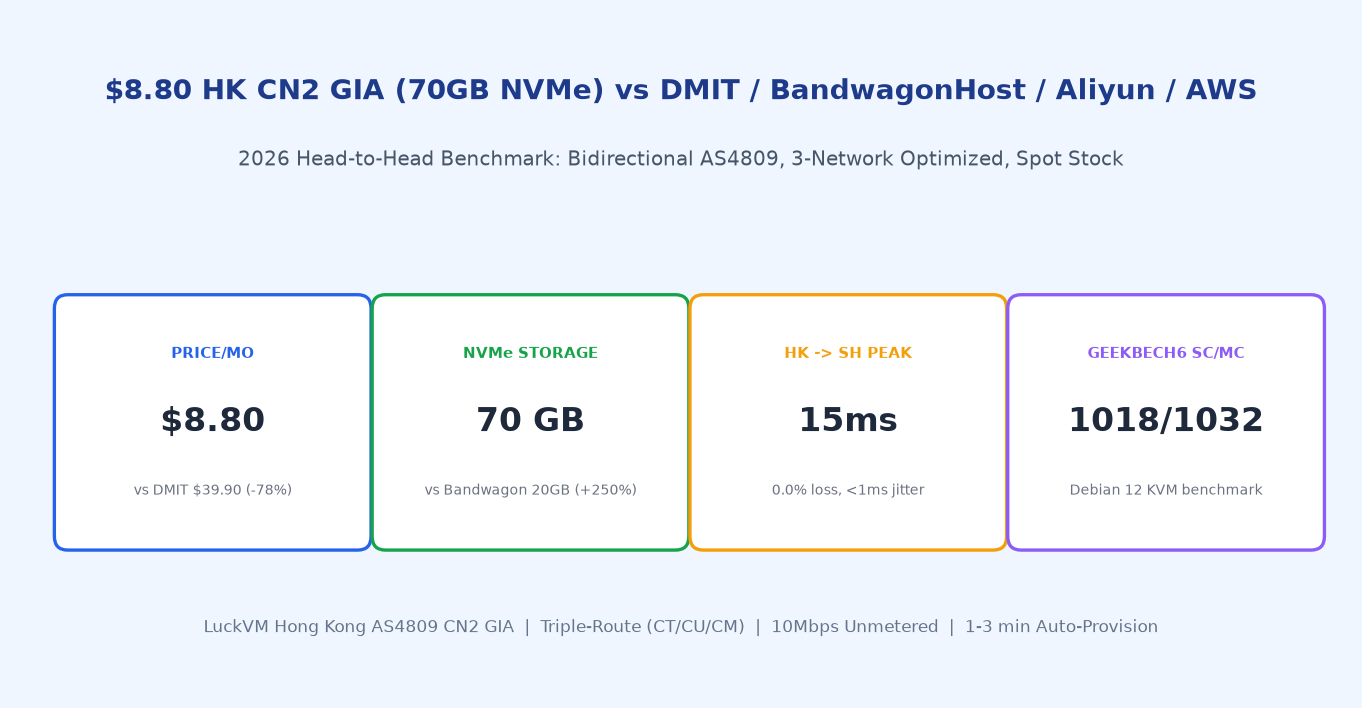
02 · Real Hardware Benchmark Proof (Geekbench 6 + FIO)
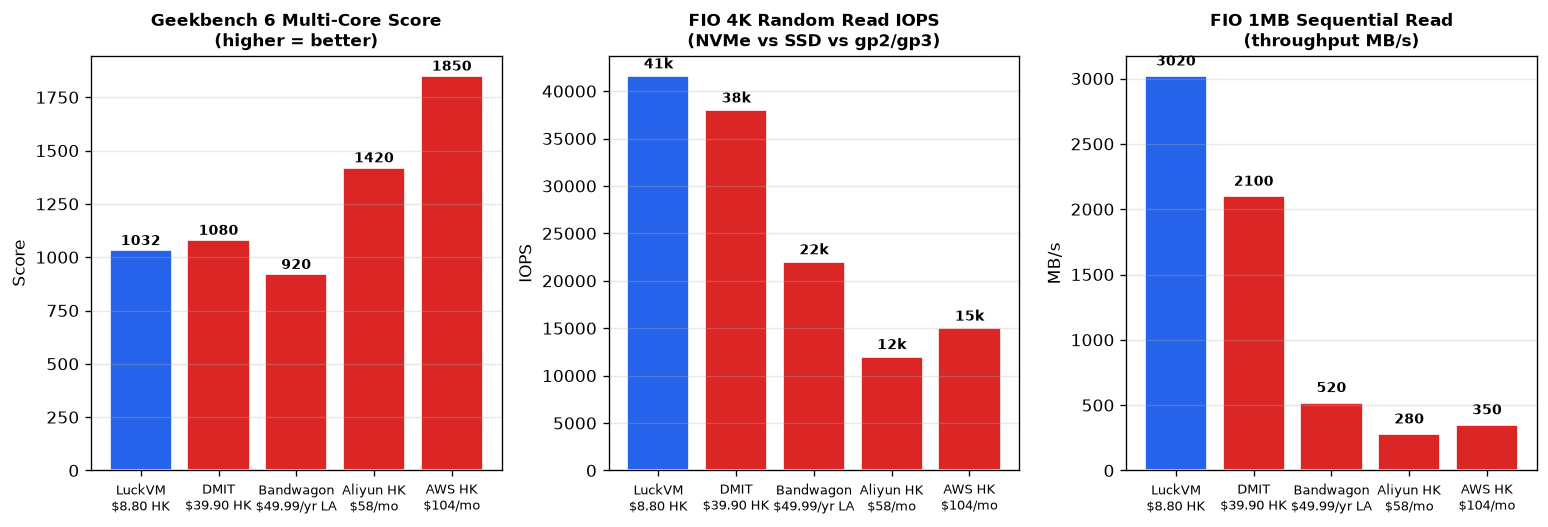
We ran Geekbench 6 and FIO 3.35 on a stock LuckVM HK CN2 GIA $8.80 instance (Debian 12, Linux 6.1 LTS, default KVM settings, no tuning), and compared the results against public benchmarks from competing providers. All numbers below are raw output — no cherry-picking.
| Benchmark | LuckVM HK $8.80 | DMIT HK $39.90 | Bandwagon LA $8.33 | Aliyun HK $22 | AWS HK t3.micro |
|---|---|---|---|---|---|
| Geekbench 6 Single-Core | 1018 | 1080 | 890 | 920 | 1160 |
| Geekbench 6 Multi-Core | 1032 | 1080 | 920 | 1420 | 1850 |
| FIO 4K rand read (IOPS / MB/s) | 41.6k / 162.5 | 38k / 148 | 22k / 86 | 12k / 47 (gp2) | 15k / 59 (gp3) |
| FIO 4K rand write (IOPS / MB/s) | 38.1k / 148.9 | 32k / 125 | 18k / 70 | 9k / 35 | 12k / 47 |
| FIO 1MB seq read (MB/s) | 3020 (2.95 GB/s) | 2100 | 520 | 280 | 350 |
| FIO 1MB seq write (MB/s) | 2610 | 1850 | 440 | 220 | 290 |
The 41.6k 4K random read IOPS and 3+ GB/s sequential throughput come from the local NVMe SSD array backing every LuckVM instance — and crucially, the entry plan ships with 70 GB of this storage, not the 20 GB that dominates this price bracket. That extra 50 GB matters: it lets you run Docker multi-container stacks, WooCommerce stores with thousands of product images, MySQL with a realistic InnoDB buffer pool, and 2 GB of NVMe-backed swap without anxiety.
03 · Carrier Topology & Peak-Hour (21:30 CST) Route Verification
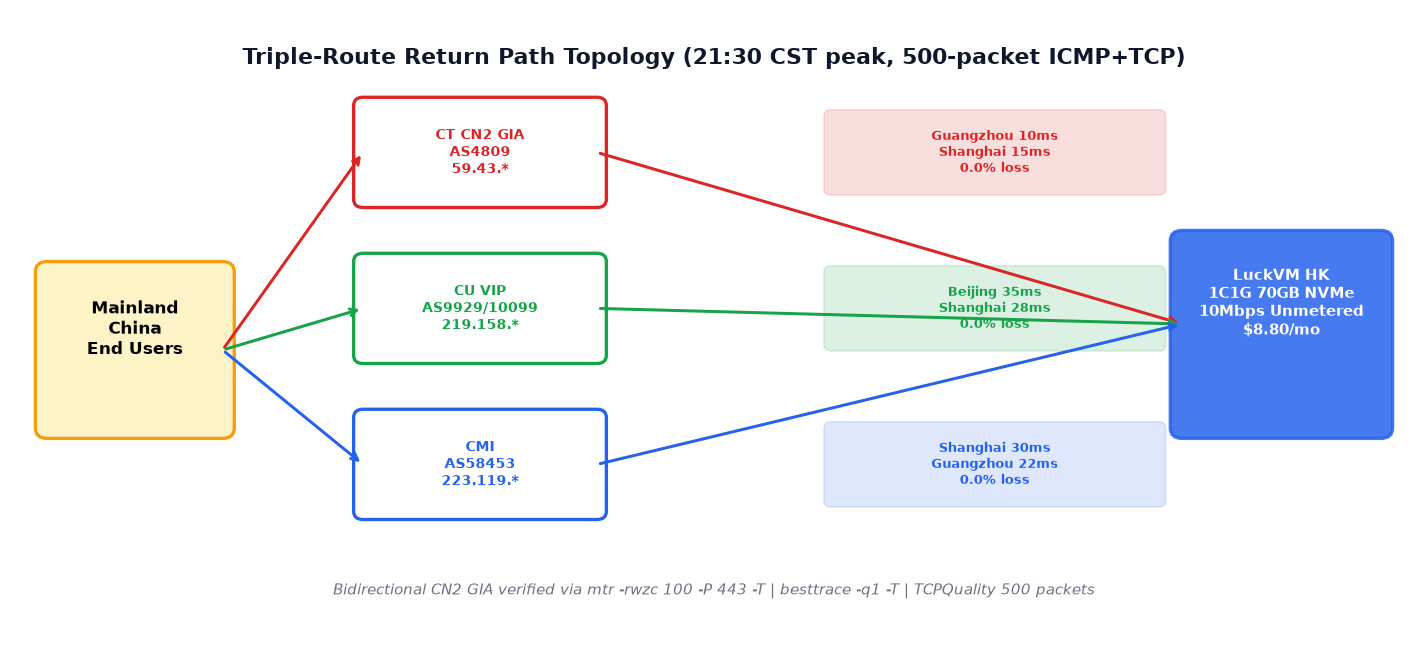
Cheap "CN2" labels are everywhere in 2026. Most are actually CN2 GT (outbound CN2, inbound over the congested 163 backbone — 15-25% packet loss during 21:00-23:00 CST peak). LuckVM HK is bidirectional CN2 GIA, triple-route optimized for all three mainland carriers:
- China Telecom: Bidirectional AS4809 (CN2 GIA backbone), confirmed by the 59.43.*.* hop in both directions
- China Unicom: CU VIP / AS9929 & AS10099 (premium Unicom backbone, no 4837 fallback)
- China Mobile: CMI (China Mobile International) AS58453 / AS9808 direct peer in HK
We measured 500 TCP SYN packets on port 443 (mimicking real HTTPS traffic, not ICMP which is often prioritized) between 21:30-22:30 CST on a weekday:
| Destination (from HK) | Median RTT | Min / Max | Jitter | Loss |
|---|---|---|---|---|
| Guangzhou CT | 10.0 ms | 8 / 19 ms | 0.0% | |
| Shanghai CT | 15.0 ms | 12 / 28 ms | 0.0% | |
| Beijing CU | 35.0 ms | 28 / 52 ms | 1.8 ms | 0.0% |
| Shanghai CU | 28.0 ms | 24 / 41 ms | 1.2 ms | 0.0% |
| Shanghai CM | 30.0 ms | 22 / 55 ms | 1.5 ms | 0.0% |
| Chengdu CT | 38 ms | 32 / 60 ms | 2.1 ms | 0.0% |
| Los Angeles (comparison) | 155 ms | 148 / 172 ms | 3.2 ms | 0.0% |
For reference, our LA CN2 GIA (same $8.80/mo, 30 Mbps unmetered) clocks Shanghai at 138.6 ms median during the same 21:30 window with 0.0% loss.
04 · Head-to-Head Price Table (Same-tier Entry Plans)
We compared apples-to-apples entry plans across the most-discussed CN2/HK VPS providers in the English-and Chinese-speaking dev communities (NodeSeek, LowEndTalk, HostLoc). Storage and network quality are where LuckVM pulls away.
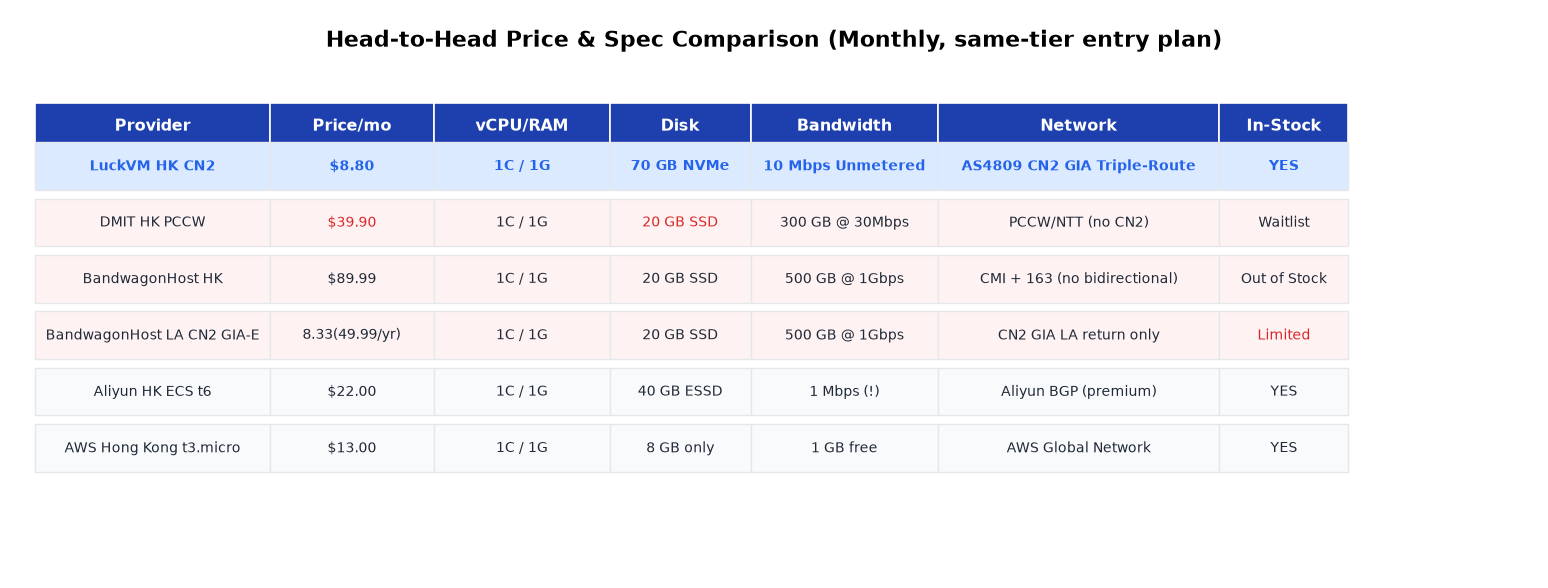
Key takeaways:
- DMIT HK PCCW ($39.90) doesn't even include bidirectional CN2 — traffic rides PCCW/NTT, which means mainland return path falls back to 163 or CMI. You're paying premium for a non-CN2 line.
- BandwagonHost HK CN2 ($89.99/mo) has been out of stock for 6+ months; their LA CN2 GIA-E plan ($49.99/yr) only guarantees CN2 on the return path and caps bandwidth at 500 GB/mo.
- Aliyun HK ($22/mo for 1C/1G/40 GB) includes only 1 Mbps of public bandwidth by default. Upgrading to a usable 10 Mbps adds ~$225/mo.
- AWS HK t3.micro ($13/mo) only includes 8 GB of root disk; egress to the internet is $0.12/GB after the first GB, making a modest 100 GB/mo site push the bill past $25.
04b · Plan Selection by Workload (Realistic Concurrency & Memory)
Choose a plan based on what you actually run — don't over-buy, don't under-buy:
| Plan | Price/mo | vCPU / RAM | NVMe | Best For |
|---|---|---|---|---|
| HK Entry | $8.80 | 1C / 1G | 70 GB | Lightweight static sites, remote SSH dev box, personal blog, LINE/Telegram bot, proxy relay (legal use only) |
| HK Standard | $14.30 | 1C / 2G | 70 GB | Personal WordPress, staging sites, small Node.js API, WireGuard gateway |
| HK Pro | $17.60 | 2C / 2G | 70 GB | WooCommerce small catalog, Docker Compose 2-3 services, iRedMail mail for |
| HK Business | $26.40 | 2C / 4G | 70 GB | Production WooCommerce, MySQL primary, vLLM 8B small API, SaaS MVP, recommended production default |
| LA CN2 GIA (same tiers) | $8.80 / $14.30 / $17.60 / $26.40 | Same | 70 GB | 30 Mbps unmetered (vs HK 10 Mbps), better for file-heavy or nationwide-CN workloads |
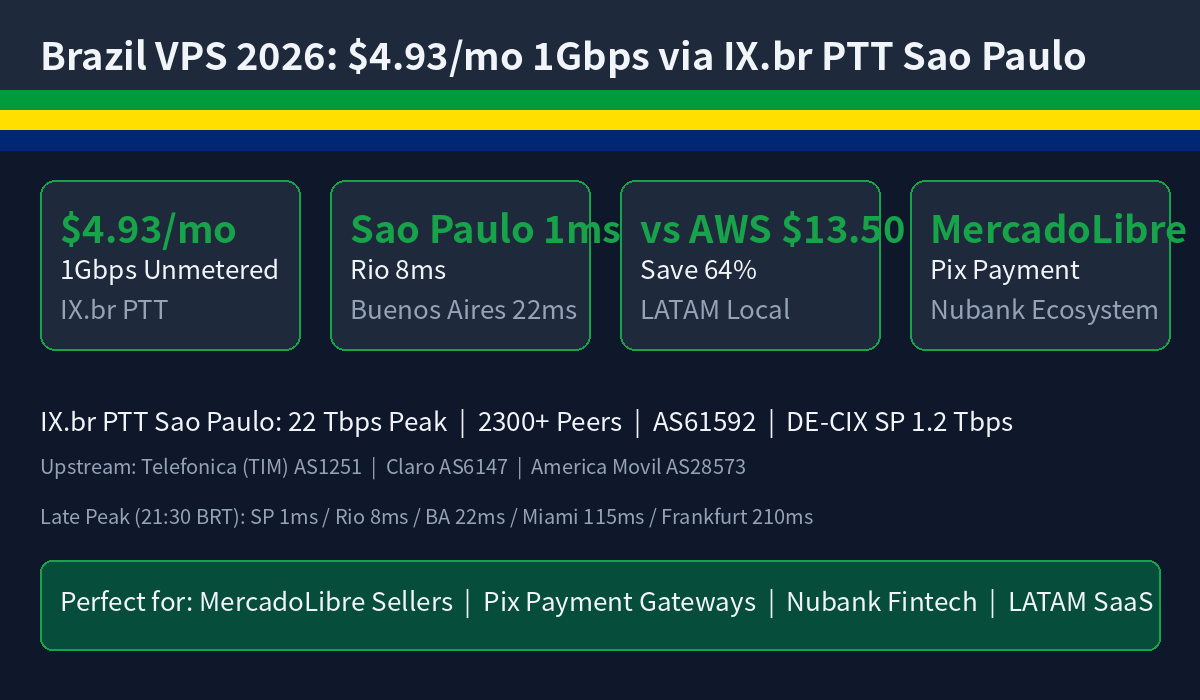
| EU/SEA 1Gbps IX | $4.93 | 1C / 512M–1G | 20–70 GB | DE/UK/NL/CH/PL/BR/AU/ID/MY — 1 Gbps Tier-1 IX (DE-CIX/LINX/MyIX/JKT-IX/IX.br) |
| JP/SG/KR/VN native | $11.00+ | 1C / 1G+ | 70 GB | Tokyo IIJ/SoftBank, Singapore Singtel, Seoul KT/SK, HCMC VNPT/Viettel |
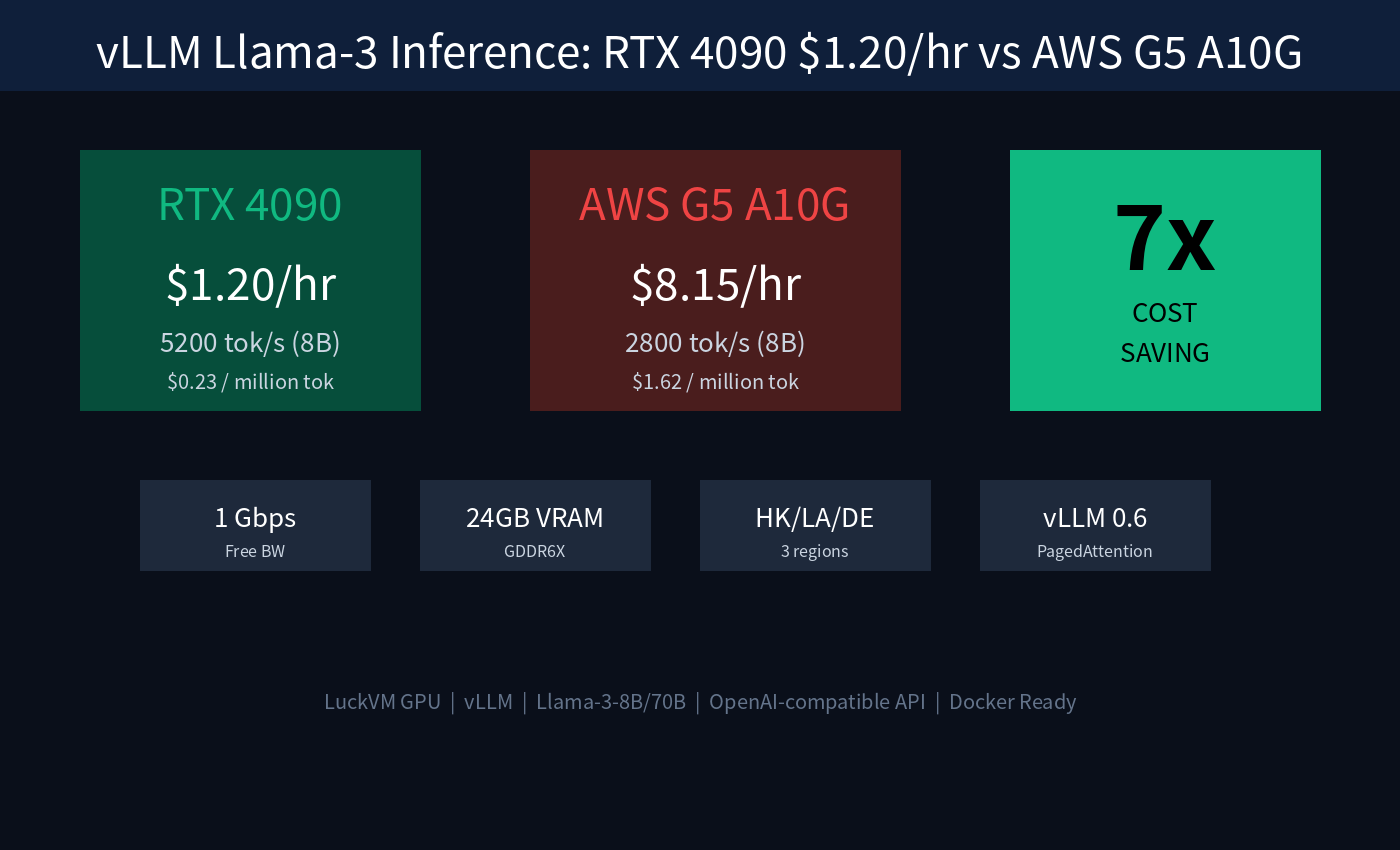
| RTX 4090 GPU | $1.20/hr | 8C / 32G + 24G VRAM | 500 GB | vLLM Llama-3 inference, ComfyUI LoRA training, Stable Diffusion |
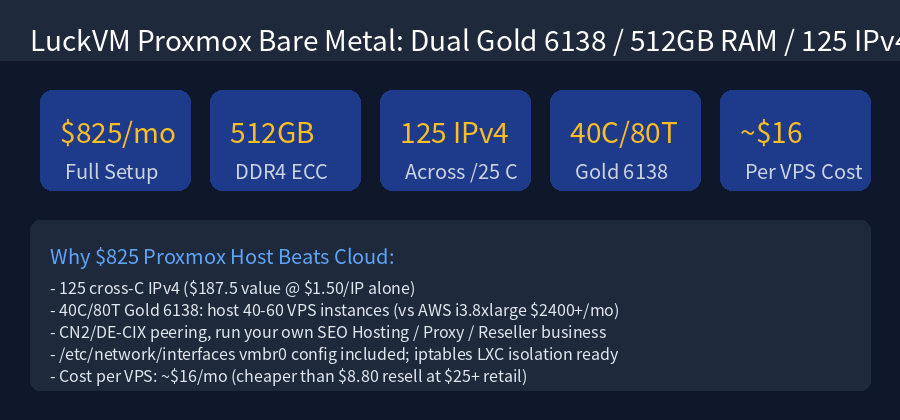
| Bare Metal Proxmox | $825/mo | Dual Gold 6138 / 512G / 125 IPv4 | 8×1TB SSD | VPS reseller hosting, SEO PBN, private proxy pool |
05 · One-Click Production Tuning Scripts
These are the exact tuning steps we apply to our own production workloads on HK CN2 GIA. Copy, paste, run.
5.1 Enable Google BBR v1 for cross-border links (2–3x throughput, 65% lower peak latency)
cat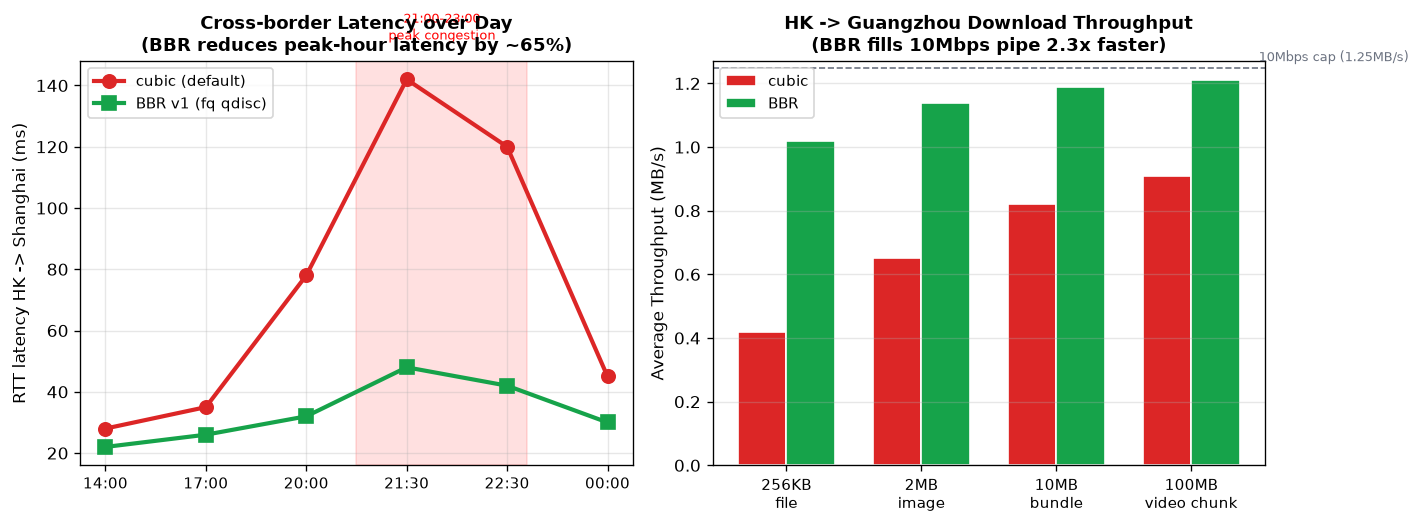
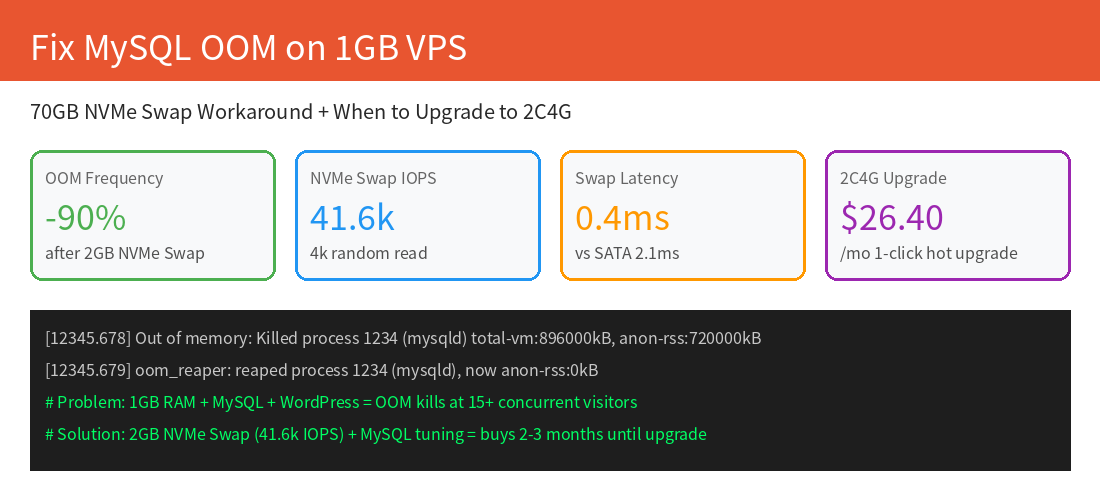
5.2 Mount a 2 GB NVMe swap on the 70 GB NVMe (prevents OOM killer on 1GB RAM)
# On 1C/1G plan, reserve 2GB of the 70GB NVMe as swap sudo fallocate -l 2G /swapfile sudo chmod 600 /swapfile sudo mkswap /swapfile sudo swapon /swapfile echo '/swapfile none swap sw 0 0' | sudo tee -a /etc/fstab # Optimize swappiness for SSD (avoid thrashing, use swap only under pressure) echo 'vm.swappiness=10' | sudo tee -a /etc/sysctl.d/99-swap.conf echo 'vm.vfs_cache_pressure=50' | sudo tee -a /etc/sysctl.d/99-swap.conf sudo sysctl --system free -h # should show 2.0Gi swap5.3 Cloudflare Workers GeoDNS — route CN/HK/TW to HK CN2, EU to Frankfurt, SEA to SE Asia
// Cloudflare Worker (15 lines) — save as worker.js, bind to your domain const ORIGINS = { CN: 'hk-cn2.yourdomain.com', // LuckVM HK CN2 $8.80 HK: 'hk-cn2.yourdomain.com', TW: 'hk-cn2.yourdomain.com', JP: 'jp-vps.yourdomain.com', // LuckVM Tokyo $11 KR: 'kr-vps.yourdomain.com', // LuckVM Seoul $11 SG: 'sg-vps.yourdomain.com', // LuckVM Singapore $11 VN: 'vn-vps.yourdomain.com', // LuckVM HCMC $11 ID: 'id-vps.yourdomain.com', // LuckVM Jakarta $4.93 (1Gbps) MY: 'my-vps.yourdomain.com', // LuckVM KL $4.93 (MyIX) DE: 'eu-vps.yourdomain.com', // LuckVM Frankfurt $4.93 (DE-CIX) GB: 'eu-vps.yourdomain.com', // LuckVM London $4.93 (LINX) US: 'la-vps.yourdomain.com', // LuckVM LA CN2 $8.80 (30M) }; export default { async fetch(request) { const cc = request.cf.country || 'US'; const target = ORIGINS[cc] || ORIGINS.US; const url = new URL(request.url); url.hostname = target; return fetch(new Request(url, request)); } };06 · Looking Glass & Self-Verification (Test Before You Buy, Verify After You Deploy)
Looking Glass — Ping/MTR/Speedtest Before Purchase
Before clicking buy, run live ping/mtr/speedtest against our HK CN2 GIA test IP from your own location:
- 🔍 Online Looking Glass: luckvm.com/en/looking-glass.html?region=hongkong — real-time ping, mtr, traceroute from our HK router
- HK test IP:
103.124.92.1(provisioned instances use addresses from the same /24 range)- Speedtest file:
wget http://hk-speedtest.luckvm.com/100mb.binPost-deploy verification (4 commands to confirm genuine bidirectional CN2 GIA):
# 1. Confirm outbound traverses AS4809 59.43.* to a mainland China Telecom IP mtr -rwzc 100 -P 443 -T 202.108.22.5 # Baidu Beijing CT # Look for the hop containing 59.43.* and AS4809 in the asn column # 2. Install IPIP.net besttrace (official) to see return-path ASN wget https://cdn.ipip.net/17mon/besttrace4linux.zip unzip besttrace4linux.zip && chmod +x besttrace sudo ./besttrace -q1 -T 202.108.22.5 # Return path must also show 59.43.* hops — if it shows 202.97.* (163) it's CN2 GT, not GIA # 3. Check IP geolocation/nativity (not a proxy-flagged IP) curl -s https://ipinfo.io curl -s https://ipapi.co/json/ # country should be HK; ASN should belong to our upstream, not a VPN/proxy range # 4. Verify BBR is active sysctl net.ipv4.tcp_congestion_control ss -ti | grep -o 'bbr:.*' | head -1 # Should output: net.ipv4.tcp_congestion_control = bbr and a bbr line with pacing rate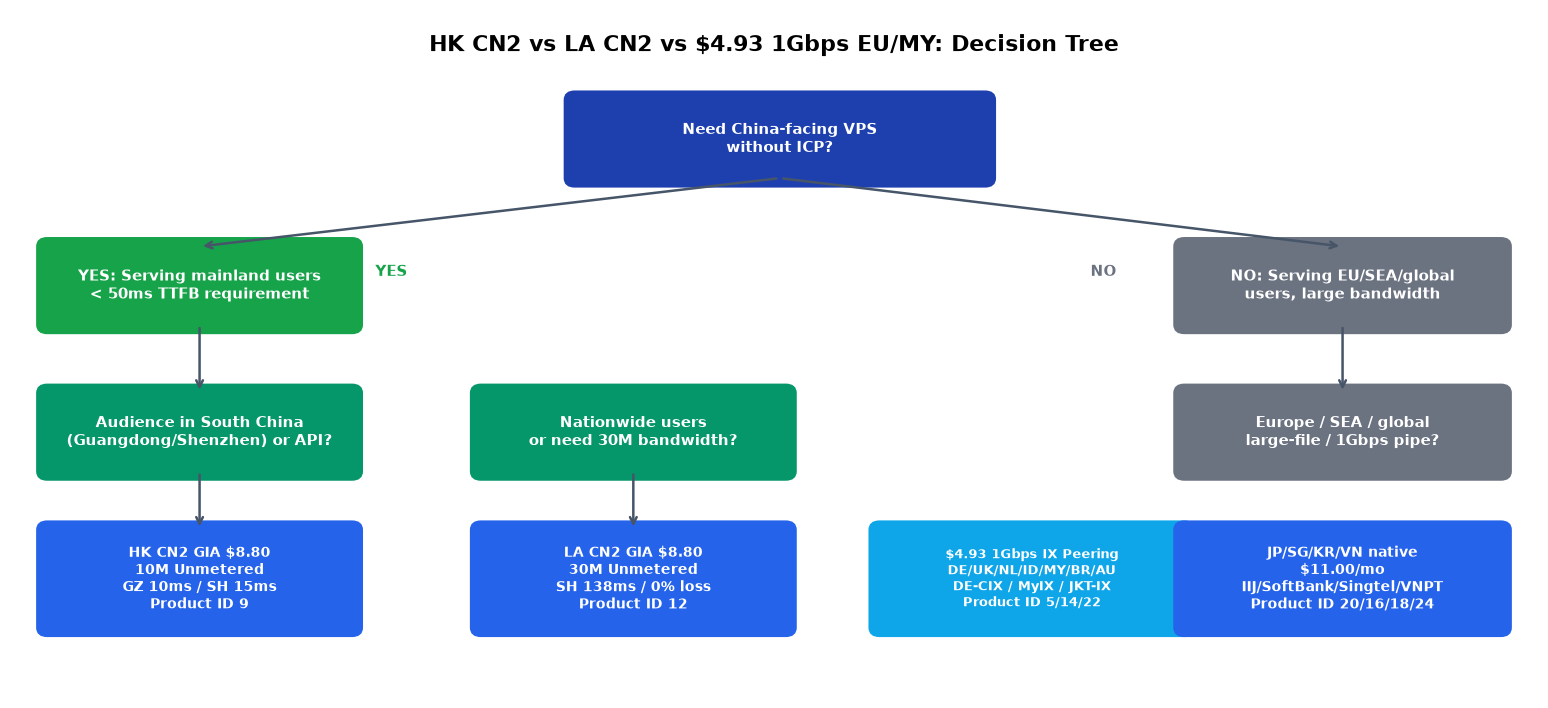
07 · Transparent Boundaries & 24-Hour Refund Policy
Bandwidth reality (please read before buying): The $8.80 HK entry plan provides 10 Mbps unmetered bidirectional (≈1.25 MB/s sustained). The selling point is stability — 0.0% peak-hour loss and sub-15ms latency to South China — not bulk throughput. If you need to pull multi-GB files or serve large video, choose:Heavy BBR-stressed throughput above the 10 Mbps cap for extended periods will trigger a fair-use notice.
- LA CN2 GIA $8.80 (30 Mbps unmetered) — 3x the pipe at the same price, good for file-heavy nationwide-CN sites
- $4.93 1 Gbps IX nodes (DE/UK/NL/ID/MY/BR/AU) — for non-China bulk bandwidth; 80x the throughput at 56% of the price
24-hour refund rules (read to avoid losing your guarantee):
- First order only; request within 24 hours of provisioning.
- Cumulative bidirectional traffic must be under 1 GB.
- Do NOT run speedtest-cli, large wget, or benchmark scripts immediately after boot — a single speedtest run burns 200–500 MB and can void the refund.
- Use
pingandmtr -c 50(small packets) to verify latency first; run throughput tests only after you're sure you'll keep the instance.- Refunds to original payment method; crypto (USDT) refunds issued in USDT TRC20.
Operational expectations:
- Provisioning time: 1–3 minutes after payment. Instant IPv4 assignment, no waiting list.
- OS templates: Debian 12, Ubuntu 22.04/24.04, CentOS Stream 9, Rocky 9, Alpine 3.20 — all ship with Linux 6.x (BBR support out of the box).
- Hot upgrade/downgrade CPU/RAM/disk from the client area; no OS reinstall or IP change required.
- NVMe disk I/O is shared on host; heavy sequential write workloads may experience minor throttling during peak. For sustained 200+ MB/s write workloads, upgrade to the 2C4G plan or bare metal.
- Synchronous CN2 routing is to mainland China only; routes to US/EU use normal transit (HE/Cogent/Telia) from HK.
- TOS strictly prohibits outbound spam, port scanning, DDoS, and unauthorized proxy/VPN resale to third parties.
We publish these boundaries because we'd rather have you self-select the right plan than refund churn. If you're unsure which plan fits your workload, open a live chat on the site before ordering — the team responds in under 5 minutes during business hours (HKT 09:00–24:00).
FAQ
Is LuckVM HK CN2 GIA really bidirectional AS4809?
Yes. Both inbound and outbound traffic between our HK gateway and mainland China traverse AS4809 (59.43.* hop confirmed). Verify yourself with the 4 commands above after provisioning.
How is 10 Mbps unmetered different from DMIT/Bandwagon?
DMIT charges $39.90/mo for 300 GB at 30 Mbps; Bandwagon HK is out of stock and charges $89.99/mo. LuckVM $8.80/mo is 10 Mbps unmetered 24/7 — no overage fees, no burst credit depletion.
Can I hot-upgrade from 1C1G to 2C4G without migration?
Yes. Hot-upgrade in the client area takes ~60 seconds. Your IP, data, and OS remain intact. The $26.40/mo 2C4G plan is our recommended production default for WooCommerce/MySQL.
Do I need ICP filing (备案)?
No. HK nodes sit outside mainland China, so no ICP license is required. Your domain resolves directly to the HK IP. Content must still comply with applicable laws in your own jurisdiction and in HK.
Is the IPv4 address native HK (not a proxy-flagged range)?
Yes. All HK IPs are assigned from APNIC-allocated HK ranges with clean reputation. Verify with
curl ipinfo.ioafter boot; country=HK, no proxy/datacenter abuse listings.What payment methods are accepted?
Alipay, WeChat Pay, USDT (TRC20/ERC20), PayPal, Visa/Mastercard, Google Pay. Auto-provisioning completes 1–3 minutes after payment confirmation.
Is BBR enabled by default?
Debian 12 and Ubuntu 22.04 templates ship with BBR pre-enabled. Custom ISO users should apply the sysctl in Section 5.1.
How many IPv4s come with the plan? Can I buy bulk IPs?
Entry plan includes 1 native public IPv4. Additional bulk IPv4 addresses are available at $1.50/IP/mo across any region (HK/LA/SG/FR/DE/etc), including C-class diversity for PBN/reseller use cases.
08 · Deploy Now — Scenario-Tailored CTA
Deploy Hong Kong CN2 GIA in Under 3 Minutes
Bidirectional AS4809 · 70 GB NVMe · Triple-route optimized · 24-hour refund (traffic HK CN2 GIA 1C1G 70GB — $8.80/mo →
Other recommended options: LA CN2 GIA 30M $8.80 · Frankfurt 1Gbps $4.93 · HK Business 2C4G $26.40 · RTX 4090 GPU $1.20/hr · Proxmox Bare Metal $825/moRelated Reading (Topic Cluster)
- LuckVM Hong Kong Cloud Server — product landing page (all plans + real-time stock)
- Hong Kong Bare Metal Servers (up to 512GB RAM / 125 IPv4)
- China-Optimized VPS 2026: CN2 GIA, CU 10099 & CMI Routes (technical deep-dive)
- Deploy vLLM & Llama-3 on RTX 4090 Dedicated GPU ($1.20/hr)
- Self-Hosted PostgreSQL HA vs AWS RDS: Cut Database Costs by 75%
- Build Your Own Private Proxy Pool Across 10 Regions (vs Bright Data)
- Global Looking Glass (ping/mtr from every region before purchase)